Guide
Ask a notary for a signing
Ask a notary to come to you — choose a time on their page, say what you need and where, and follow their answer on a page of your own. No account, and nothing to pay to ask.
Ask a notary to come to you — at home, at work, in a hospital room — at a time from their own calendar. Asking costs nothing and needs no account: you get a page of your own where their answer appears, and you pay the notary directly.
Open the notary's page
Most people open a notary's page from the link, card or QR code the notary gave them, or from the notary's own website. Find a notary at the top of the Hand & Seal home page also lists the notaries who travel to your town or ZIP code.
A notary's page shows what they charge, where they travel, their usual hours and their reviews — and, under Ask for a time, their free times.
Ask for a time
Choose a time. Under Ask for a time, choose a day and then a time — or choose Choose a time and ask. On a phone, Ask for a time also sits in the bar at the bottom of the page. The times are free times from the notary's calendar, in their time zone.
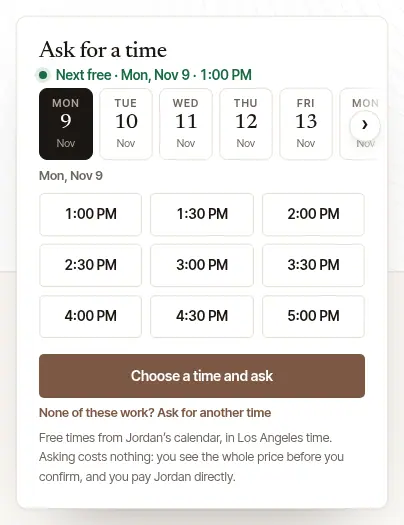
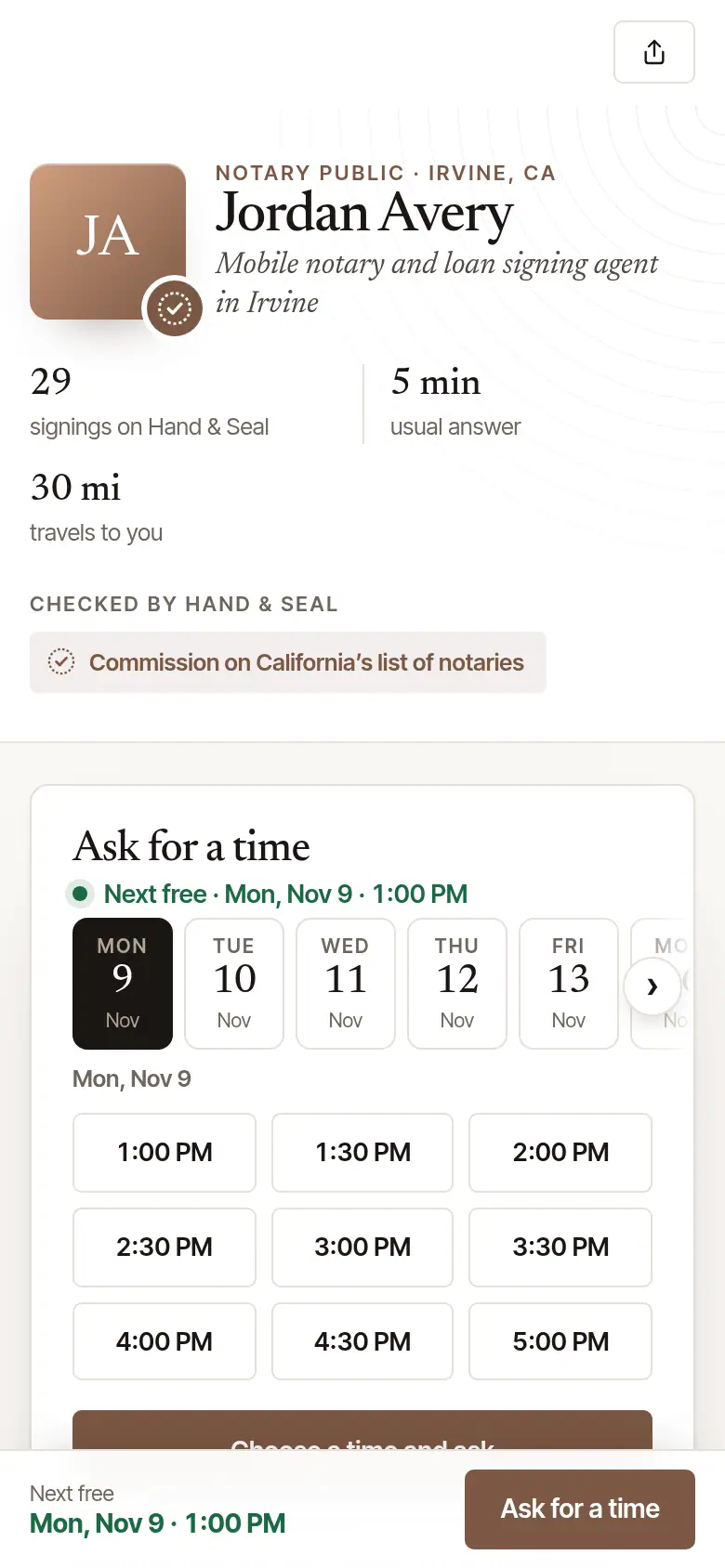
None of these work? Choose Ask for another time — under the free times on their page, or on the form — and give the day and the time you'd like (the times go by the quarter hour — far enough ahead for their notice; the form says if it isn't). It isn't one of their free times, so your request asks them for it: nothing is booked unless they say yes, and the time is held for you while they answer. When their calendar has no free times in the next two weeks, the form starts there.
Say what you need. What are you signing? is filled in from your search, if you made one — change it if you like. Choose the Kind of notarization — if you don't know, leave it at Not sure: your document, or whoever asked you for it, says which. Add What the document is if you like — or, once What are you signing? names it, Anything more about it — then People signing, Signatures to notarize, and whether the notary needs to print the documents. Choose Next: where and when.
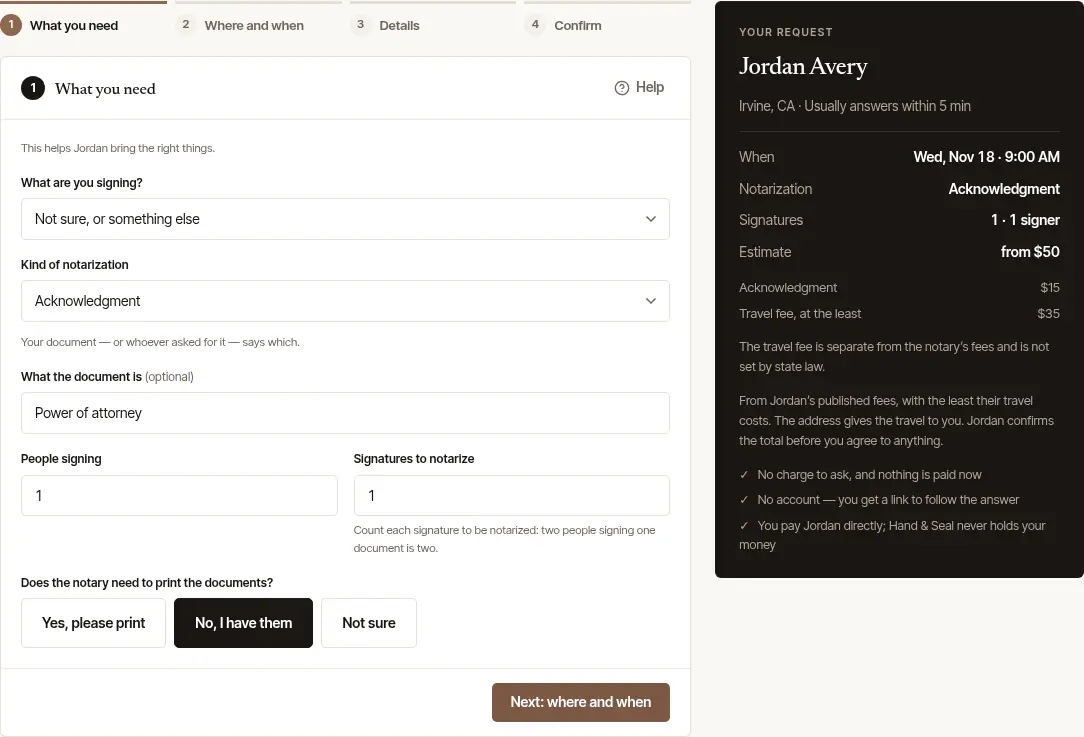
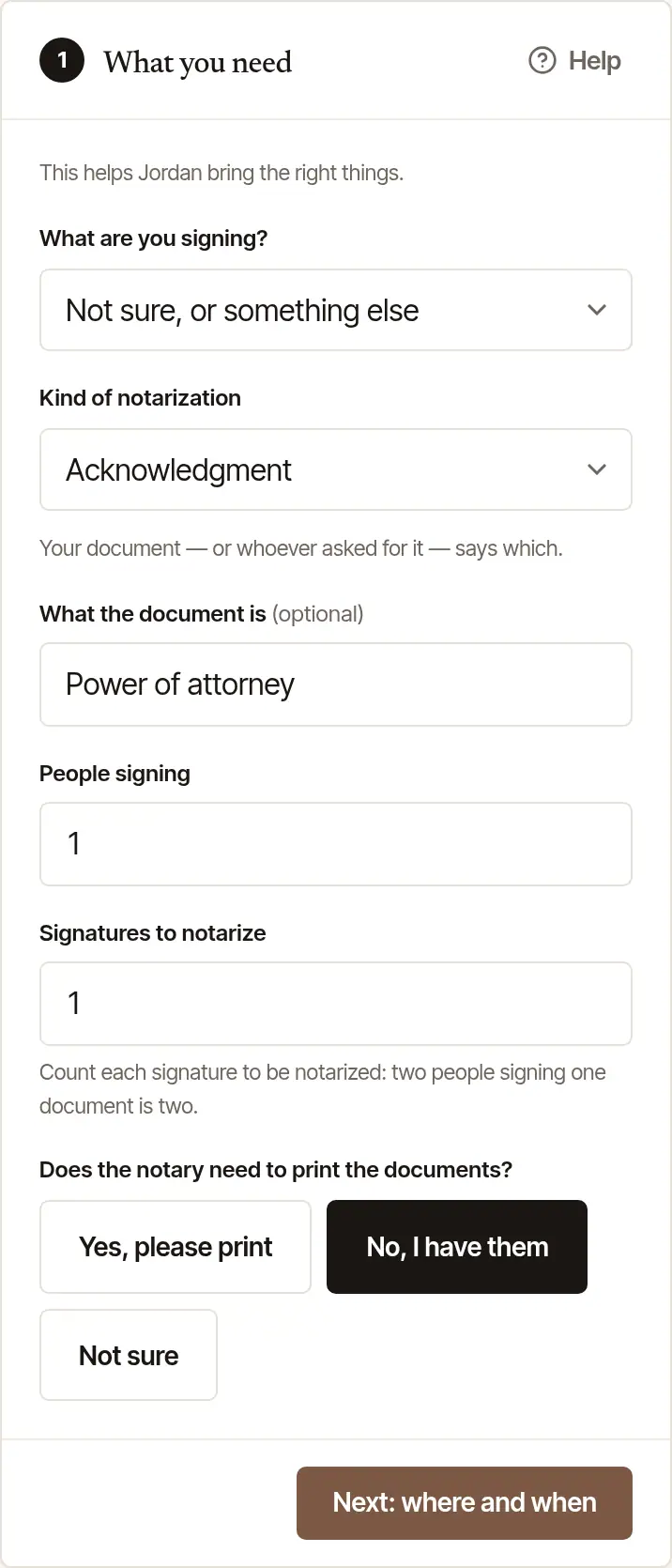
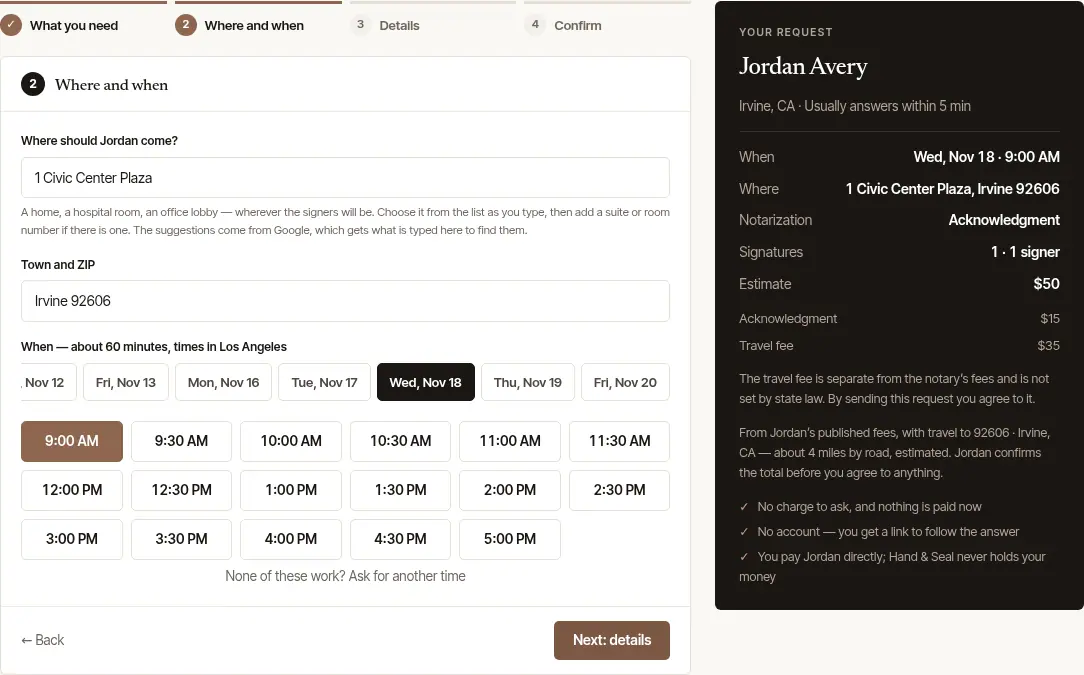
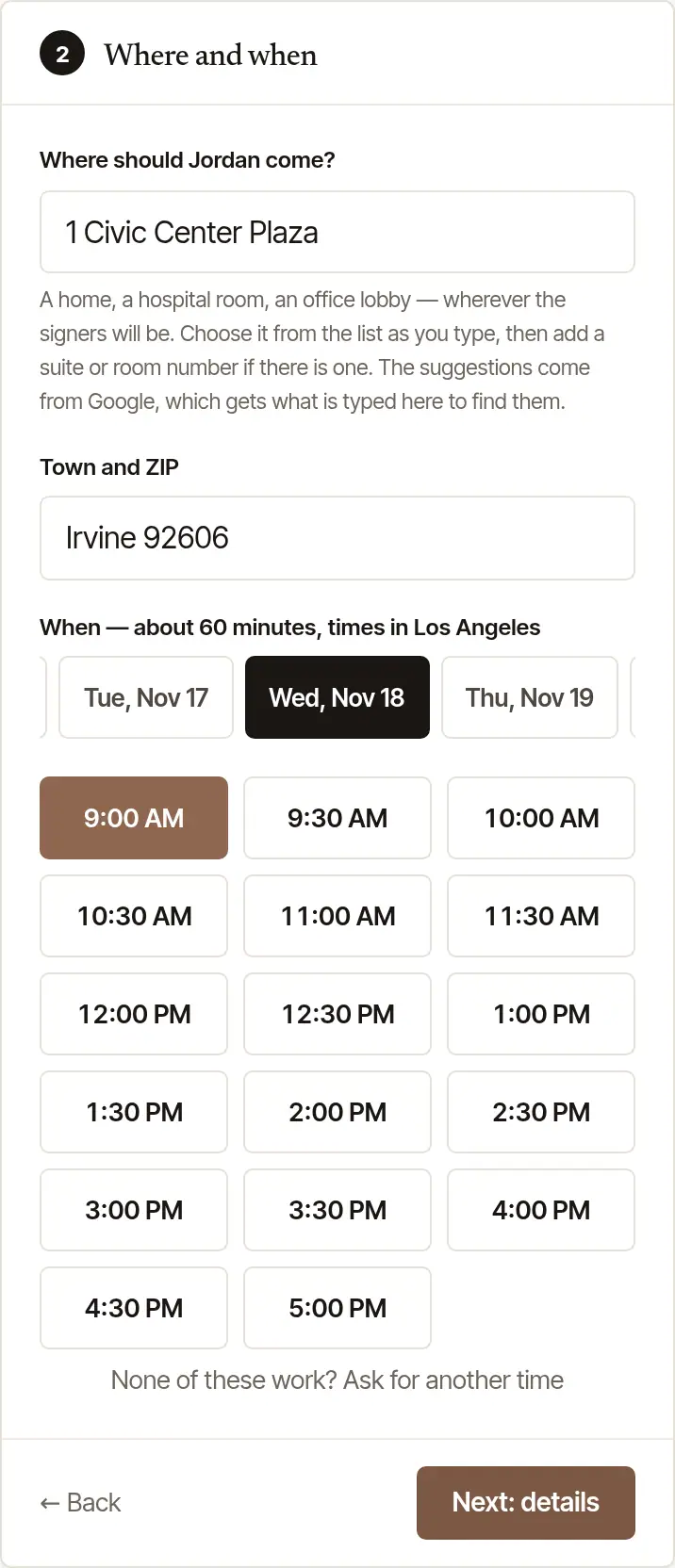
Say where and when. Under Where should … come?, start typing the address. If a list of addresses comes up, choose yours from it, then add a suite or room number after it if there is one — those suggestions come from Google, which gets what is typed in the field. Or type the street yourself and add the town and ZIP under it, in Town and ZIP: it's how the notary tells how far it is. If you came from Find a notary, Town and ZIP starts with the town or ZIP code you searched — not a county, and not one of the few ZIP codes that lie across a state line. Type the street above it. When the line itself says where — a town the form knows, a state or a ZIP after the street, with a comma or without — Town and ZIP is emptied, so the town and ZIP are yours to write; take the line back to the street alone and it returns. A town you typed in Town and ZIP yourself stays, even after another search. Either way the address has to say its state, because that's how it's checked against the notary's commission: its ZIP code says it, and so does the state after the town (“Irvine, CA”) — but a neighborhood, or a town the form doesn't know, needs its ZIP. When the address doesn't say its state, the form says so under it, and the request can't be sent until it does. Keep the ZIP last — a suite or a gate code can follow it, but any other note, or another address (a c/o, a billing address), goes in the next step, Anything … should know. The time you chose is picked already; choose another under When if you like. Your request, beside the form (under it on a phone), shows an Estimate from the notary's published fees: always a total, with what it's made of under it. On a phone the same Estimate also stands above Next on the first three steps, so it's in view as you answer. Before the address is in it says from — the least it comes to, with the least their travel costs in it. With the address in, it's the estimate with the travel to you. For a loan signing, a refinance, an apostille or an I-9 there's no estimate — none is priced by the signature — and the notary gives you the total with their answer. When the address is farther than the notary travels, it says how far it is and how far they travel; you can still send the request, and the notary decides whether to come. Under a travel fee, the form says that it's separate from the notary's fees — and that sending the request agrees to it. Choose Next: details.
Add anything they should know. The signers’ language, if you like — the language they will talk with the notary in (choose Another language to type one) — and Witnesses, if your document needs people besides the notary to watch the signing and sign too: it, or whoever gave it to you, says how many. When the notary's page lists languages and not the one you chose, the form says so; your request tells them either way. Then anything else: a gate code, parking, a signer who is in hospital or can't come to the door, a deadline. Then choose Next: confirm.
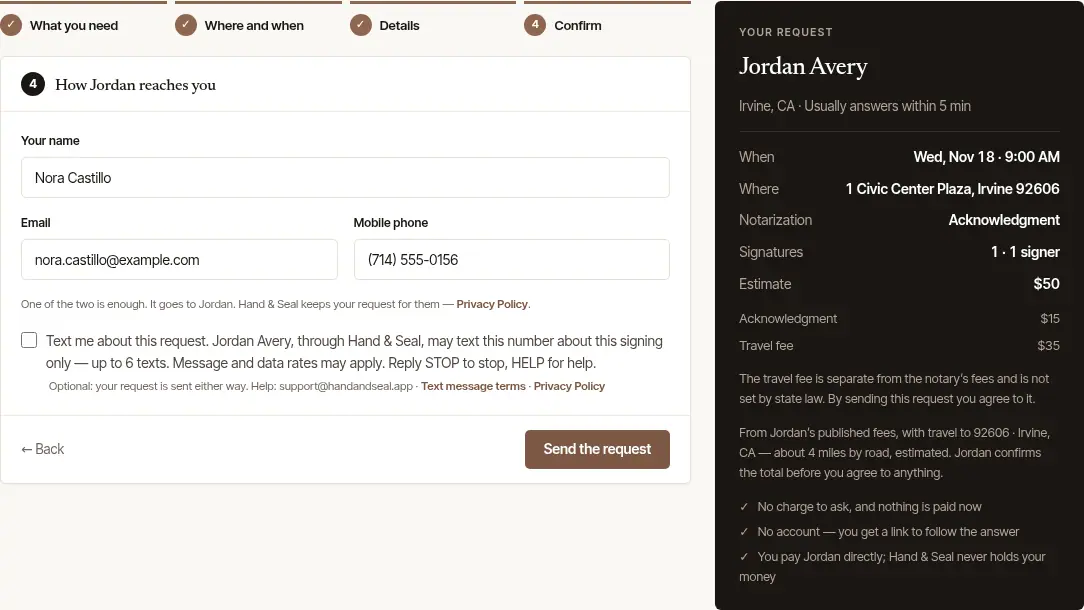
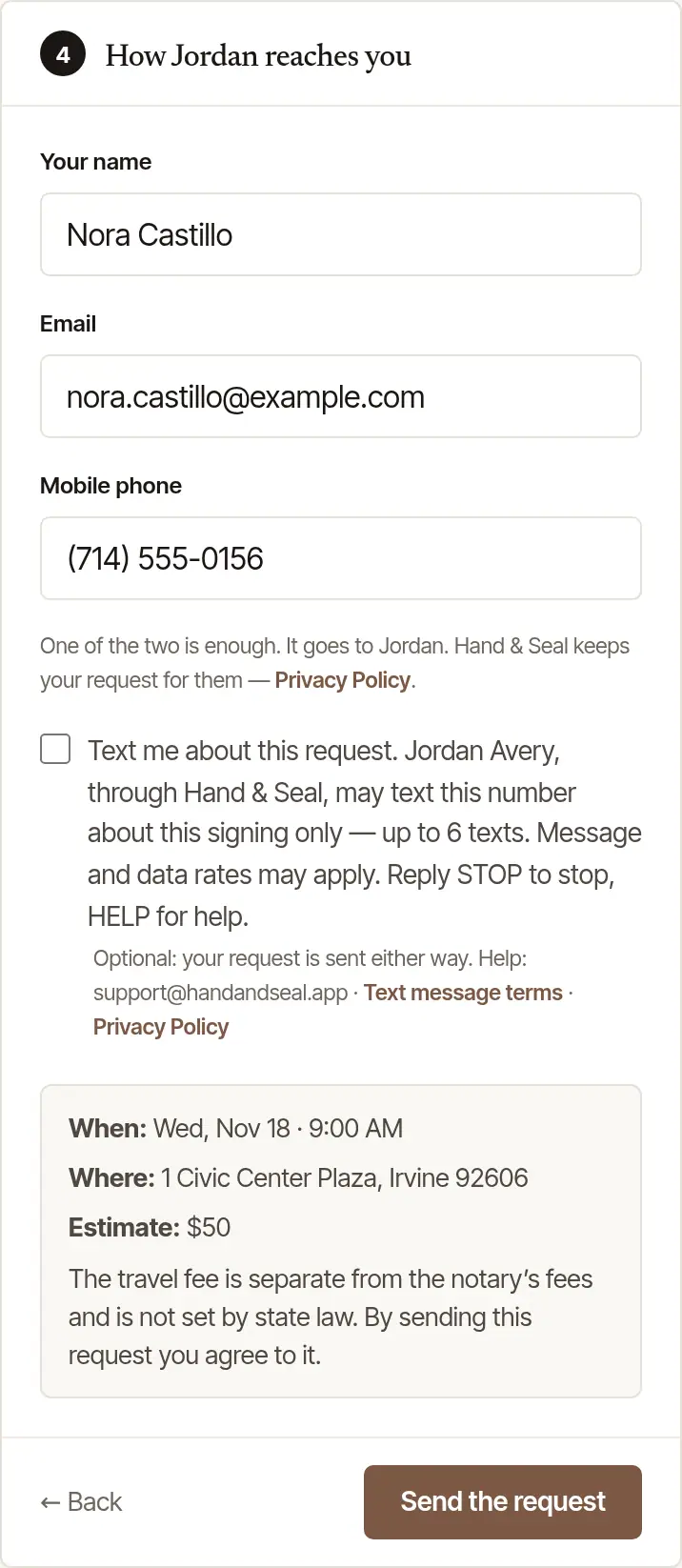
Say how they reach you, and send. Fill in Your name, and your Email or Mobile phone — one of the two is enough. It goes to the notary, and Hand & Seal keeps your request for them: the Privacy Policy linked there says how. On a phone, above the button, the step says again when and where, the estimate, and the travel fee — its amount first — that sending agrees to. With it, the form says the notary confirms the total when they accept, and that the travel in it is estimated from the distance until the signing is done: the invoice is priced from the final distance. Choose Send the request.
Good to know
If the notary asks for a deposit, the last step says so before you send. After sending you go to a secure card page: the deposit is held on your card, charged only if the notary accepts, and taken off the total. The form also says how long before the signing you can cancel and still have it refunded in full — and when it's kept. More in How do deposits work?
General information, not legal advice
A notary checks who is signing and notarizes the signature. In most states, being a notary doesn't let someone who is not an attorney give legal advice or draft legal documents. Every signer must be there with identification — usually a government photo ID. This is general information, not legal advice: what a notary may do, and which IDs they may accept, depends on your state.
After you ask
Keep your request's page. It opens as soon as you send: Sent to the notary, with how long they have to answer — the time is held for you until then. Choose Copy the link (or Share, on a phone) to keep it. If you gave your email address, the link comes by email too, with when they answer by — and if they haven't by then, you're emailed then, so you can ask someone else.
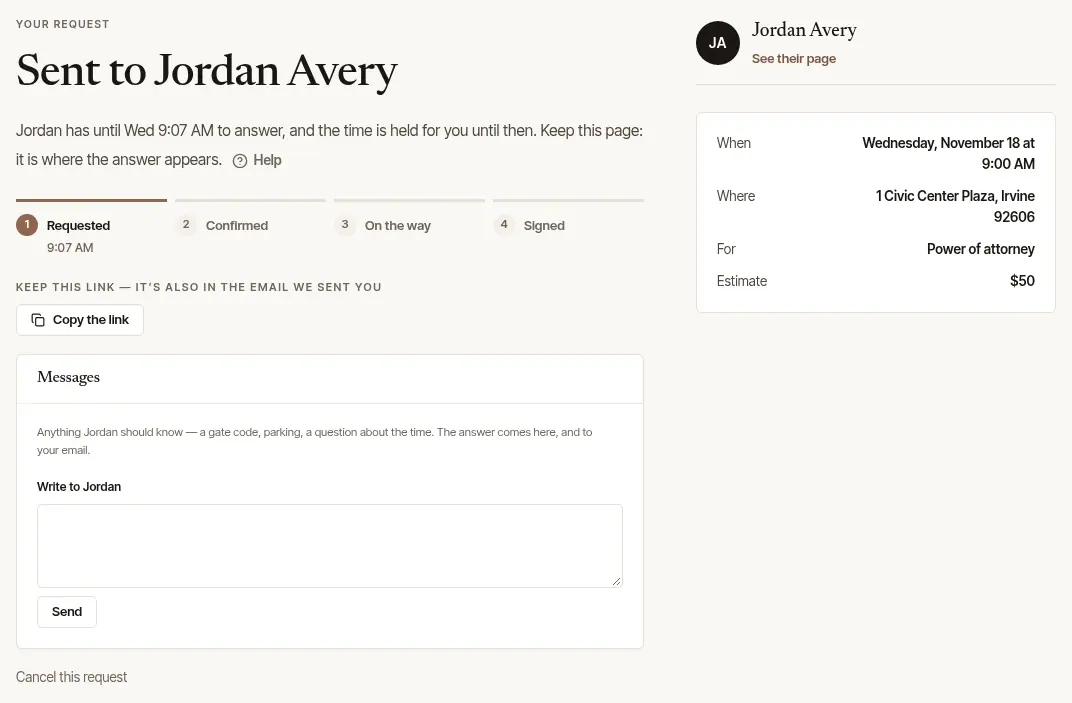
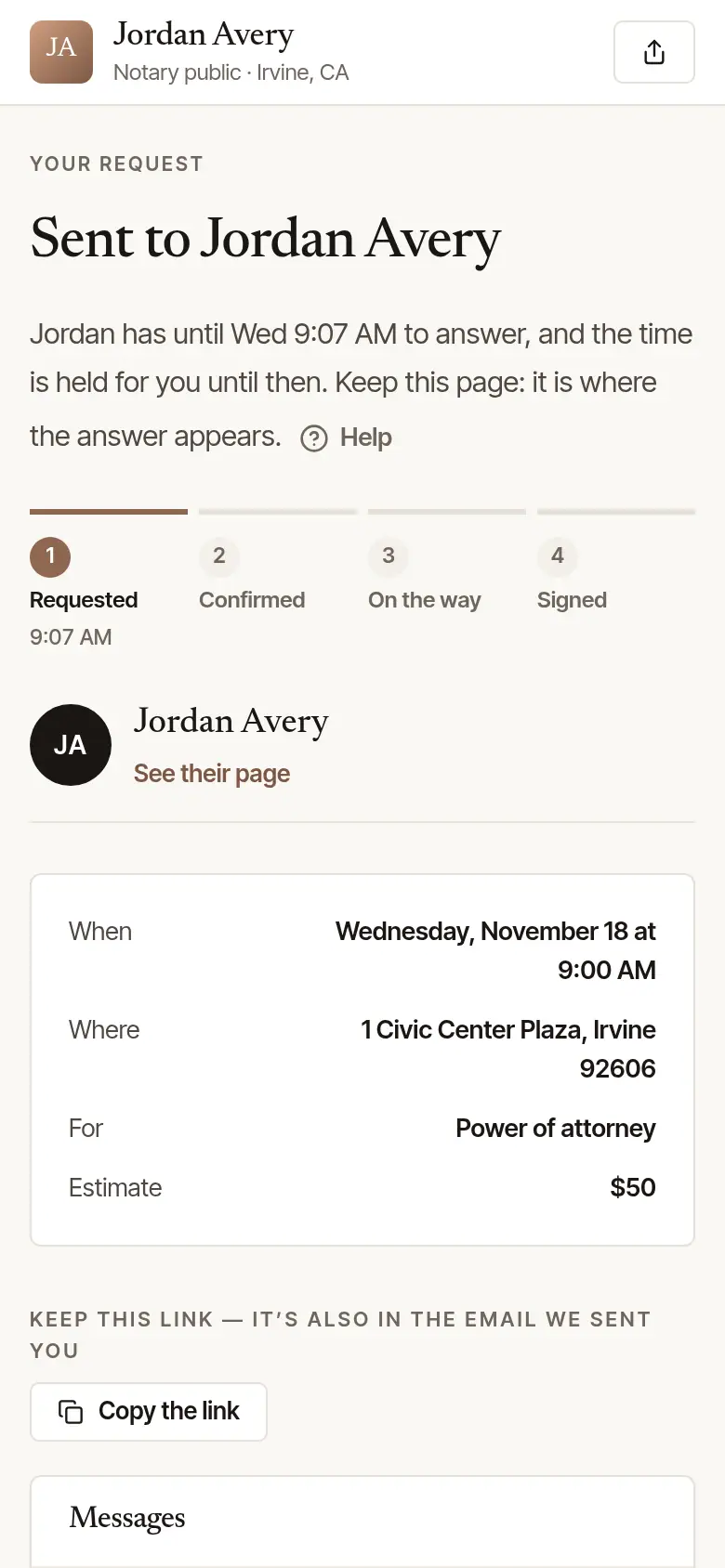
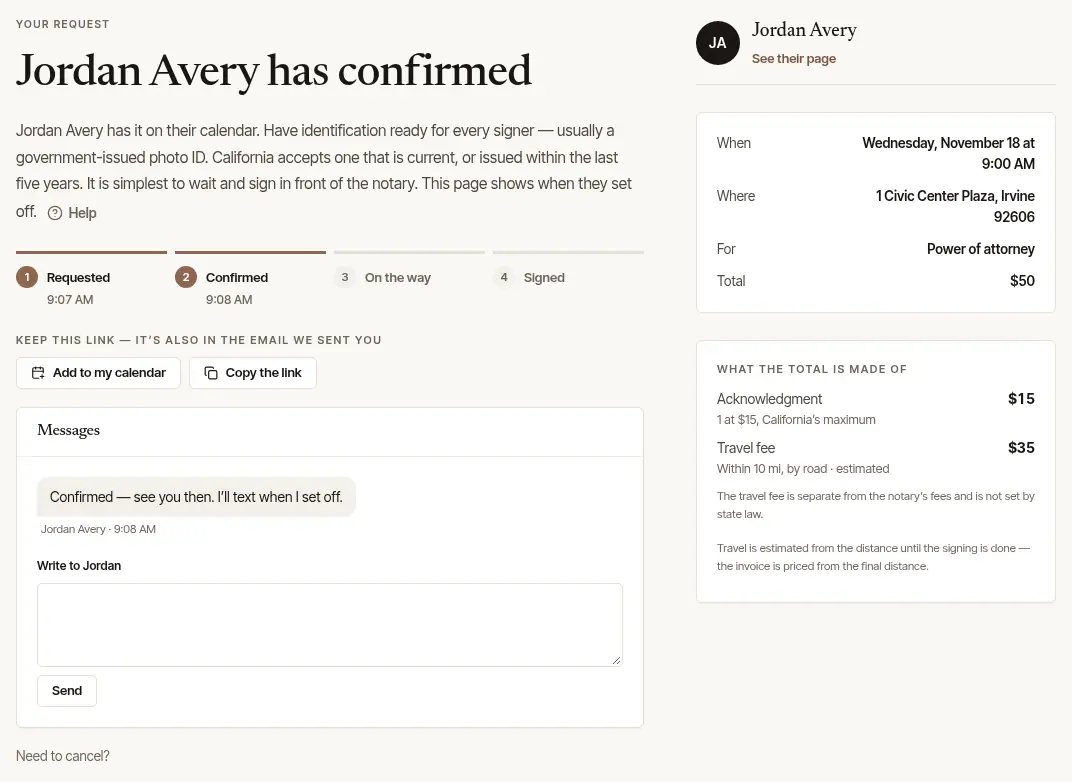
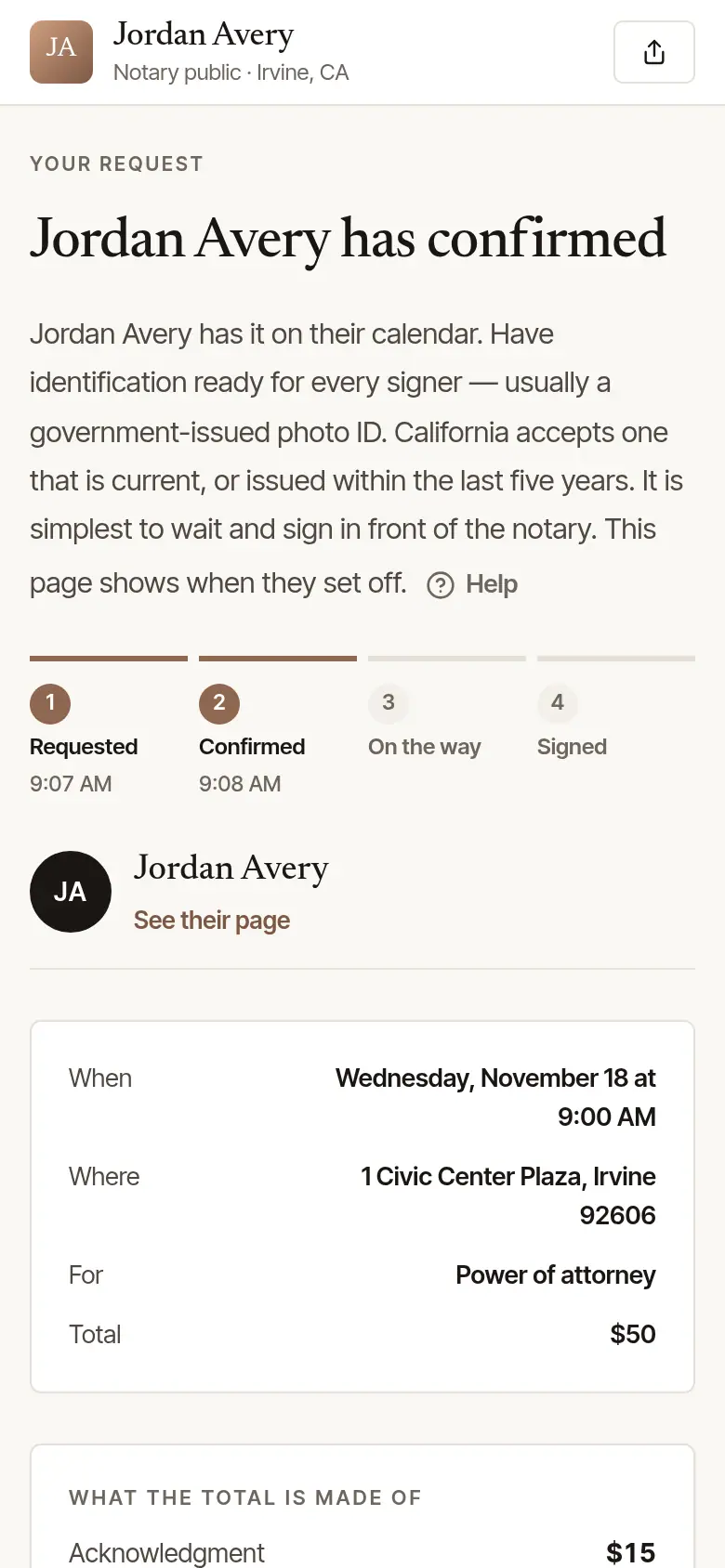
When the notary confirms, the page says so — and so does an email, if you gave your address. It shows their total, line by line, and — on the day — when they set off, when they arrive and when it's signed. If their total is more than $10 above the estimate, or has a travel fee you haven't agreed to, the page asks you to agree to it first — or to have them call.
If they can't take it, the page says so and nothing is owed. Ask again takes you back to their page for another time, and Find another notary opens Find a notary at your signing's ZIP or town, where the address gave one.
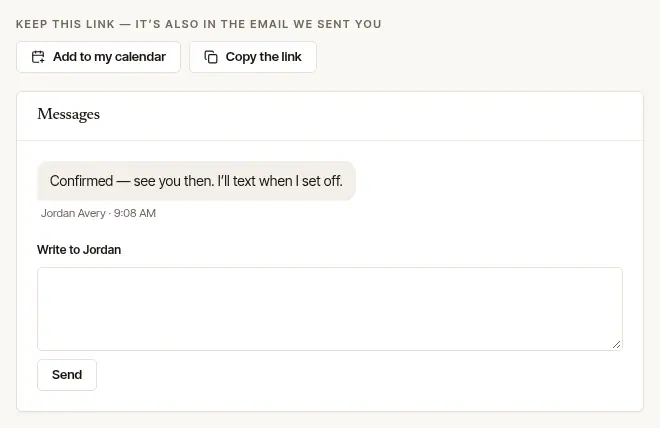
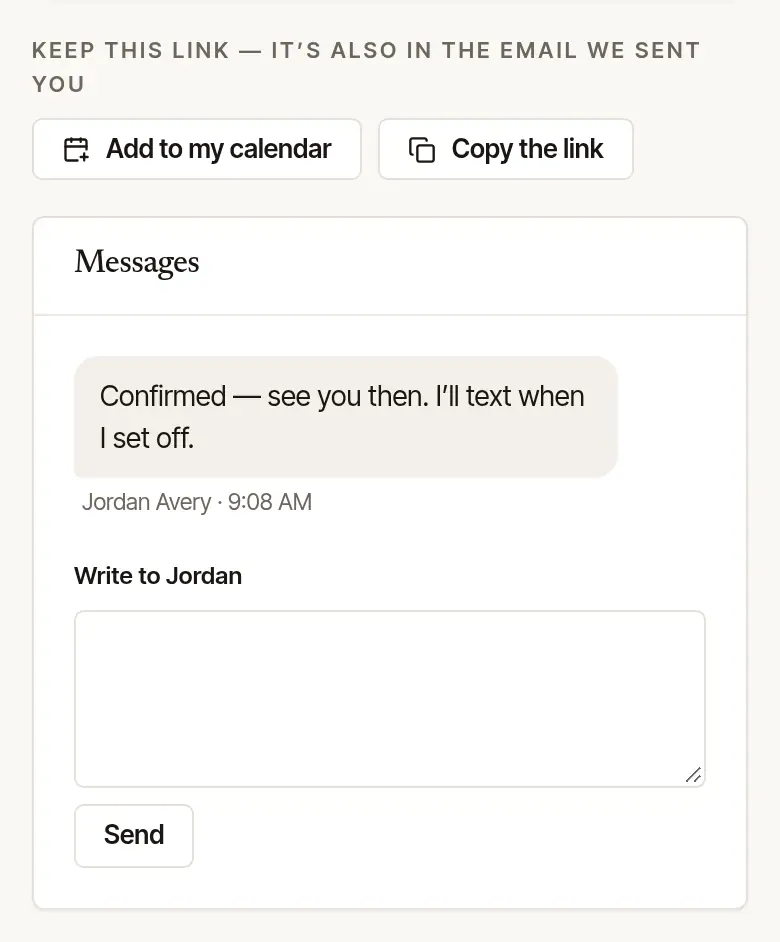
Add it to your calendar, and write to them. Once it's confirmed, Add to my calendar appears — and beside it Google Calendar, for a calendar that's Google's. Under Messages, type in Write to … and choose Send; the notary's answer shows here, and comes to your email too.
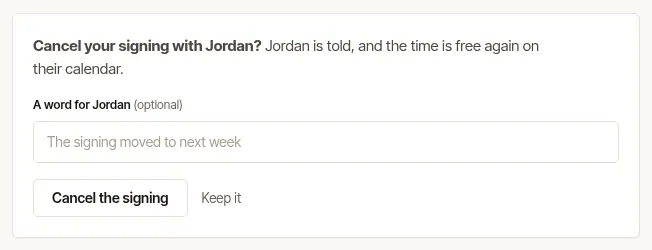
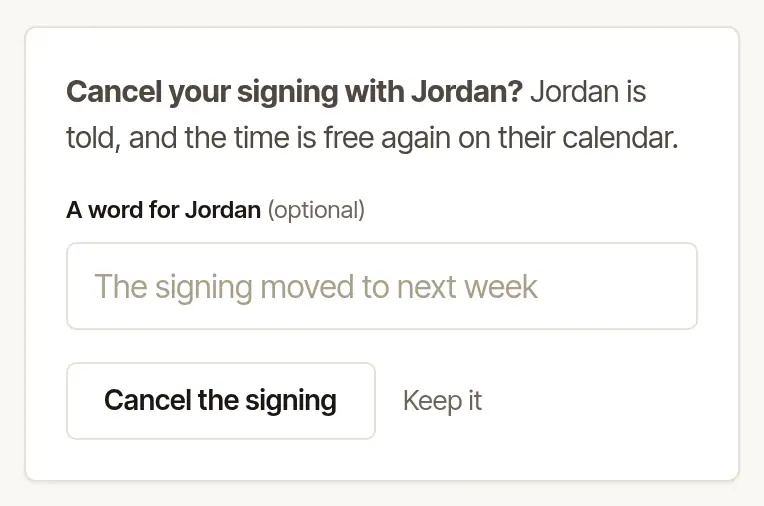
Need to cancel? At the foot of the page, choose Cancel this request (before the notary answers) or Need to cancel? (once they've confirmed). Add a word for them if you like — their cancellation policy shows here, if they have one, and what becomes of a deposit, if you left one — and choose Cancel the request or Cancel the signing. The notary is told, and the time is free again.
Good to know
- On the day, have every signer there with their ID. It is simplest to wait and sign in front of the notary. More on what to bring is under At the signing.
- Paying: you pay the notary directly — Hand & Seal never holds your money. Their invoice, and your receipt, appear on this same page after the signing when it's billed to you. If the notary already had you as a client, that's once you've pressed Yes, this is my request on the page the email saying your request arrived opens — so nobody else who types your name and email sees it.
- Phone or computer: it's the same page on both. Nothing to install.
Was this helpful?
Still stuck? Contact support — a person reads every message and answers by email.