Question
What happens after I ask?
Your request gets a page of its own — Requested, Confirmed, On the way, Signed — with the notary's answer, their total, messages, and on the day when to expect them.
As soon as you send a request, it gets a page of its own. Everything that happens next shows there — and, if you gave your email address, comes to your email too.
Sent, and the time held. The page says Sent to the notary and how long they have to answer: up to two days — and, when the signing is sooner, until an hour before it (halfway there, if you ask less than two hours ahead), so that you hear in time to ask someone else. The time is held for you until then. Keep the page's link — Copy the link, or Share on a phone. It's your way back to the page, with no account needed; if you gave your email, it's in the letter we send you too.
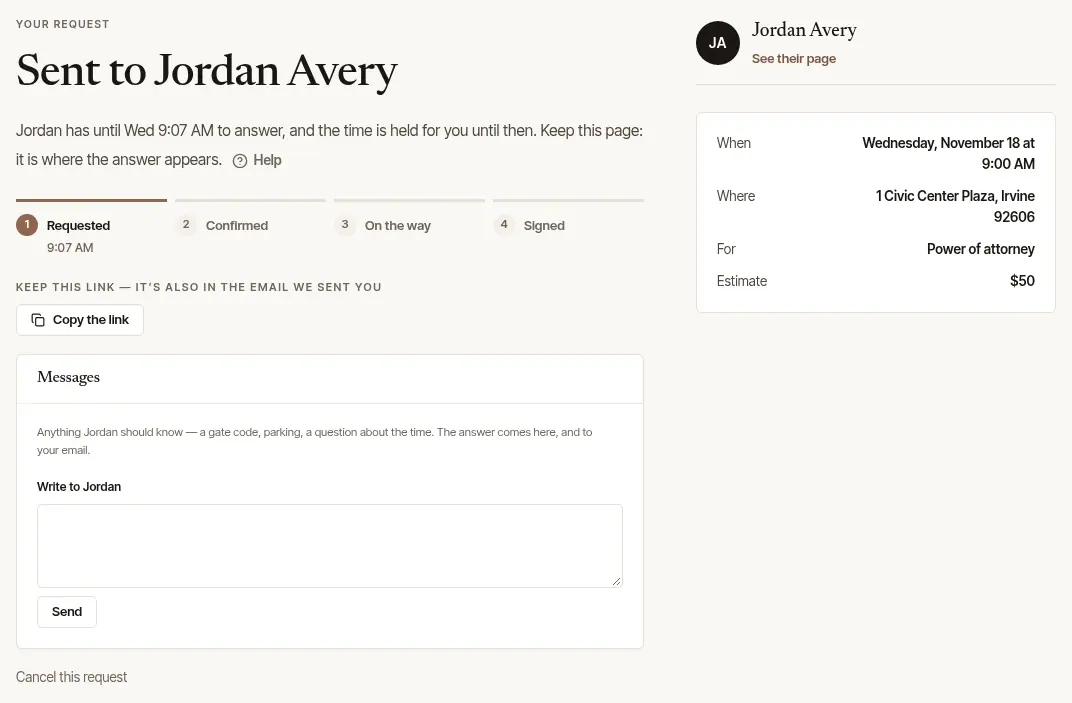
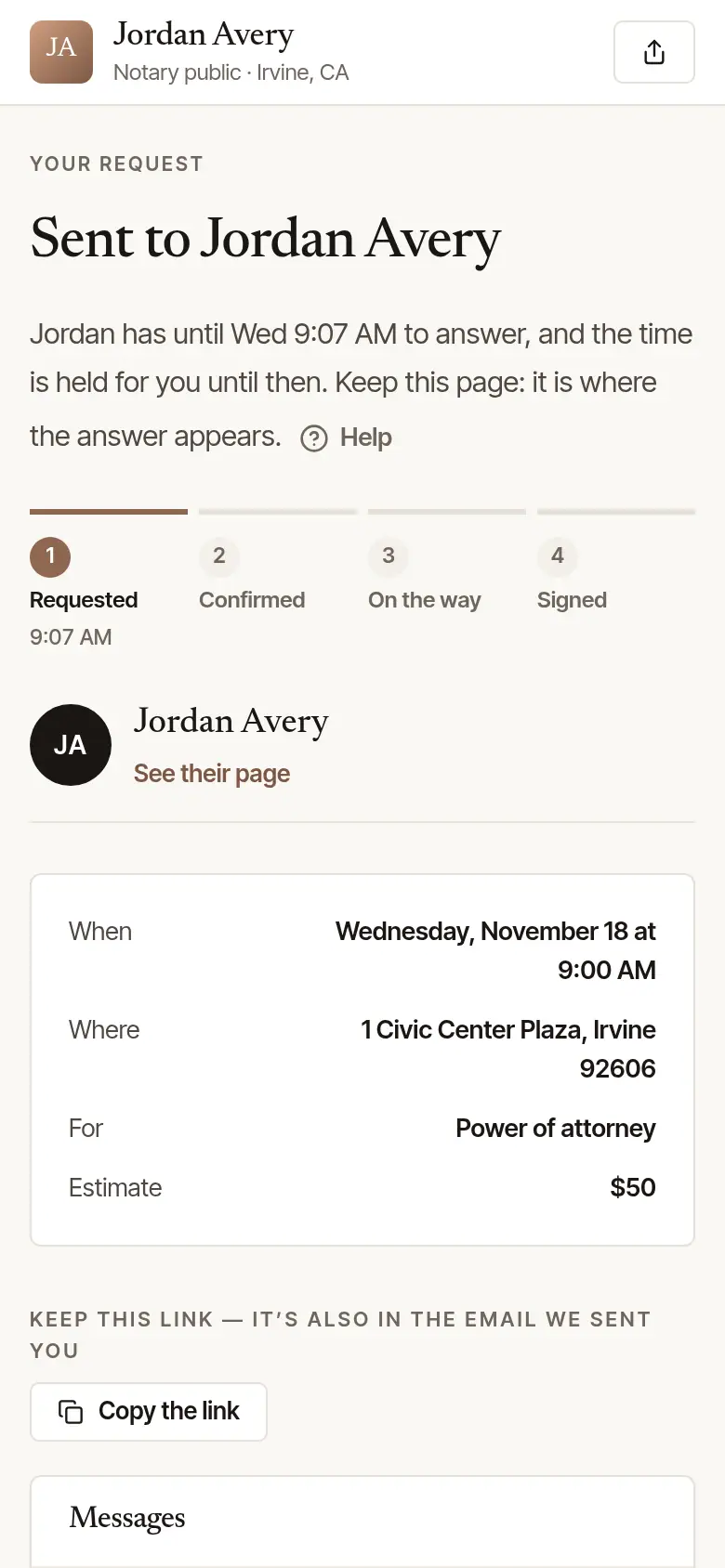
The notary answers.
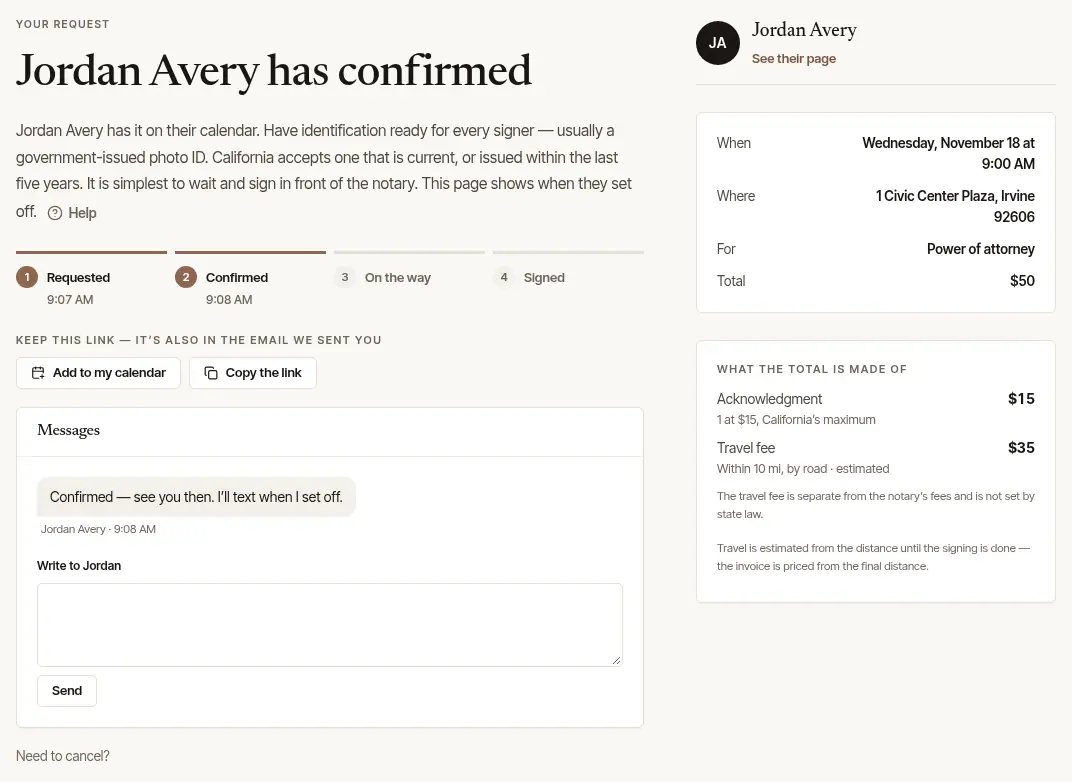
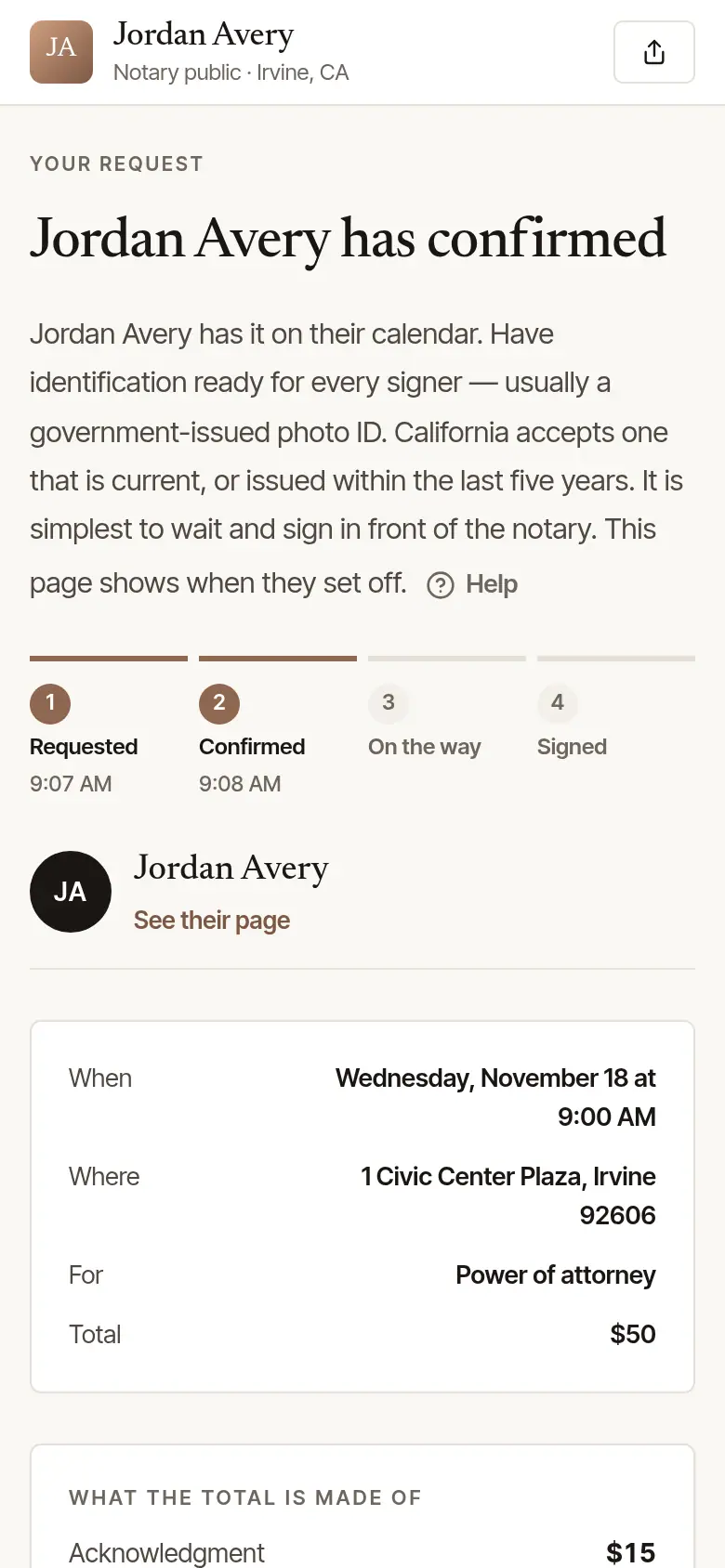
- Confirmed: the page says the notary has confirmed, with their phone number if they gave one (Call or text …) — unless they have since left the business or closed their account — and with Add to my calendar and What the total is made of, line by line. Beside Add to my calendar, Google Calendar opens Google's own page for adding it, with what the calendar file holds filled in — the time, the signing's address, the notary's name, what it's for, what to have ready and the page's link; pressing it is what sends those to Google. Travel is estimated from the distance until the signing is done — the invoice is priced from the final distance. Under a travel fee, the page says what it is: that it's separate from the notary's fees — in the words the notary's state has for it, where it has them. If their total is more than the estimate you were shown, the page says by how much — and you can still cancel. More than $10 above it — or with a travel fee you haven't agreed to — the notary asks you to agree to it first: choose I agree to the price, including the … travel fee (OK, where there's no travel fee in it) to say yes, or Call me to have them call you about it.
- Can't take it: the page says so, and nothing is owed. Ask again takes you back to their page for another time, and Find another notary opens Find a notary at your signing's ZIP or town, where the address gave one — the way on when their page is no longer up.
- No answer in time: the time is no longer held. You're welcome to ask again, or to find another notary. So too if the notary has to cancel.
The morning before, if you gave your email, a reminder comes with the time. If the confirmation was emailed to you less than twelve hours before that morning, no reminder comes: it already said when, where and what to have ready.
On the day, the page looks again by itself. When the notary sets off it says … is on the way, with about when to expect them — an estimate from where they set off, so traffic can change it. Then when they've arrived, and when it's signed.
Afterwards, the notary's phone number, if they gave one, stays on the page (Call or text …) for a question about the signing — unless they have since left the business or closed their account. Where several notaries work in one business and the signing is a person's, not a company's, that changes once it's signed: the page gives the business's name and the number of one of its owners — the number Save the number saves — and keeps it if the notary who came later leaves the business. An owner's own signing keeps the owner's name and number, where they gave one and are staying in the business; and where no owner who is staying can be reached at a number, the notary's own stays while they are in the business. Their invoice — or your receipt, if you've paid — appears on the same page when it's billed to you, with a way to pay it (if the notary already had you as a client, once you've pressed Yes, this is my request on the page the email saying your request arrived opens), and How was it? asks for a review. Once it's signed, For next time has Book again, which opens the page you asked through while it's up, and Save the number: a contact card for your phone with the notary's name and phone number, their business's name where it's another, and the link to their page while it's up — where they gave a number, and unless they have since closed their account. Where several notaries work in one business, or the notary who came has since left it, the card is the business's instead: its name, the number of one of its owners and, where you asked through the page of an owner who is staying, that page while it's up.
Good to know
- Did you send it? Opened from the email that says your request arrived, its page asks, with Yes, this is my request and No, I didn't send this. Yes tells Hand & Seal that the email address on the request is yours — and, if the notary already has you as a client by that name and address, files it under you.
- An email about a request you never made? Someone may have typed your address. Open the link in the email saying the request arrived, press No, I didn't send this, then I didn't send this. Your email address, and the phone number on it if there was one, are taken off the request, and the notary is told you say you didn't send it. If the notary hasn't answered yet, the request ends. A review left on that signing stays, without the name on it. Whoever sent it isn't told what you said. We won't write to you about it again, unless the notary has your address on a client record of theirs: then the page says so, they may still write to you, and you can ask them to take it off.
- Messages: under Messages, write to the notary about the signing — a gate code, parking, a question about the time. Their answer shows there and comes to your email. Messages stay open until a week after the signing.
- If the notary moves the time, the new time and the old one show at the top of the page, and you're emailed. If the new time doesn't suit you, you can cancel — nothing is owed, and a deposit is refunded in full when you cancel within 24 hours of the change.
- Two at a time: you can have two requests waiting for an answer at once. Once a notary answers one, you can ask again.
- Changed your mind? Cancel a request or a signing from the same page.
- Your details taken out? Once the notary, or Hand & Seal, has taken you out of a request — because you asked, or by itself ninety days after a request ended without a signing — its page says only that it's no longer in use, with a link to the notary's page while that's up. Nothing more of the signing shows there, and nothing can be sent or changed from it.
Was this helpful?
Still stuck? Contact support — a person reads every message and answers by email.