Guide
Remove someone from your business
Take an employee or an assistant off your team at once, give a partner 14 days' notice, or make an employee a partner — all from Settings → Team.
An owner — you, or any partner — changes who is in the business from Settings → Team. An employee or an assistant can be taken off at once. A partner owns the business as much as you do, so a partner is never removed on the spot: they're given 14 days' notice.
Take off an employee or an assistant
Open Settings → Team. Under People, each person has what you can do about them beside their name. You see these only as an owner, and never beside your own name.
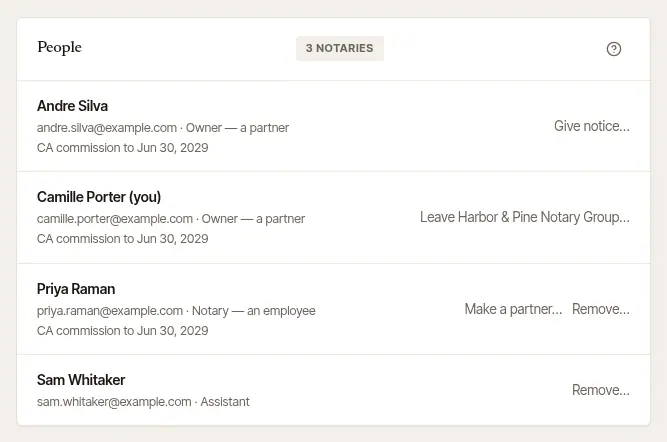
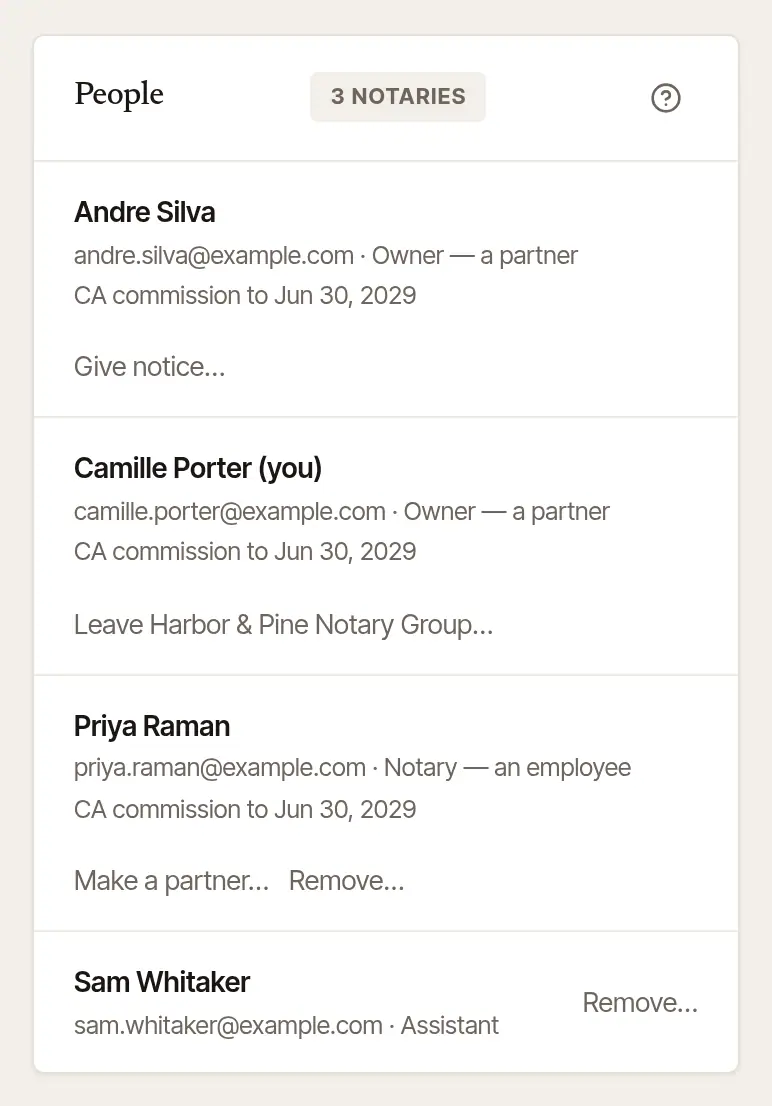
Choose Remove… beside their name. The page says what happens, before anything does. For an employee, it also says how many of their signings ahead will need a notary.
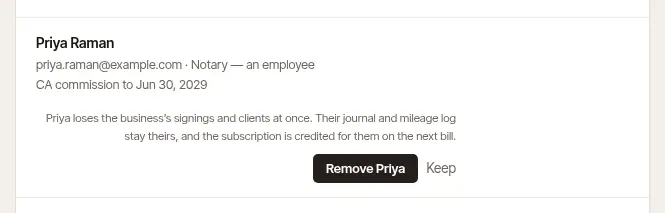

Choose Remove and their name. They're off the team at once. Keep closes it and changes nothing.
What happens then:
- They stop seeing the business at once. An employee no longer sees its signings and clients; an assistant no longer sees its diary and invoices.
- Their signings ahead come back to you. Each one is marked Needs a notary, for you to hand to someone else, and the business's owners and assistants are told. Until someone has it, the business is named in their place — on its client's page and in what they're sent, in your answer to a request still waiting from their page, and on the desk of a company that sent it.
- What they did stays the business's. Its jobs, invoices and books keep their name.
- Their own records stay theirs. A notary's journal, mileage log and commission were never the business's. They keep reading them from their own account.
- The bill goes down. The business is credited for an employee on its next bill. Assistants were free.
Good to know
An employee or an assistant can also leave by their own hand, whenever they like, from the same page. Nobody gets a copy of the business's records when they go that way, except a partner.
Give a partner notice
A partner can't be removed at once. Another owner gives them 14 days' notice instead.
Choose Give notice… beside the partner's name on People.
Confirm it's you. Type Your password. With two-step sign-in on, it asks for the Code from your authenticator app instead; if you sign in only with Google or Apple, it may ask you to Continue with Google (or Sign in with Apple) again first.
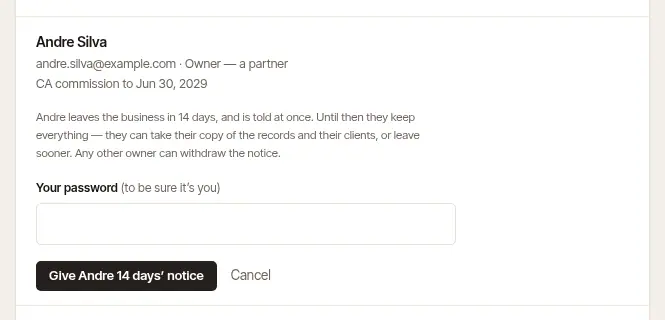
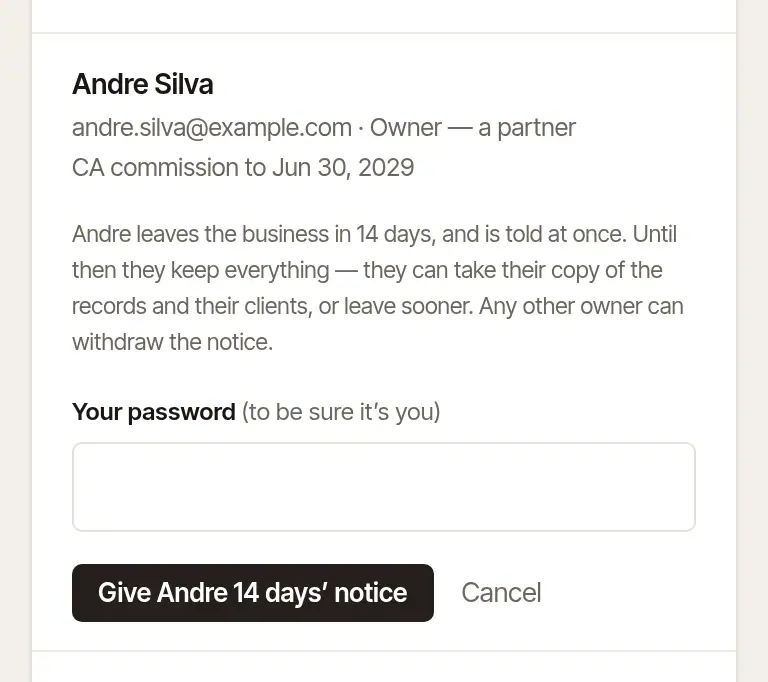
Choose Give … 14 days' notice. The partner is told at once, and their row says Leaves on the day, and who gave the notice.
During the 14 days, nothing changes for them: they're still an owner. It's their time to take a copy of the business's records and the clients they want, or to leave sooner. When the days are up, they're out of the business — the copy and the clients are theirs to take during those days, not after.
Changed your mind? Any owner other than the one leaving can choose Withdraw the notice beside their name. An owner under notice can't add or remove anyone.
Whose card pays
If the partner who's leaving pays the business's subscription with their card, their card stays on file until another owner puts in theirs. Any owner can do that in Settings → Billing, with Pay with my card instead.
Make an employee a partner
Choose Make a partner… beside the employee's name.
Confirm it's you, the same way as above.
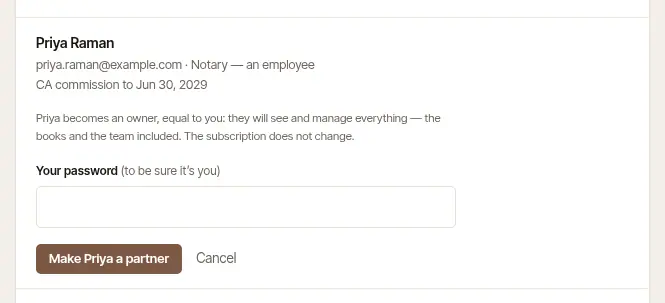
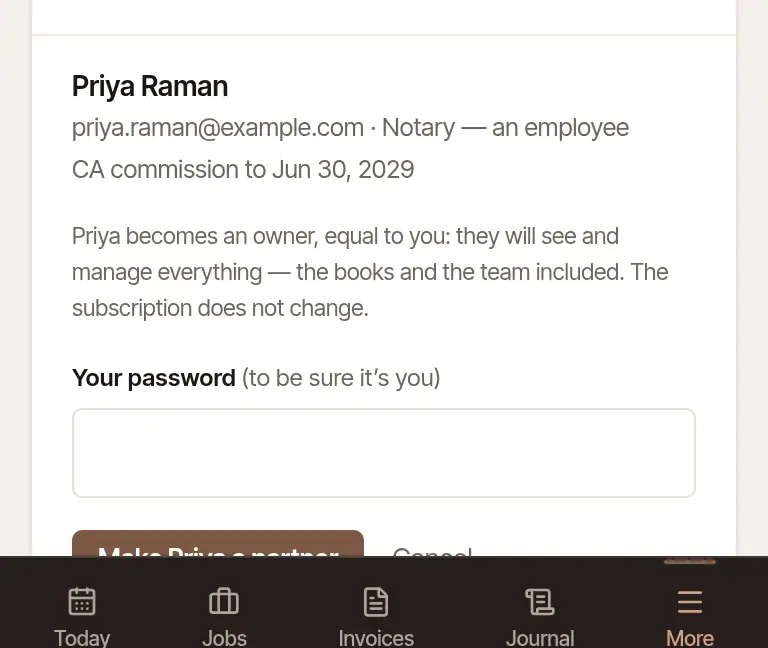
Choose Make … a partner. They become an owner, equal to you: they see and manage everything, the books and the team included. The subscription doesn't change.
An assistant isn't a notary here, so they can't be made a partner. To bring them in as one, remove them and invite them again as a partner.
Was this helpful?
Still stuck? Contact support — a person reads every message and answers by email.