Guide
Name backup notaries
Name up to three backups on an order — or for every order — and how long each has to answer. If your first choice says no or doesn't answer in time, the next is asked, one at a time.
An order goes to one notary, who accepts or declines it. Name backups, and it doesn't stop there: if that notary says no — or doesn't answer in the time you give — the order goes to your first backup, then your second, then your third. One at a time, in your order, never several at once, so nobody races anyone for your signing.
Backups are chosen from the notaries on your desk who are taking orders, so you need at least two on your list (see Add the notaries you work with).
On one order
Start the order. On Orders, choose Send an order, and choose the notary in Send to.
Choose the backups. Under If … can't take it, choose a First backup, and — with more notaries on your desk — a Second and a Third. Leave one at Nobody to stop there.
Choose how long each has to answer. Each has this long to answer: 15 minutes, 30 minutes, 1 hour or 2 hours. The clock starts when each one is asked.
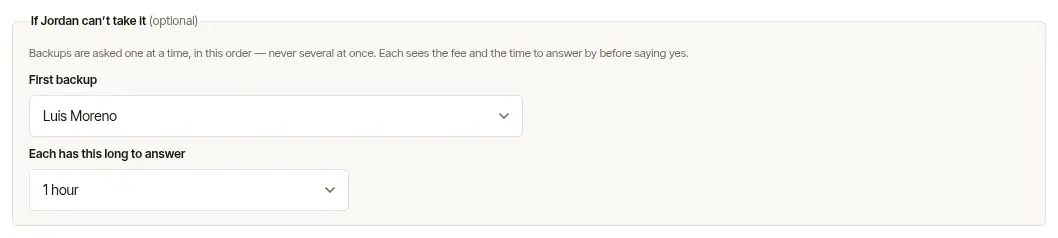
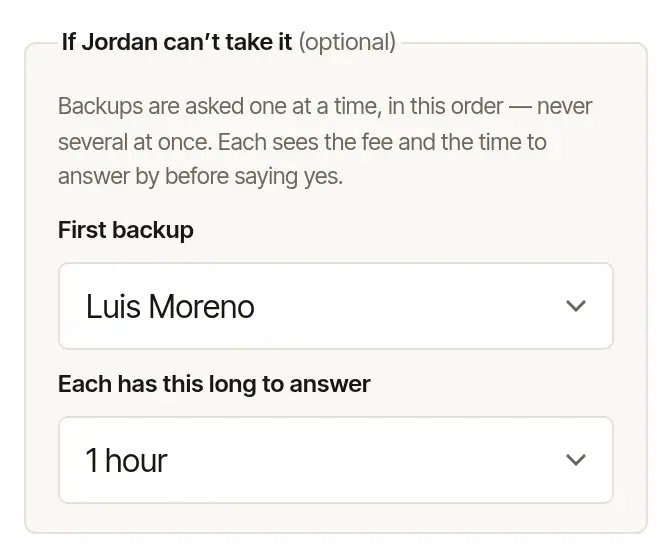
Send it. The foot of the form says your backups will be asked one at a time, if need be.
The rest of the order is filled in as always — see Send your first order. Its day and time are on the clock the form names beside Time, your first choice's; a backup whose business keeps another clock is asked for the same moment, shown on theirs.
For every order
Under Company, in Usual settings, choose the Backups every new order starts with, and how long each has to answer. Choose Save. The order form fills them in for you; change or clear them on any order. A backup is never the notary the order goes to, and one who can't take orders at the moment is left off.
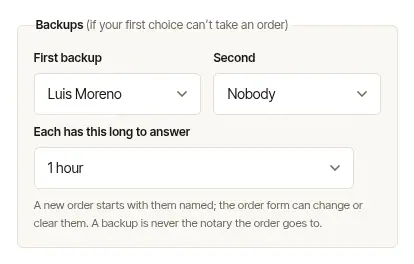
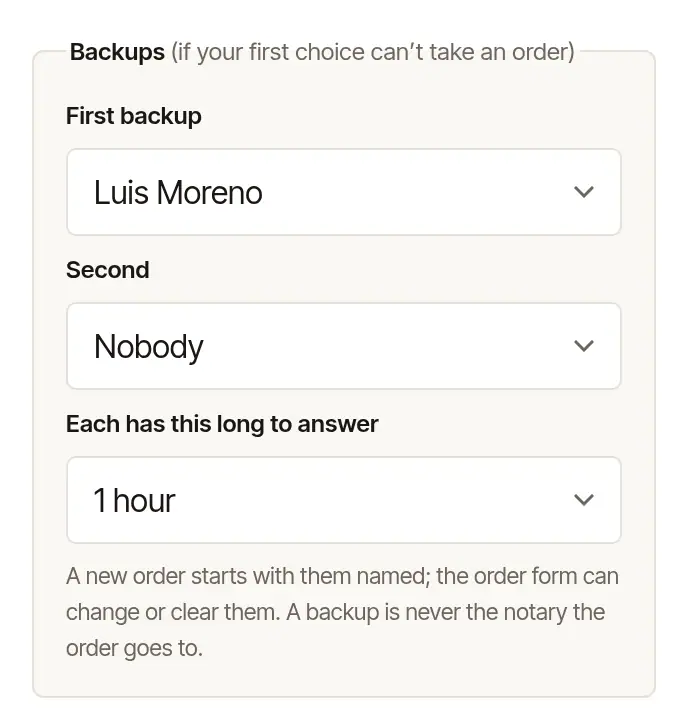
Anyone on your desk can change the usual settings.
Follow it
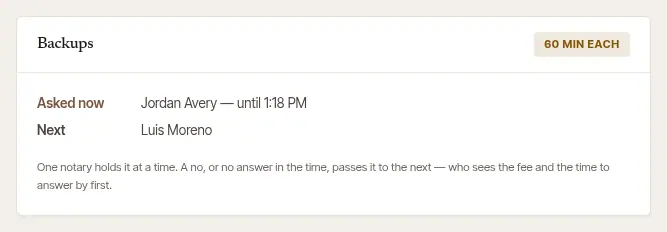
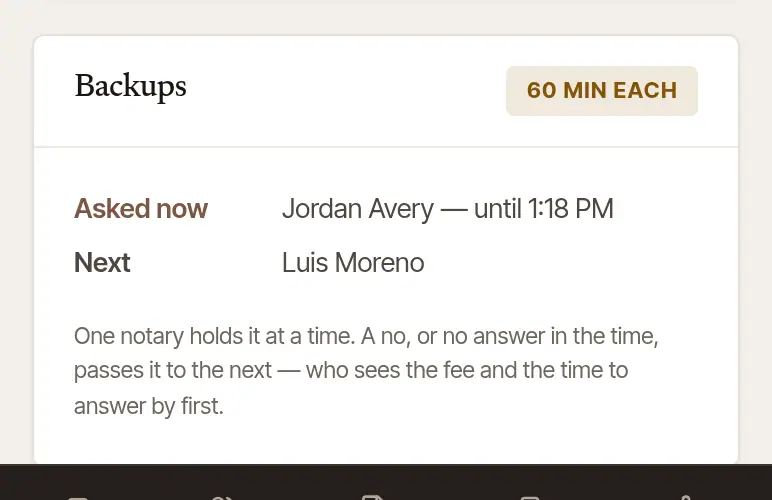
Read what happens next. While the order is asked, its page says who holds it, until when, and who is next.
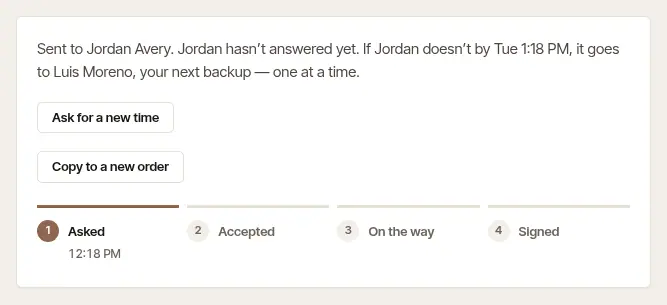
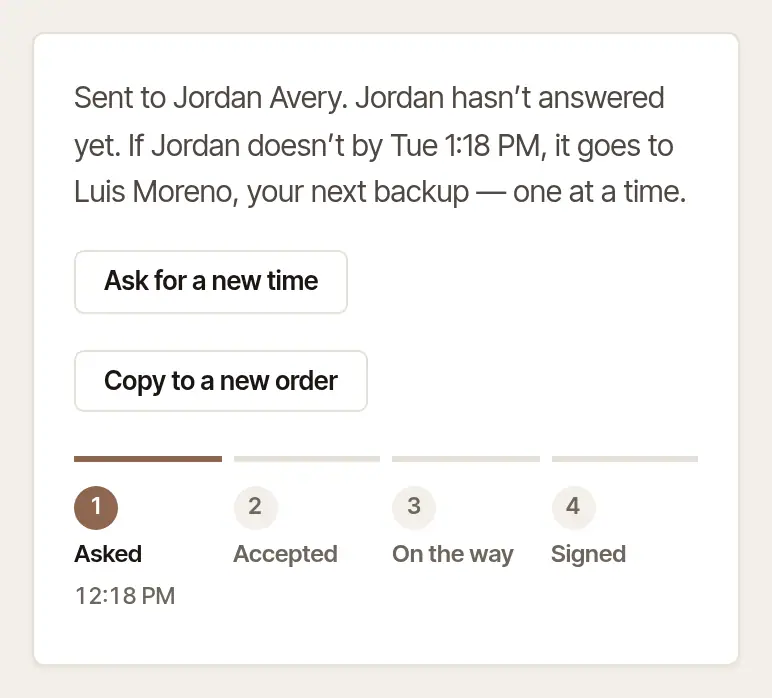
See the Backups card. Asked now is the notary holding it, and until when — or, once that time has passed and until the order moves on, that the time to answer has passed. Next and Then are the backups still to ask. Where the page says no other notary is asked if the one holding it doesn't answer — the signing comes before their time runs out, say — the first of them reads After a no instead: a no before the signing still sends the order on, and silence closes it. Once the signing's time has come, each still on your desk reads Not asked. One taken off your desk meanwhile is Passed over, as the plan skips them, and one your desk can't send orders to at the moment is Not now: asked after all if that has changed when their turn comes, passed over if not. So is one for whom it's night where they work until the signing: they can't be asked before it, and are passed over when their turn comes. Its label says how long each has — or Covered once someone accepts, Nobody could if none of them could take it, or Stopped once you stop it. Under the list, the card says who was passed over on the way, and why: no longer on your desk, not taking orders from your desk when it was their turn, the order couldn't be sent to them, or they couldn't be asked. Once the order has passed on, the notary it was with before stays on the card, above whoever has it now — Could not after a no, No answer after silence — each with when the order went to them. The page's Asked and Sent by stay the time you sent it, and the messages you wrote with that notary stay on the page, closed.
When someone accepts, the order is theirs and the rest aren't asked. You're emailed, as with any order. If it's called off after that, the card says Called off (by them) or Cancelled, and that nobody holds it — the rest still aren't asked. The order's page offers Send it to someone else… when they called it off — Send the order again… once the signing's time has passed — and Copy to a new order otherwise.
If nobody can, you're emailed that nobody could take the order — who was asked, and who was passed over and why — with Send it to someone else: the order is copied for you — its signers, place, fee and instructions, and its day and time while the signing is still to come — and you choose the notary. The order's page offers the same: Send it to someone else…. Once the signing's time has passed, they say Send the order again instead, and the copy needs a new time.
How it passes on
- A no passes it at once; no answer passes it when that notary's time runs out. Whoever it passes from is told it has gone — and neither a no nor a missed window is held against anyone.
- Never overnight. Hand & Seal doesn't pass an order on, or ask a notary, before 7 in the morning or after 9 at night where that notary works. An order that would pass during those hours stays with the notary holding it — who can still answer — and moves on at 7, unless it's day where they work and nobody it would go to can be asked before the signing. A fee left unanswered runs out when it says, even at night, below — and a backup who can't be asked isn't waited for.
- At the signing's time, it closes. Once the signing's time has come, the order isn't passed on and nobody else is asked. Unanswered, it closes with the notary holding it at that time — not at the end of their time to answer, and at night too, since nobody is asked anything — and you're emailed then that nobody could take it — or, where their fee waited on you, that it wasn't answered.
- A backup who can't be asked isn't waited for. One your desk can't send orders to when their turn comes, or one for whom it's night where they work until the signing, is passed over then — at night too, as nothing is sent to them — and the order goes to the next on your list, or you're told nobody could take it.
- Each backup sees what the first did: the fee and the time to answer by, before saying yes.
- A notary who names their own fee instead of a yes holds the order for your answer: you choose Accept … (their fee) or Keep my fee — send it to …, which closes it with them and passes it on. The button names the next backup your desk can send orders to now — one taken off your desk, not taking your orders, or for whom it's night where they work until the signing, is skipped — and if the one it names can't be sent it when their turn comes, it goes to the next on your list who can take it; you're told if nobody can. With nobody left whom it can be sent to, the button says Keep my fee — close it with …. Answer by the time the order's page gives: two days from when that notary was asked, or the signing if that's sooner, as for any order. Not answered by then, it lapses on their side, as an order sent to them alone does, and goes on to the next backup on your list who can take it — then, or at 7 in the morning where they work, if that's later. Once the signing's time has come, nobody else is asked. You're reminded of their fee when the signing is less than twelve hours away and the order has waited an hour — or, if not, emailed when its time runs out, with what became of the order; and, as with any order, you're emailed if nobody on your list can take it.
- If it can't be sent on — a fault on our side, not the notary's — your next backup isn't passed over for it: it's tried again, and you're emailed that it hasn't gone to them yet — once for each backup it's held up at — then again once it has. The order's page says so meanwhile. Rather than wait, choose Stop asking my backups and send it to someone else.
- If you cancel the order, nobody else is asked.
- Between two notaries there's nothing to cancel — the one holding it is done with it, and your next backup isn't asked yet (it's night where they work, say). Choose Stop asking my backups on the order's page, then Stop asking them, and nobody else on your list is asked. Do it before you send the order to someone else: while your backups are still to be asked, a new order with the same file number — or copied from it — asks you first. (A copy with its file number and its signers changed, and its place or its time, is another signing, and isn't asked about.)
Without backups
An order sent to one notary alone is never passed to anyone. Its time is held for them for two days, or until the signing if that's sooner. You're emailed if it's still not answered when that time runs out, with a way to send it to someone else — or sooner, when the signing is less than twelve hours away and the order has waited an hour. That earlier email leads to the order's page: the notary can still accept it until its time runs out, so to send it only to someone else, cancel it with them there first.
Was this helpful?
Still stuck? Contact support — a person reads every message and answers by email.