Guide
See what to set aside for taxes
Taxes works out what your year so far calls for — profit in the shape of Schedule C, self-employment tax with your notarial fees kept out of it, and the quarterly estimate dates.
General information, not legal advice
This page explains how Hand & Seal works. Your state’s law, and your commissioning authority, decide what you must do — when in doubt, ask them or a lawyer.
Taxes turns your books and your mileage log into an estimate of what to hold back: your profit laid out the way Schedule C lays it out, your self-employment tax, and what each quarterly estimate date asks for. Nothing is typed twice — it reads the payments you've recorded, the expenses you've added and the drives you've filed.
General information, not legal advice
Tax information, not tax advice. Taxes is an estimate to set money aside by: Hand & Seal doesn't prepare or file a return, and your tax preparer has the last word on what you owe.
Read your year
Open Taxes. It's on the menu at the left, under Books (on a phone-sized screen, under More). It opens on this year; ← and → at the top go to other years.
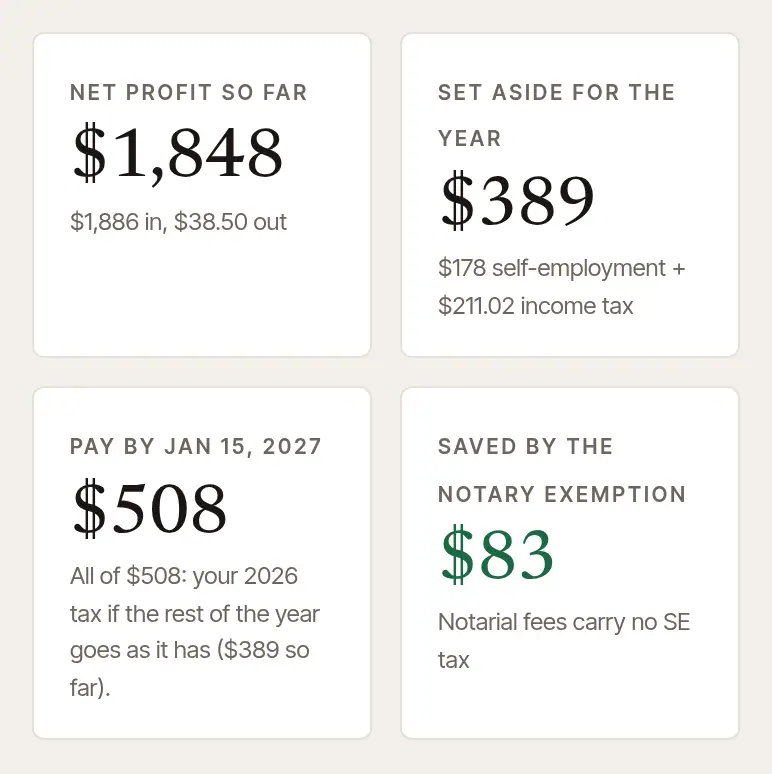
Read the four figures at the top. Net profit so far; Set aside for the year — self-employment tax plus the income tax you hold back, for the income so far; Pay by the next estimated-tax date, how much, and why — it's a share of the whole year's tax, so it can be more than what's set aside so far; and what the notary exemption has saved you.

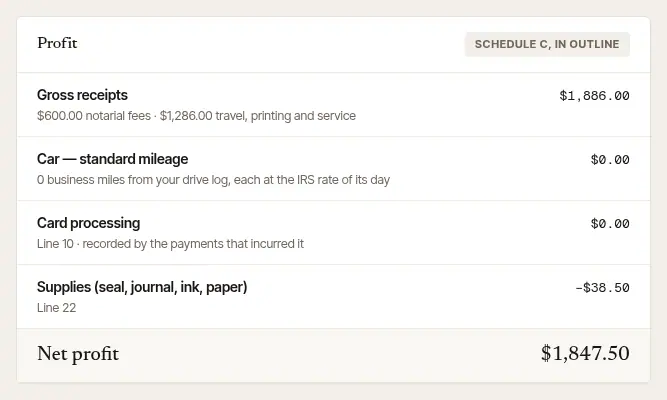
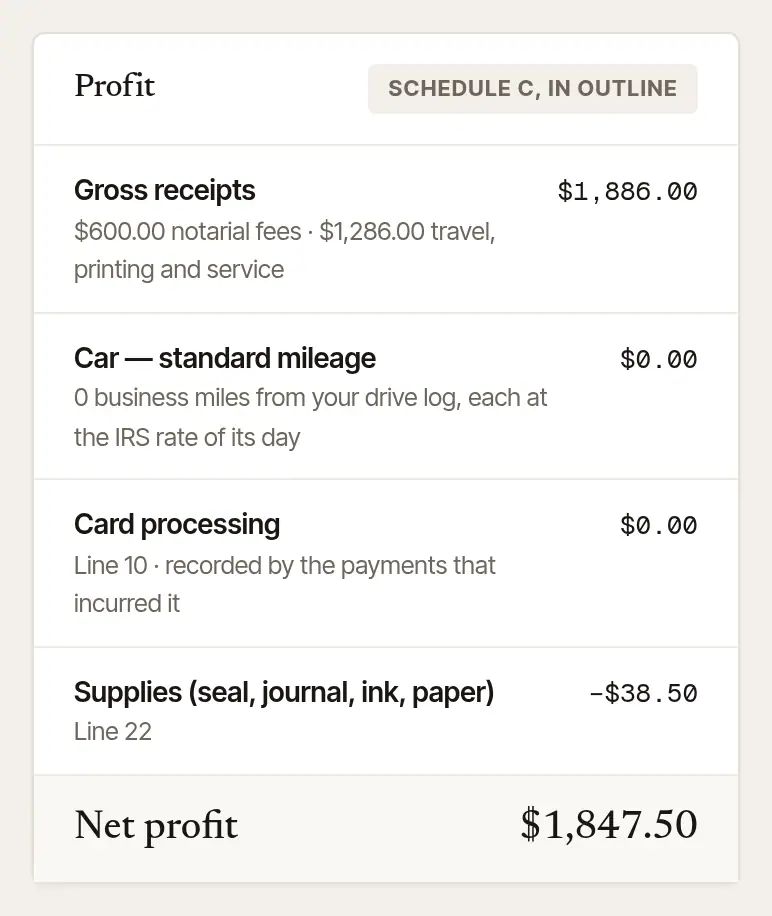
See where the profit comes from. Profit is Schedule C in outline: Gross receipts (with your notarial fees shown apart from travel, printing and service), less the Car — standard mileage deduction from your drive log — each drive at the IRS rate in force on its own day — card processing, and your expenses, line by line.
See the self-employment tax. Fees for notarial acts carry no self-employment tax, so Self-employment tax splits your net between Net from notarial fees and Net from everything else, and works out the tax on the second only. That's why every job's lines keep the notarial fee apart from travel and printing. The exemption names only fees for services as a notary public. Hand & Seal counts everything else you charge as ordinary self-employment income. Expenses are allocated in proportion to income — Hand & Seal's method; your preparer may use another.
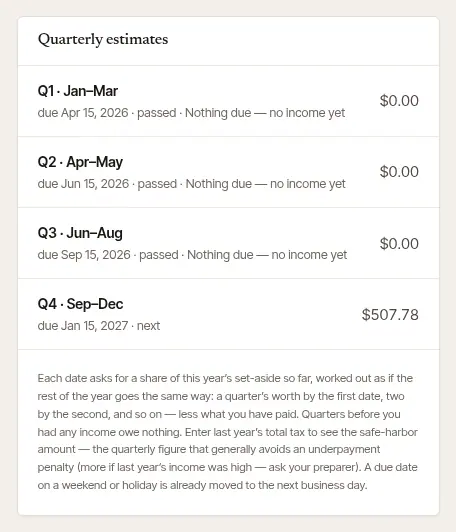
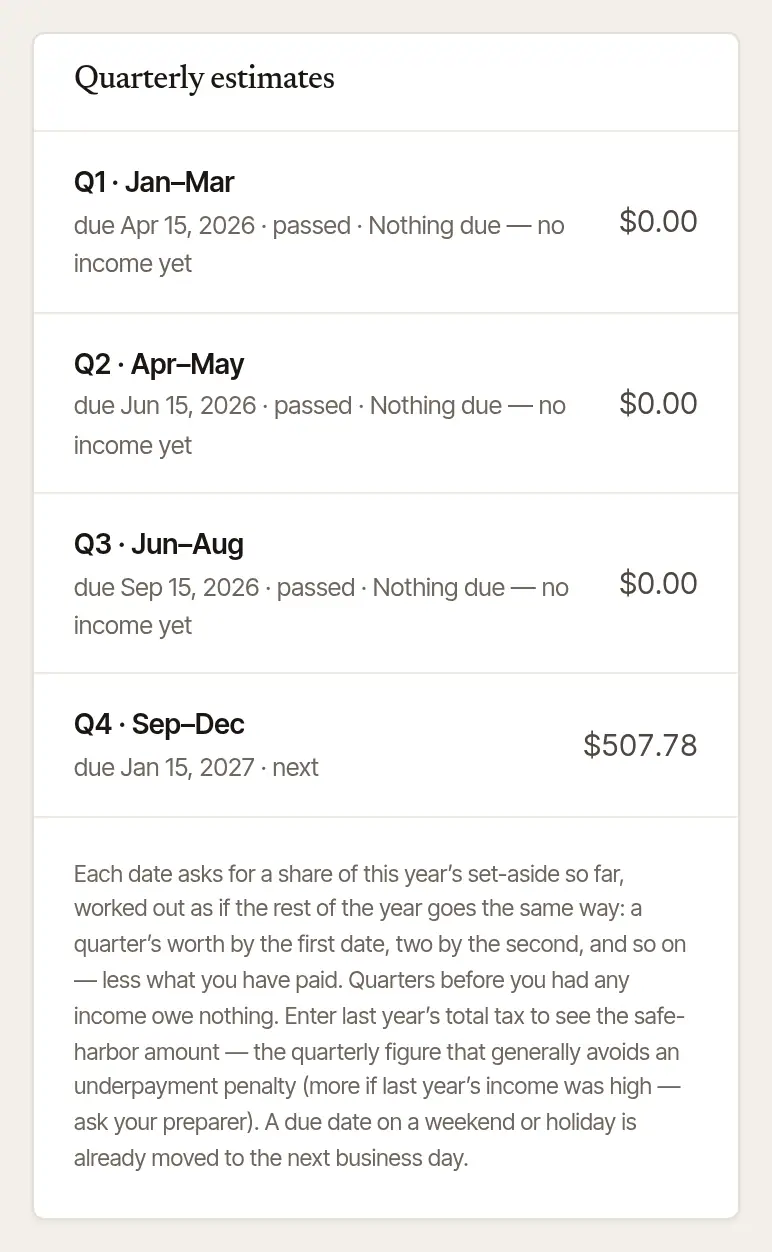
Check the quarterly dates. Quarterly estimates lists the four dates, which one is next, and about how much each asks for. Each date asks for its share of the year's set-aside, worked out as if the rest of the year goes the same way, less what you've paid; a quarter before you had any income asks nothing. A date that falls on a weekend or holiday is already moved to the next business day.
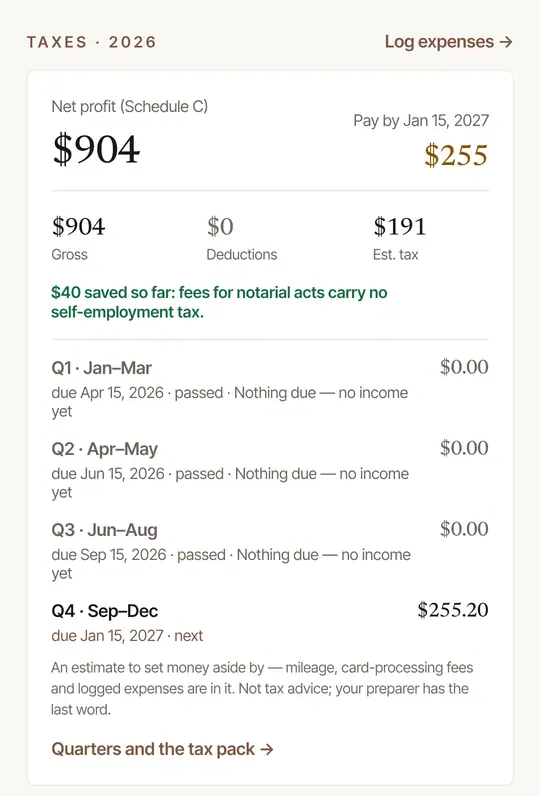
Open Books. Its Taxes card shows Net profit (Schedule C), the next Pay by date and amount, Gross, Deductions and Est. tax, how much your notarial fees have saved you in self-employment tax, and the four quarterly dates.
Tap Quarters and the tax pack → for the whole Taxes page — the web's own page, inside the app — with the profit line by line and Your side of it.
Books and Taxes can be kept behind your fingerprint, face or PIN: More → Settings → Privacy → Lock Books and taxes.
Tell it your side
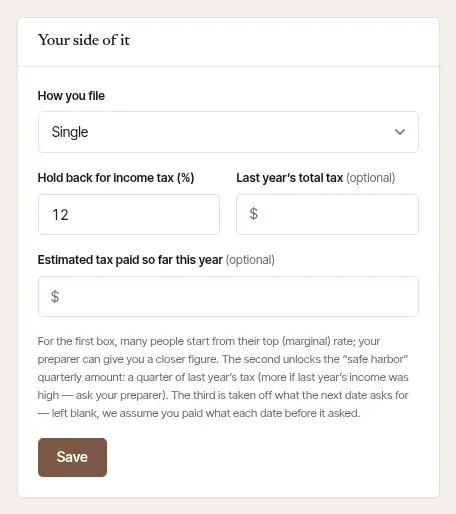
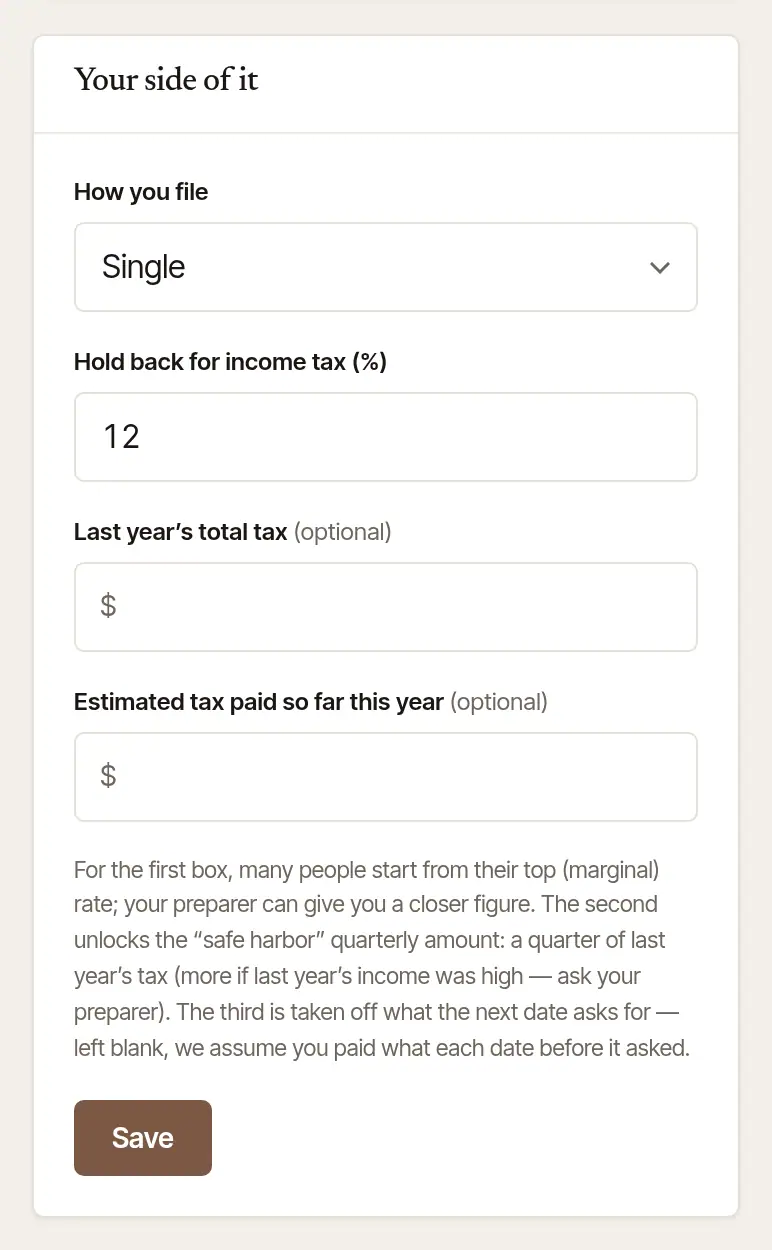
The estimate is only as good as what it knows about you. On the web, Your side of it is on the right of Taxes (on the phone, inside Quarters and the tax pack →):
How you file — single, married filing jointly or separately, or head of household.
Hold back for income tax (%) — the share of your profit to put by for income tax. It's one figure for all your income tax. Many people start from their top (marginal) rate; your preparer can give you a closer figure.
Last year's total tax (optional) — with it, the page shows the “safe harbor” quarterly amount: a quarter of last year's tax, which generally avoids an underpayment penalty whatever this year turns out to be (more if last year's income was high — ask your preparer).
Estimated tax paid so far this year (optional) — taken off what the next date asks for. Left blank, the page assumes you paid what each earlier date asked.
Choose Save. The figures above work themselves out again.
Good to know
- The estimate is only as complete as your books: record payments as they come in, file your drives, and add your expenses. A drive left unfiled counts toward nothing.
- When the year is done, Download tax pack at the top of Taxes gives your preparer the worksheets. See Give your accountant your books and the tax pack.
Was this helpful?
Still stuck? Contact support — a person reads every message and answers by email.