Guide
Connect your Google Calendar
Your booked signings go into a "Hand & Seal" calendar in your Google account, and the busy times on your main calendar keep those hours off your booking page.
Connecting your Google Calendar does two things. Every signing you book appears in a calendar called “Hand & Seal” in your Google account, and moves or leaves it as the job changes. And the times you're busy on your main Google calendar are kept off your booking page, so nobody books you over the dentist.
Connect it
Open Settings → Integrations. The Google Calendar card says Not connected. (It's also on Step 3 of setting up your account — Connect beside Google Calendar — and on Today's Get your first orders list, as Connect your calendar.)
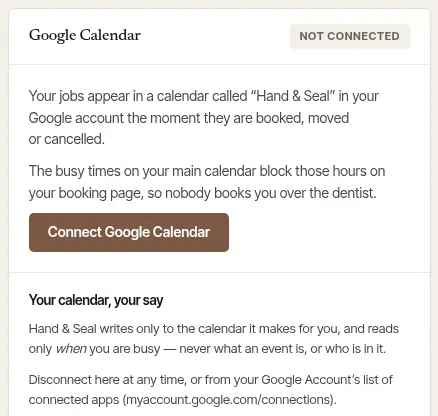
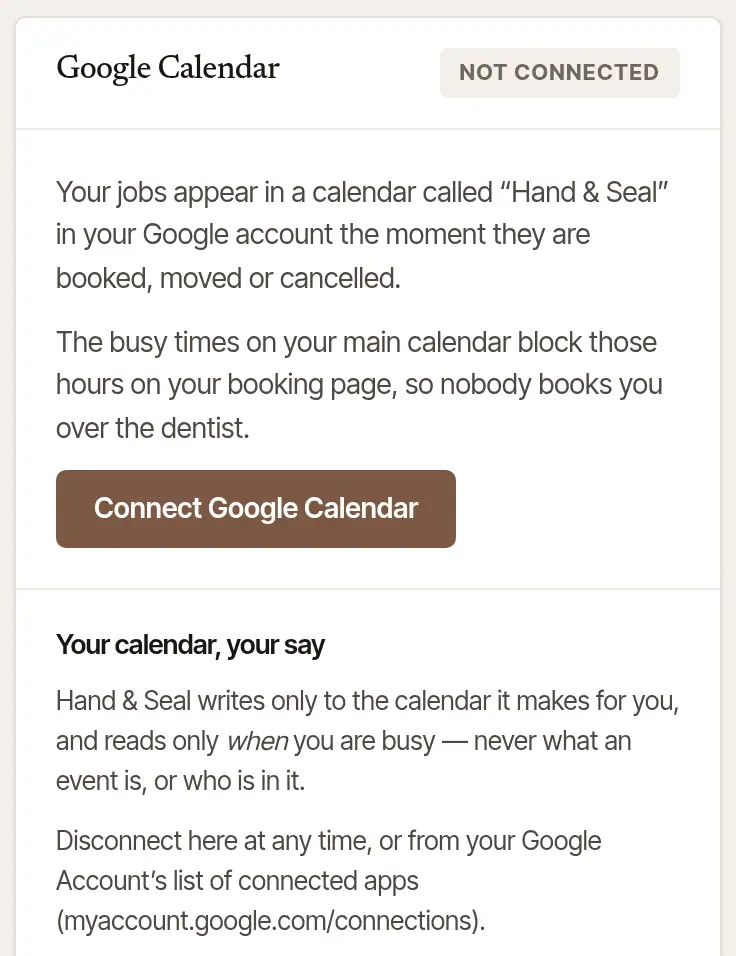
Choose Connect Google Calendar. Google's own screen opens. Choose the Google account whose calendar you use.
Leave both permissions ticked, and continue. Google asks for two: to make a calendar for Hand & Seal and write to that one only, and to see when you're busy. With either one unticked nothing is connected, and Settings says Google needs both — choose Connect Google Calendar again and leave both ticked.
You're back on Settings. The card says Connected, with the Google account, and your booked signings go into the new calendar straight away.
Open More → Settings. Under Calendar, the Google Calendar row says whether it's connected.
Tap Google Calendar. Google's screen can't open inside the app, so Settings → Integrations opens in your browser, already signed in.
Connect there, as on the web: Connect Google Calendar, choose your Google account, leave both permissions ticked and continue.
Come back to the app. The row says Connected, and which Google account your jobs go to.
What goes in, and what is read
- Your booked signings. Each confirmed signing — and each one done — is an event in the “Hand & Seal” calendar: its title and client (such as “Refinance signing · Larkspur Coast Escrow”), the address, the time, and a link back to the job. A request you haven't accepted isn't there, and a signing that's cancelled or handed to someone else is taken off. Jobs brought over by an import are past work, and never go in.
- Change a signing in Hand & Seal, not in Google. An edit made in Google Calendar is replaced the next time the job changes.
- Only when you're busy, from your main calendar. Hand & Seal never reads what an event is called or who is in it. Those hours are kept off the times your page offers clients, and in Calendar they show as dashed gray blocks.
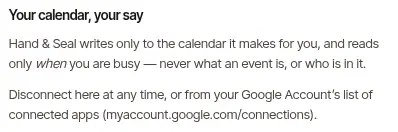
- Nothing else. Hand & Seal writes only to the calendar it made for you — never to your others.
In a business with several notaries, each notary connects their own Google Calendar, for the signings that are theirs. An assistant has none to connect.
When Google asks you to connect again
Now and then Google stops a connection — for instance when Hand & Seal is removed from your Google Account's connected apps. The card then says Connect again, and Today shows Connect your Google Calendar again under Needs you. Until you do, new and changed signings wait, and your busy times aren't read.
Choose Connect again — on the card, or Connect on Today.
Go through Google's screen, leaving both permissions ticked. What waited goes into your calendar, and the same “Hand & Seal” calendar is used again if it's still there.
Don't want it any more? Disconnect sits beside Connect again on the card: it ends the connection, and Today stops asking.
Disconnect
On the Google Calendar card in Settings → Integrations, choose Disconnect — it's there while connected, and beside Connect again when Google has stopped the connection. Google is told to forget Hand & Seal: nothing more goes in, your busy times are no longer read, and Today's Connect your Google Calendar again goes. The “Hand & Seal” calendar stays in your Google account with the events already in it — delete it in Google Calendar if you don't want it.
Good to know
- To stop for good, use Disconnect here rather than removing Hand & Seal from your Google Account's connected apps (
myaccount.google.com/connections): removed there, it's treated as a connection Google stopped, and Hand & Seal asks you to connect again. - While Google is still reviewing Hand & Seal, the card beside it says so: only invited testers can connect, and Google asks them to connect again every seven days.
- Use Outlook or Apple Calendar? See Can I use Outlook or Apple Calendar?
Was this helpful?
Still stuck? Contact support — a person reads every message and answers by email.