Guide
Use your own web address for your page
Give your public page an address of your own, like www.yourbusiness.com. The domain stays where you bought it; you add one record there, and the secure certificate is made for you.
Your public page always has its Hand & Seal link. If you own a domain, the page can have an address of your own as well, like www.yourbusiness.com, to share, print and put on your cards. You keep the domain where you bought it and add one record there; Hand & Seal makes the secure certificate and renews it for you.
Publish your page first (Set up your account shows how). An address can be set up before that, but it shows nothing until your page is published.
Set it up
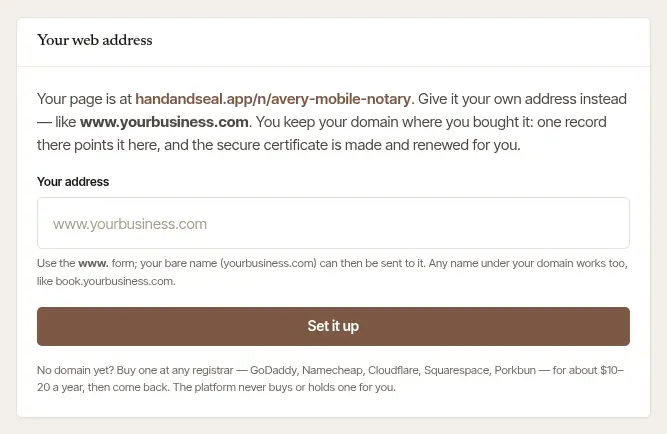
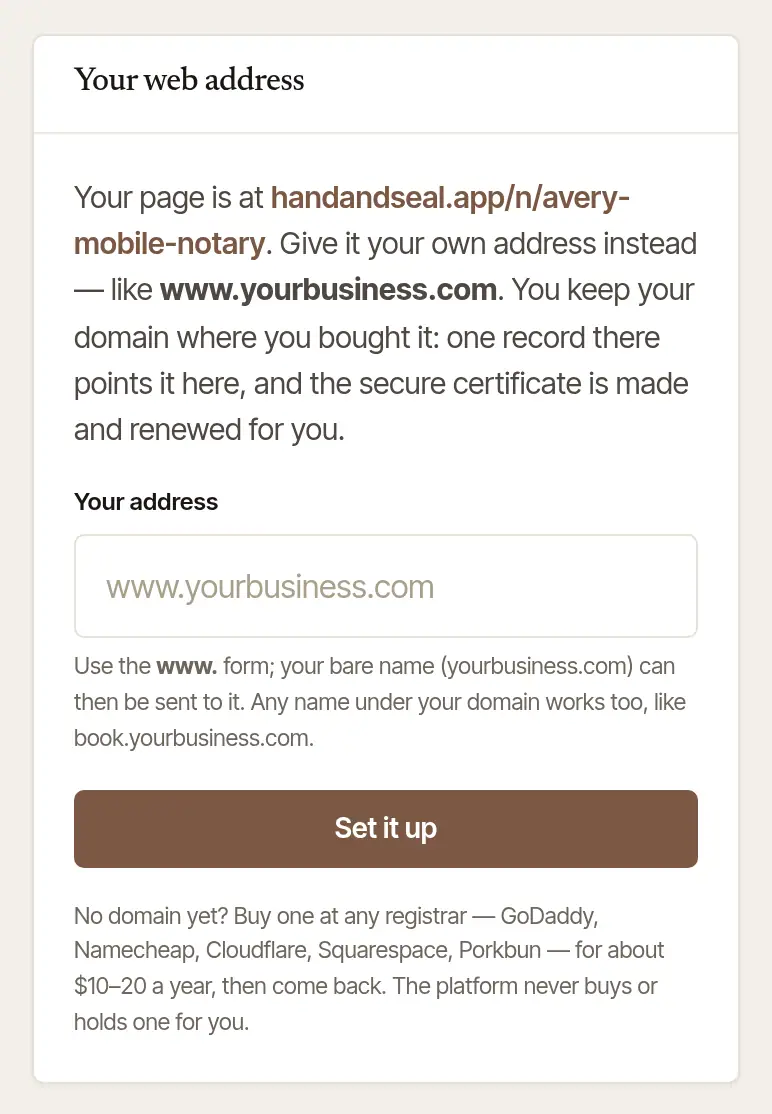
Open Settings → Web address, and type your address under Your address. Use the www. form — www.yourbusiness.com; your bare name (yourbusiness.com) can then be sent on to it. Any name under your domain works too, like book.yourbusiness.com. Choose Set it up.
Point it here. The page now shows the one record to add, in the words of the company that runs your domain's settings — Cloudflare, GoDaddy, Namecheap, Squarespace and many more by name, with a link to open it. It's a CNAME record: the name is www (or the one you chose), and the value is shown beside Points to, with Copy. If there's a record for that name already, change it rather than adding a second — a name can point to one place only.
Send the bare name on too. Under Then send yourbusiness.com here too, the page says where your domain company does forwarding: send the bare name to your www address as a permanent (301) redirect, so both forms of your address work.
Wait for the secure certificate. Once the record is in place, The secure certificate is made for you — usually in a few minutes, though a new record can take up to an hour to show. While the page is open it looks again a few times in its first five minutes, and every ten minutes after that — less often while its DNS doesn't answer our looks, a day apart at most, and the page says when the next is; Check now looks at once.
It's live. The page says Live, with your address, and you're told in the alerts you have on. Your Hand & Seal link keeps working, and search engines are told the new address is yours.
If it asks for one more record
An address that has left a page here since November 2026, and still points here, needs one more step when someone new sets it up. Every notary's record points to the same place, so a record left behind says nothing about who looks after the address now. This one does: only someone who can change the domain's records can add it. It shows as Show that it's yours, ahead of Point it here, and an address new to Hand & Seal never asks for it unless you choose Prove it's yours (below). Until the address is your page's, it goes no further: nothing holds it for you, no certificate is asked for, and it doesn't show your page.
Open your DNS settings. The page says where, in the words of the company that runs your domain's settings, with a link to open it.
Add a TXT record. Its name and its value are on the page, each with Copy. The name starts _handandseal, and most companies add your domain to it by themselves. The value is a code made for you and this address.
Choose Check now. When the record is found, everyone with a stake in the address is told at once — the page that last had it here among them — and the address becomes your page's 72 hours later, if your record is still there then, just as a claim does (below). Then the page says Found and goes on to Point it here. If the address already points here, it goes straight on to the certificate.
Keep the record in place until the address is your page's; you can remove it once your address is live. If you take the address off before then and set it up again, you get a new code, so change the record to match. It has to be a TXT record at that name itself: one reached through a CNAME, a wildcard CNAME included, doesn't count. If someone else sets the address up at the same time, each of you is asked for a record of your own, and while both are in place nothing moves (below).
Your own address coming back to you within 30 days of taking it off doesn't ask for this, unless another page here has taken it as far as Amazon CloudFront since. After that, or once an account is deleted, you'd add the record like anyone else.
If another page here holds it
Each address can belong to one page. If another page here holds the one you set up, you're told so, and what you can do:
- If that page isn't set up with it yet, you're offered Prove it's yours. Choose it, and the page asks for one more record, as above, with a code made for you. Nothing is held for you meanwhile, and the other page keeps the address. Once your record is found, everyone with a stake in the address is told at once — the page holding it, any other claim of it, the page that last had it at Amazon CloudFront, and any page that let it lapse in the last 30 days — and your claim waits 72 hours: if your record is still there when they're up, the page holding it lets the address go — its holder is told why — and the address is your page's, which goes on to Point it here. Keep the record in place until then. If your record is gone before then, your claim ends at our next look, and you're told. If that page has got further first, your claim ends too. A page holding an address it isn't set up with can't keep it from whoever looks after the domain.
- If that page is taking the address off, try again tomorrow.
- If that page has got further — it's live, or on its way — write to us from Contact support, and say which address.
While more than one claim's record is in place at the address, nothing moves: no claim takes it, and every claim and the page holding it are told to remove any record there that doesn't hold their own page's code. When only one claim's record is left, that claim waits 72 hours from then, and everyone with a stake is told again.
Don't point the address here before the address is your page's: until then, the page that holds it is the page it could go live on. A claim whose record isn't found in seven days ends; you're told two days before.
If someone claims your address
While your page isn't set up with its address yet, someone else can claim it by adding a TXT record under it with a code made for their claim — which only whoever looks after the domain can do. When their record is found, everyone with a stake in the address is told at once: the page holding it, any other claim of it, the page that last had it at Amazon CloudFront, and any page that let it lapse in the last 30 days — and a page that takes the address up while the claim waits is told then. Each is told in the alerts they have on, by email to their account's own address even if they've turned email alerts off, and at the top of Settings → Web address, which says until when.
- If someone asked you to add a record there, remove any record whose name starts _handandseal that doesn't hold your own page's code. Hand & Seal never sends you a record to add by email or text: the only records to add are the ones your own Settings → Web address shows.
- Once that record is gone, their claim ends at our next look, and the address stays with your page. Its seven days start again then, and you're told.
- If it's still there when their 72 hours are up, the address goes to their page, and you're told.
Meanwhile your address doesn't go on to Amazon CloudFront, and isn't let go for want of a record. However their claim ends, your page's seven days start again then.
If no record is found
An address is held for you for seven days after you set it up, or after its record was last found. If no record has been found by then, it's let go, and your account can't hold it again for 30 days, unless you show it's yours with Prove it's yours. So typing an address again each time it's let go doesn't keep it from its owner. Taking an address off yourself counts the same when no record was ever found for it and you set it up more than a day before; within a day, a slip costs nothing.
Two days before it goes, you're told in the alerts you have on — on your phone, in your browser, and by email unless you've turned email alerts off — and Settings → Web address shows the day. You're told again when it goes. A live address is never let go this way, nor one Amazon CloudFront turned away while its record points here: that one waits for Try again.
If it doesn't go live
- “There is no record for … yet” or “… points to … now” — the record isn't in place. Check it at your domain company — the name, and the value from Points to — then choose Check now. A new record can take up to an hour to show.
- “There is no TXT record at … yet” — the extra record isn't in place. Check its name and value against the page, then choose Check now. A new record can take up to an hour to show. If your company asks for the whole name, use the whole of the name in that sentence.
- “There is a TXT record at …, but it doesn't hold the code shown here” — a record is there, with another code in it, perhaps from an earlier try. Change its value to the code on the page, with nothing else in it.
- “… is another name's (a CNAME, perhaps a wildcard one), so nothing there counts” — the extra record's name points somewhere else, so no record can be read there. Add the TXT record at that exact name, and take off any CNAME made for it alone.
- “The certificate could not be issued” — the record wasn't in place in time. Check it, then choose Try again.
- “Amazon CloudFront is still letting this address go from a page here that had it before” — that's ours to finish, and it can take a day. Nothing to do: it goes on by itself, and your seven days start again each time your record is found.
- “Amazon CloudFront has this address on another website” — another website has the address at Amazon CloudFront, so it can't be set up here until it comes off that one. If it's yours, take it off there, then choose Try again; if it isn't, write to us from Contact support. It isn't let go for want of a record while its record points here.
- Your domain company can't point a bare name here. Some can't point yourbusiness.com itself at another service: take it off and use www.yourbusiness.com instead, then forward the bare name to it.
- At Cloudflare, set the record's Proxy status to DNS only (the gray cloud). With the orange cloud on, the certificate can't be issued.
Take it off
Choose Take it off, and confirm. Your page answers only on its Hand & Seal link again; then remove the record where your domain is kept. A page has one address of its own at a time: to use another, take this one off first.
If the address had gone as far as Amazon CloudFront, we keep a note of it once it's off your page — a one-way code made from it, a copy of it sealed with our key, and, until your account is deleted, that it was your page's — so that anyone else who sets it up here is asked for the extra record. The note goes once our looks have found the address not pointing here for 90 days: removing the record starts those days.
Good to know
No domain yet? Buy one at any registrar — GoDaddy, Namecheap, Cloudflare, Squarespace, Porkbun and the rest — then come back. Hand & Seal never buys or holds a domain for you.
Was this helpful?
Still stuck? Contact support — a person reads every message and answers by email.