Guide
Fill in a journal line
At close-out, a line for each act — the act, the signer, the document, how they were identified, the fee, and where it is in your journal. What each field asks, on the web and on the phone.
General information, not legal advice
This page explains how Hand & Seal works. Your state’s law, and your commissioning authority, decide what you must do — when in doubt, ask them or a lawyer.
A journal line indexes one act in your journal. You write it when you close out the signing — or on the phone, at the table as you go — copying from your journal: what was done, for whom, how you knew who they were, and the page and line where you wrote it. The form follows the rules built in for the signing's state, so it asks for what that state's journal asks for.
Open the close-out. On the job, choose Close out and collect — Close out and invoice for a client you bill — (or Close out beside it on Today). There's a line ready for each act planned, with the signers' names dealt round them. A line whose act nobody has chosen — a loan signing booked with no acts counted, or a line you add — starts on Choose the act…: which act it was is yours to say, never the form's. For everything else on the page — the bill and the payment — see Close out a signing and get paid.
Say which book. Which journal book is the name on your book's cover (“Book 3”). It's filled in from your last line, so you only change it when you start a new book. Beside it the form says what the record is — Your journal is the record. This is your index of it. Where your state lets a journal be electronic, the book, the page and the line are marked (optional): fill them in if you keep yours on paper. For a signing by video there are none, and the form says The record of a signing by video is the electronic journal your RON platform keeps.
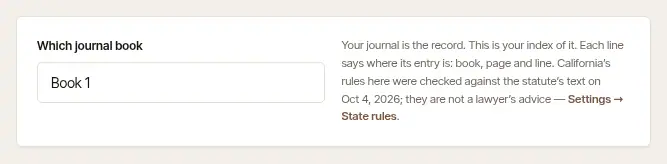
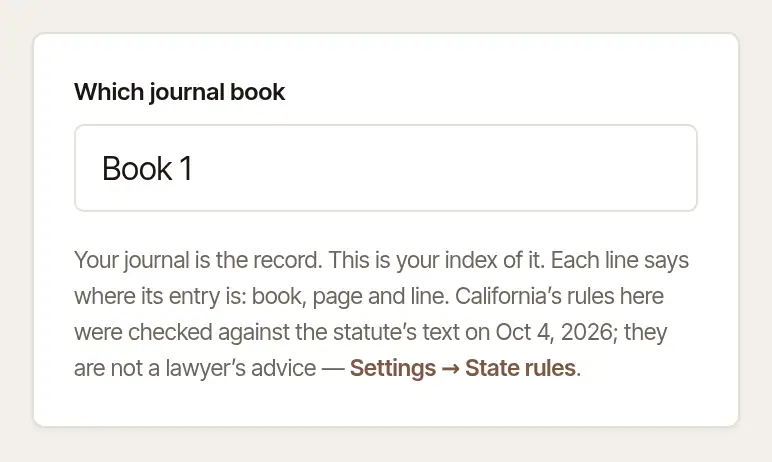
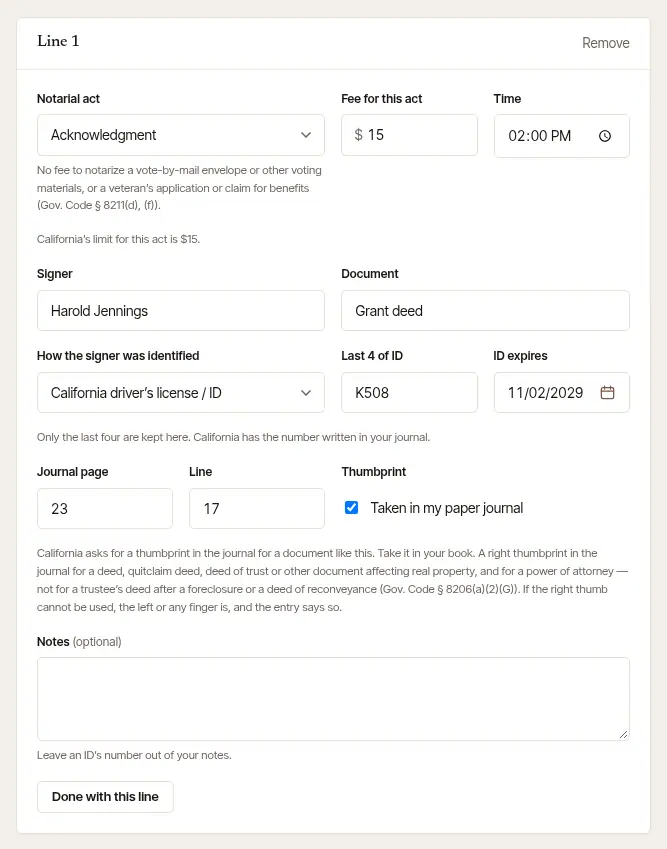
Fill in each line from the book.
- Notarial act — your state's own list; choose the one that was done. Where your state's rules say something about an act — a fee schedule to show, what the act may not be used for — it's under the act. Fee for this act starts from your fees; where your state sets a limit, the line under it says what it is, and a fee over it isn't accepted. Where your state's limit for an act hasn't been established here, the line says so instead: check your state's fee schedule before you charge. Travel and other charges belong on the job, not on a journal line.
- Pages — only on an act your state limits by the page (a certified copy, in some states). Say how many, and the line says what they may come to — “Missouri allows $1 a page: 3 pages may come to $3.” A line that doesn't say is held to one page.
- Time — when the act was done; it starts at the signing's time.
- Signer — the name as it appears on their ID — and the Document (“Grant deed”, “Affidavit”). When the job has one signer and names nobody, and your client's name reads as one person's, the box starts with the client's name and says so: make it match their ID. Where your state has you write the Signer's address or the Date on the document in your journal, they're on the line too, marked (in your journal: required) — here they're yours to fill in or leave.
- How the signer was identified — the kinds of ID your state accepts, or credible witnesses. With an ID, add the Last 4 of ID and when the ID expires. Only the last four are kept here, and the line under the box says so. Where your state has the number written in your journal, the line says that too; where your state doesn't allow any part of it to be kept, the box isn't there.
- Journal page and Line — counted on from your last line, and from one line to the next. Turned the page? Change it, and the lines after follow.
- Thumbprint — tick Taken in my paper journal once it's in the book. When what you called the document matches the kinds your state asks a thumbprint for, the line says so — “California asks for a thumbprint in the journal for a document like this. Take it in your book.” When it doesn't match, the line says nothing either way: whether one is needed is yours to decide. The box isn't there where your state doesn't allow a thumbprint in the record, or for a signing by video.
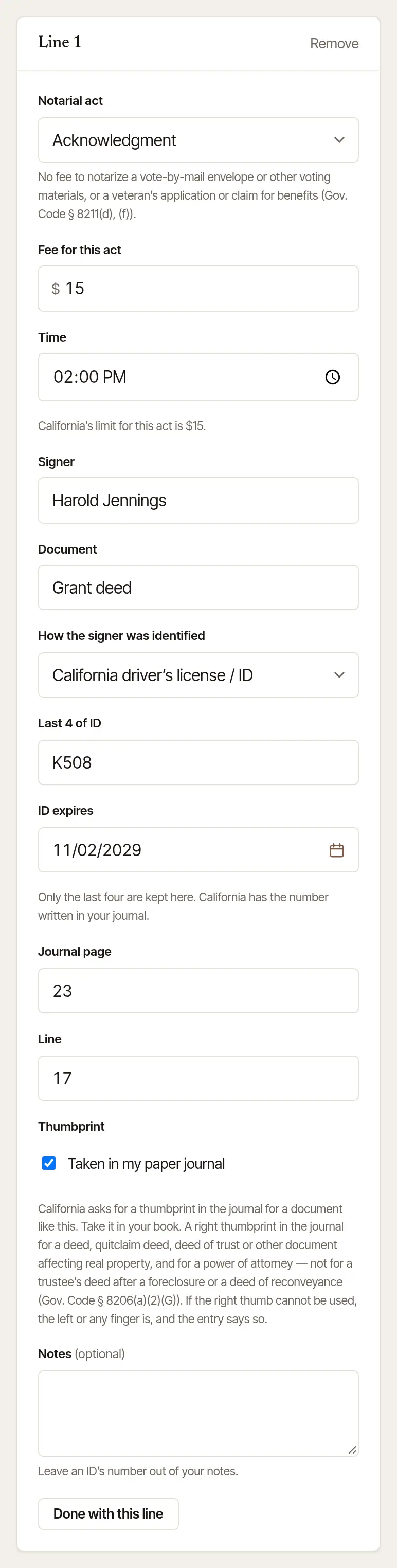
For credible witnesses, choose that way of identifying the signer, and name the witness — or both, where your state asks for two. What your state has you record of a witness — their ID, their signature — goes in your journal.
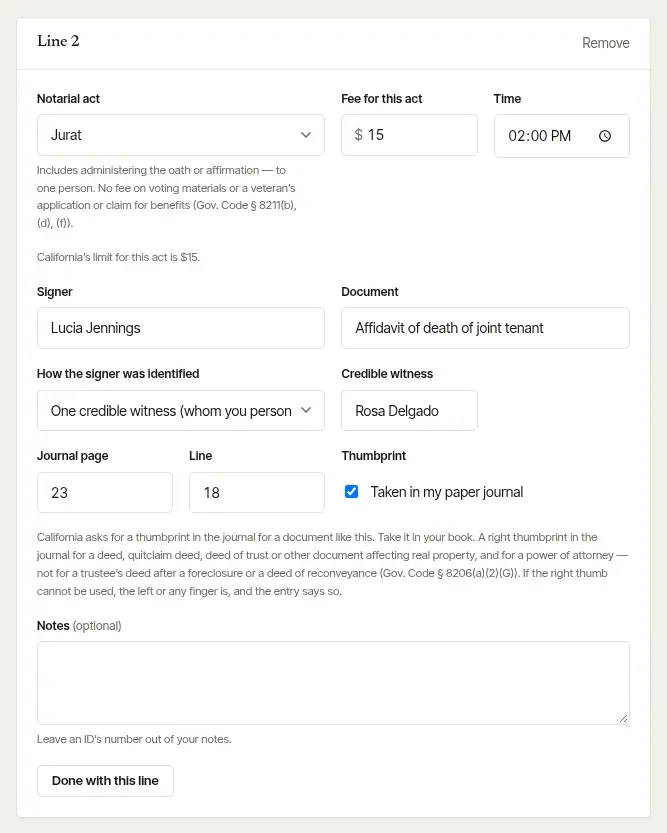
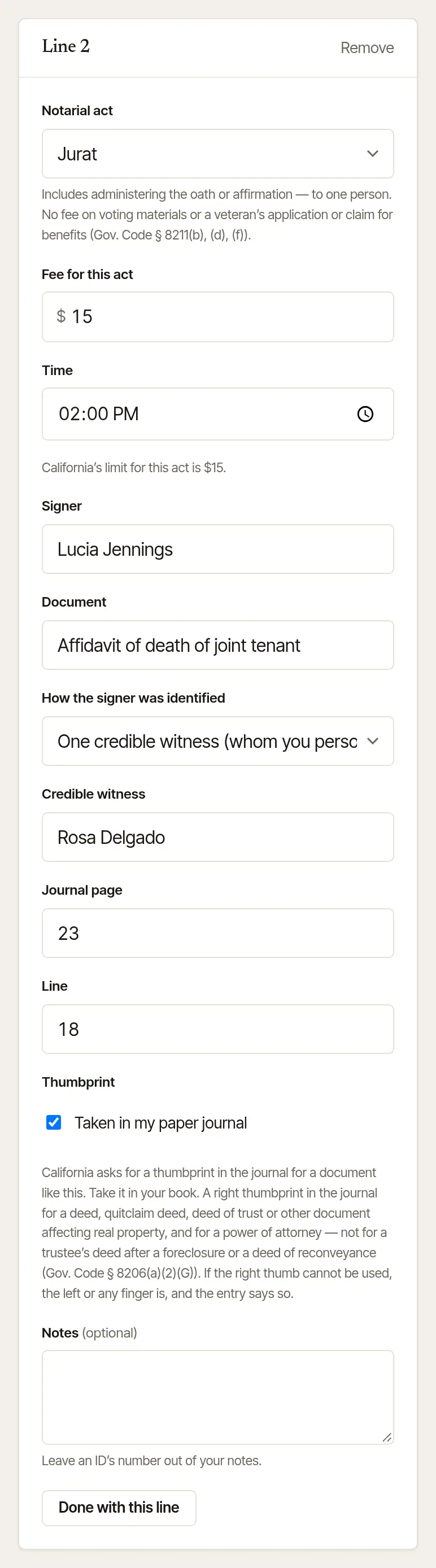
Add or take away lines. Add a journal line adds an act that wasn't planned; Remove takes one off. On a line after the first, Same signer as line 1 fills in line 1's signer and the ID you typed on line 1, in place of anything in that line's ID boxes. The same signer on a later line has their ID filled in for them — its kind, last four and expiry as you typed them for that signer on this close-out, never from anywhere else — and every box is still yours to change. A client you've closed out a signing for before? Close-out may offer the lines of their last signing of the same kind — Start from these 3 lines, say — in place of the ones on the page: the acts and documents, never last time's signers.
Fold each finished line, and close out. Done with this line folds a finished line to one line (the act, the signer and the fee), with Edit to open it again. Then choose Close out and collect (or Close out and invoice): the lines are written and locked.
Open the job's journal lines. On the job, tap Journal lines (it says how many are planned, then how many are done — Journal lines · 2 done, 3 to go) or Add a journal line. They open on the day of the signing.
Follow the line counter. The top says where you are — “Line 2 of 3 · Jurat · Owen Park”. Tap Skip for a planned act that wasn't done.
Fill in the line.
- Date of act and Time, then the Type of act — a planned line starts on its act; any other starts with none chosen, and the act is yours to tap. What your state's rules say about the act is under the choices.
- Signer name — tap a signer's name above it when there are several — and Type of document (the job's documents, and the ones you write most, are offered under it; on a loan signing, so are the package's usual ones — Deed of Trust, Grant Deed, Signature/Name Affidavit, Occupancy Affidavit, Compliance Agreement, Errors & Omissions, 4506-C and more — one tap each; the act is still yours to choose). Signer address, unless your state's journal leaves it out — and the Date on the document, where your state has you write it in your journal. Each is marked in your journal: required where your state requires it there; on the phone they're yours to fill in or leave.
- How identity was established, then the Issuing agency, Last 4 of ID number and Expires — or the witnesses' names. Choose your state's own driver's license or ID (California driver's license / ID, say) and the Issuing agency fills itself in (California DMV) — likewise a U.S. passport (U.S. Department of State) and a military ID; change it if the card says otherwise. Read the ID's barcode fills these in from a driver's license, where your state's law lets a license be scanned (see Read a driver's license barcode into a journal line).
- Fee charged for this act ($) — your state's limit is under it, where it sets one; where it hasn't been established here, the line says so instead. An act your state limits by the page asks for the Pages first, and says what they may come to.
- Journal book, Page and Line — the line after your last one, to start with. They're optional where your state lets a journal be electronic, and not there for a signing by video.
- Notes (optional).
- Thumbprint taken in my paper journal — on every line in person, unless your state doesn't allow a thumbprint in the record. When the document matches the kinds your state asks one for, the phone says so above it; save without it then, and the phone asks No thumbprint? — Go back, Save without it, or It's in the book. When it doesn't match, the phone says nothing either way.
Save it. Save & next moves to the next planned line; Save and stop here leaves the rest for later; on the last, Save the line. Save · same signer, next document starts a line for the same signer — their address and ID carried over — with the act and the document to choose: the quick way through a loan package, one signer at a time. When a second signer signed the same documents, the phone offers Same 2 documents for them, by name: tap it and their lines are made — you add their ID once.
Close out. The lines wait on the phone — through no signal, too — until you close the job out, which writes and locks them.
A journal line holds a signer's details, so the app keeps it out of sight. Android won't take a screenshot of it, or show it in the app switcher. An iPhone covers it in the app switcher, and while its screen is being recorded or shared; a screenshot can still be taken there, and the app then reminds you: This screen holds signers' details — keep that screenshot private.
Good to know
- Nothing notarized? Remove every line: the job still closes out and bills its travel. Where your state has you record a refusal, choose the act Refused / not completed: it asks why — what you saw — and charges nothing.
- A state whose rules aren't verified yet says so on the form, enforces nothing, and offers every field. Follow your state's handbook.
- Forgot an act? After close-out, add it from the job: Void a journal line, correct it, or add an act you left off.
General information, not legal advice
What a journal line must hold, which IDs you may accept, whether you may record an ID number, when a thumbprint goes in the book, and the most you may charge for an act are set by your state. The form follows the rules built in for the signing's state (Settings → State rules), but that is general information, not legal advice: your state's notary handbook, its commissioning office or a lawyer has the last word. Nobody signs on a screen here: a signer's signature belongs in your journal, where your state asks for one.
Was this helpful?
Still stuck? Contact support — a person reads every message and answers by email.