Guide
File your drives: work, personal or commute
Tell the log what each drive was for — a signing, an errand, personal or commuting — with a swipe on the phone or File… on the web. Only filed business drives count toward your deduction.
Most drives file themselves: the phone matches each drive to the signing it was for. The rest wait for a word from you — a drive it couldn't place, or a signing no drive was filed to. Until you file a drive, it doesn't count toward your mileage deduction.
Open More → Mileage. To file lists what's waiting, newest first. On Today, a line says how many are waiting to file.
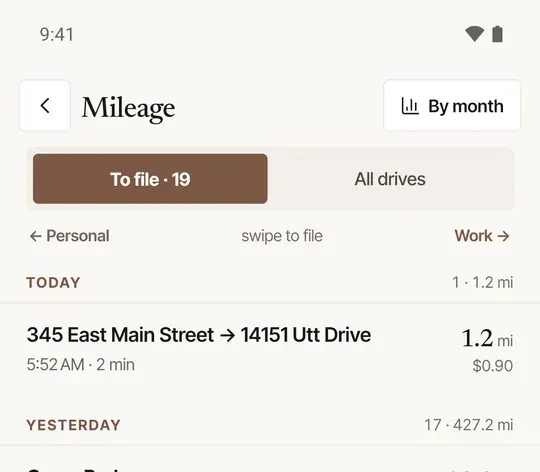
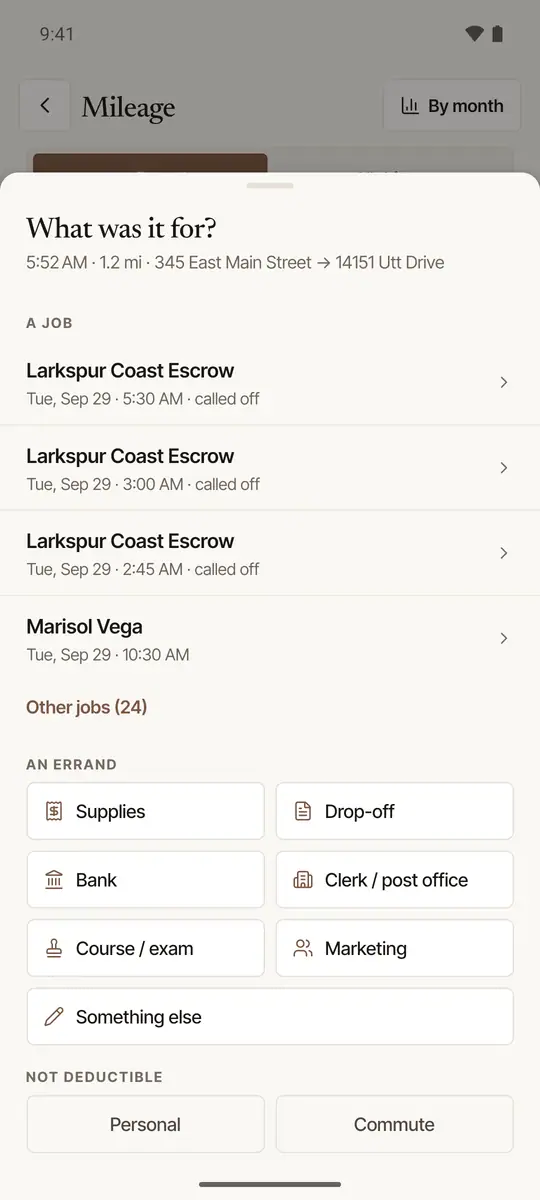
Swipe a drive right for work. If it looks like one of your signings, the row says Looks like and the job, and the swipe files it there. Otherwise What was it for? opens:
- A job — your signings around that time, the likeliest marked LIKELY;
- An errand — Supplies, Drop-off, Bank, Clerk / post office, Course / exam, Marketing, or Something else (say what in a few words, then Save);
- Not deductible — Personal or Commute.
Swipe left for Personal.
For a signing with no drive: swipe right to add its round trip on the route quoted for the job (marked as estimated in your log), or left for No drive.
A day of drives at once. When a day has two drives or more waiting, its heading has File the rest ›. Tap it and choose what they were for — an errand, such as Supplies (a drive that looks like one of your signings goes to that signing instead), Something else in a few words, or All … as personal. A signing with no drive that day stays, to answer on its own.
Each answer — a whole day too — can be undone for a few seconds. Tap a drive instead of swiping to see it on a map with all the same choices — see See a drive on a map, and fix it.
Open Mileage. The Unclassified figure at the top says how many drives are waiting; Review from … jumps to the month they're in.
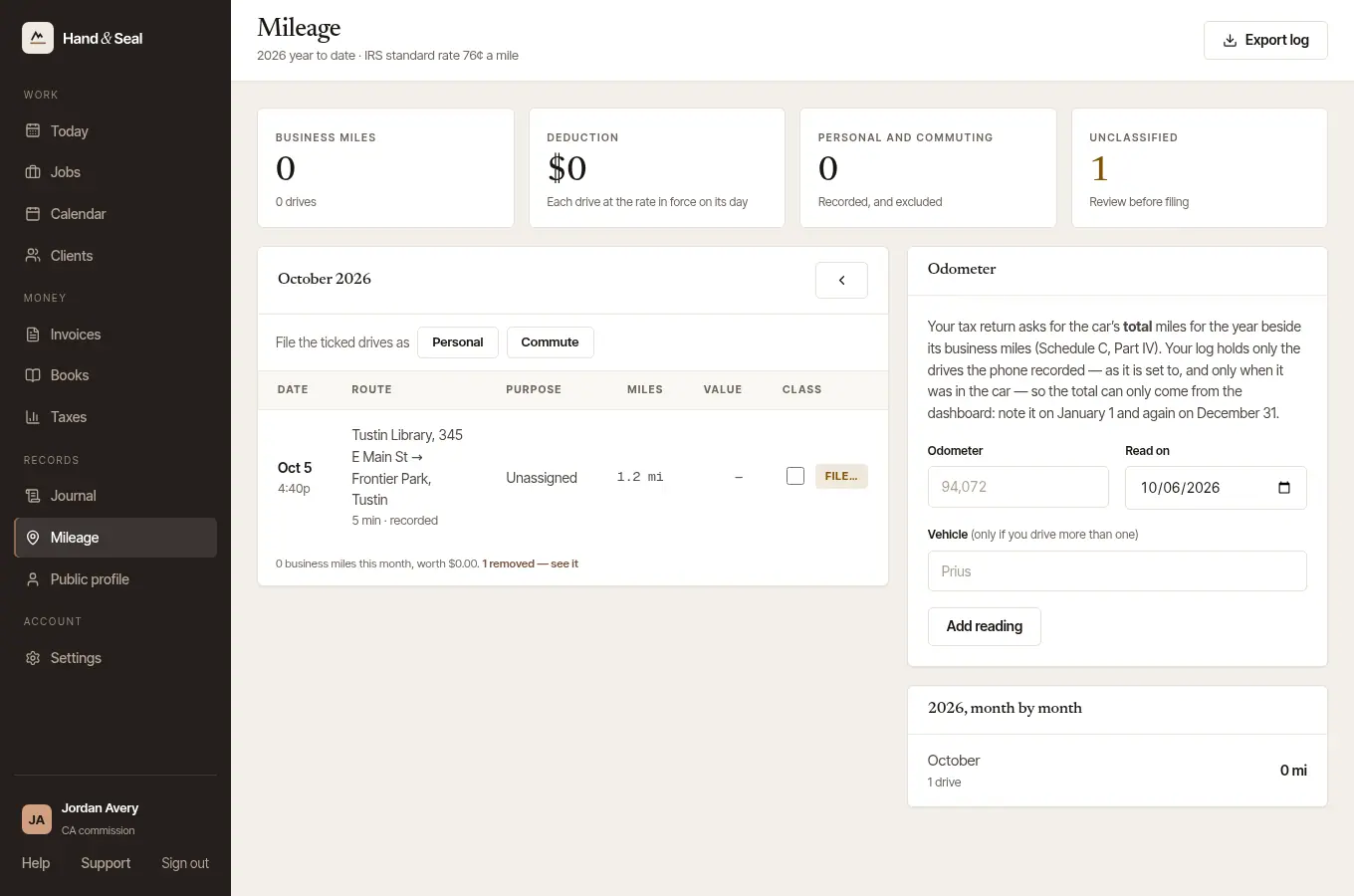
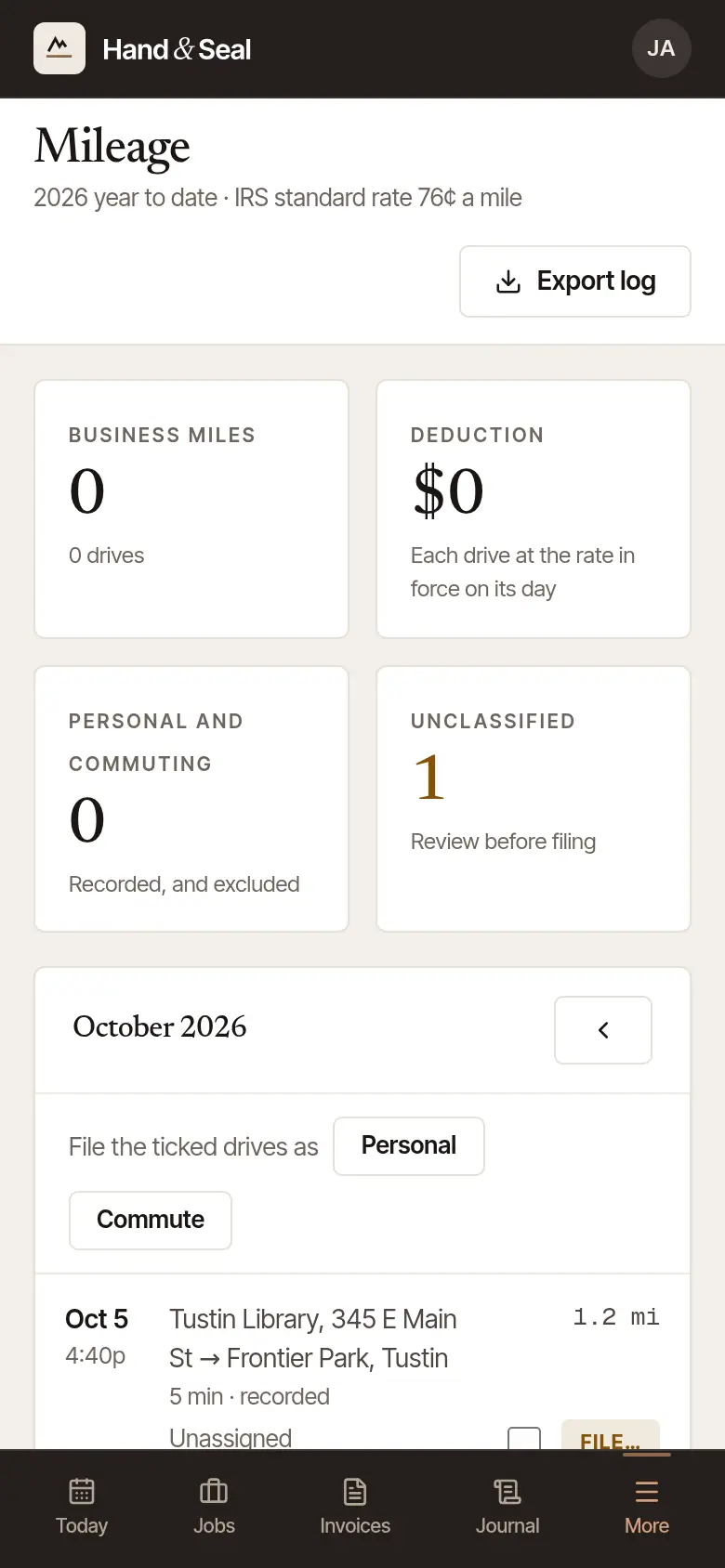
Choose File… beside a drive. For several personal or commuting drives at once, tick them and choose Personal or Commute after File the ticked drives as.
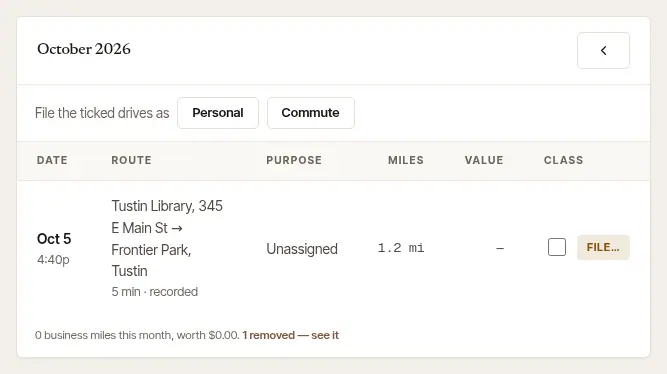
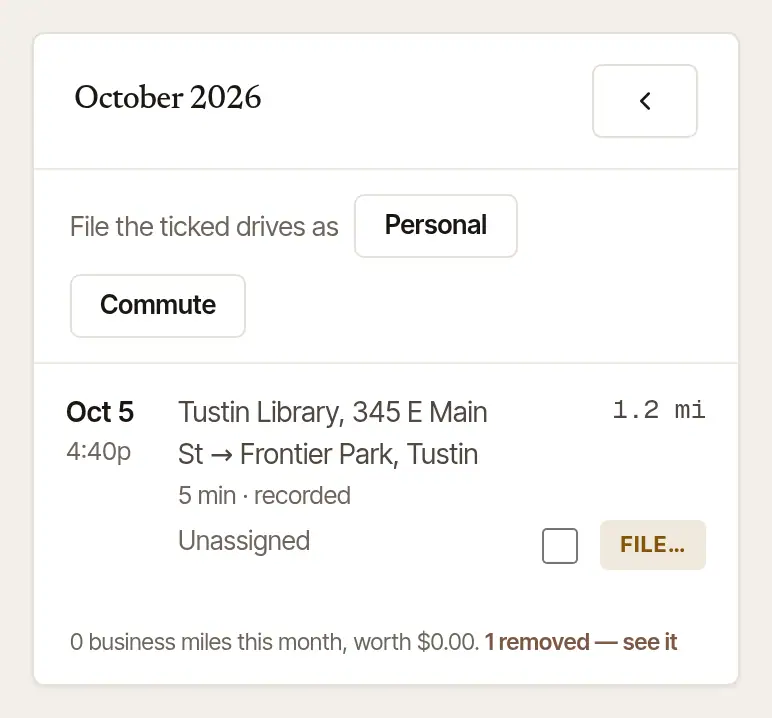
Say what it was. Under What this drive was, choose:
- To or from a job, then the job under Which job (your jobs within two days of the drive);
- Other business, then its Purpose recorded in the log — and In a few words for “Other”;
- Commute or Personal — kept in the log, left out of the deduction.
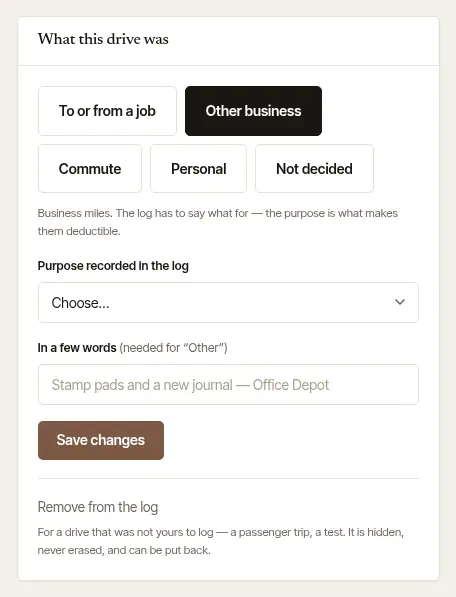
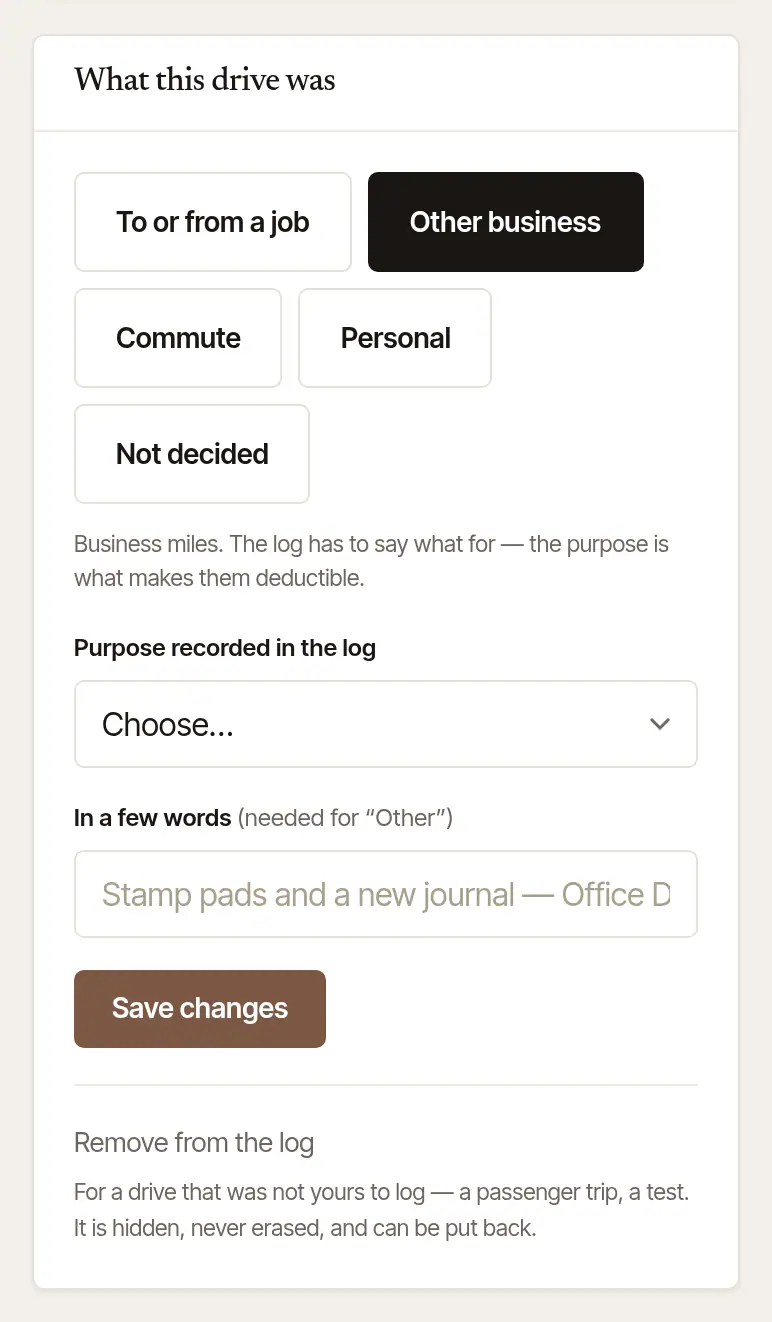
Choose Save changes — or Save and next to go straight on to the next drive waiting.
When the phone asks you
When something is waiting, one notification says so: A drive needs a word. You can answer it without opening the app — Personal for a drive, or Add the miles / No drive for a signing — or tap For work… to choose in the app.
Places it learns
File a drive to an errand — your supply shop, say — and the next drive that ends there is filed the same way, with a line saying why. It does this only while you've always filed that place the same way, and never over a signing.
Business, personal or commuting?
Drives between home and a signing count as business miles or as commuting depending on Settings → Mileage & trips → Home office is my principal place of business on the phone. On the web, Mileage asks two questions, under How Log it files a drive between home and a signing — Is your home your main place of business? and, after a No, Do you also have a regular place of work away from home, in the same business as your signings? — and so does a job's Drive row beside Log it until you've answered them. A round trip logged with Log it is filed by them, as a business drive when either is Yes, and as commuting after a No to the first unless the second is Yes. Log it on the web files by your answers on Mileage, and the phone app files the drives it records by its own setting. The two questions follow IRS Publication 463, chapter 4, which says the daily drive between home and another work location in the same trade or business can be deducted when an office in your home qualifies as your principal place of business, and between home and a temporary work location in the same trade or business when you have a regular work location away from home. Answered No to both? A drive from home to a signing outside the metropolitan area where you live may still count: you can file it as business on the drive. Which applies to you is a tax question: this is tax information, not tax advice — ask your tax preparer.
Was this helpful?
Still stuck? Contact support — a person reads every message and answers by email.