Guide
Add a drive the phone didn't record
A signing with no drive — the app was off, another car, no phone app — gets its miles from the job. An errand, like a drop-off or the bank, is added by hand on Mileage.
Every signing already knows about how far it is from your home base: the job measured it when it was booked, from a spot near your home base, so it can be a little off either way. So when no drive was recorded for a signing, its round trip can go into your mileage log in one tap, marked as estimated or entered by hand rather than recorded. If you drove a different distance, correct it after, as below.
From Mileage → To file. Three hours after a signing ends with no drive filed to it, it's listed under To file. Swipe it right — Add … mi — to add its round trip on the route quoted for the job, marked as estimated. Swipe left for No drive if you didn't drive there.
Right after closing out. When no drive was recorded for the job, close-out says No drive was recorded for this job and offers Log the … mi round trip — the round trip from home, from the job's distance.
Either way, the round trip is filed the way that phone or tablet files a drive between home and a signing for you: as a business drive, or as commuting when its Settings → Mileage & trips → Home office is my principal place of business is off. Close-out's card says which before you tap.
On the job, with the miles you drove. To type the miles yourself:
Open the job, and find Miles.
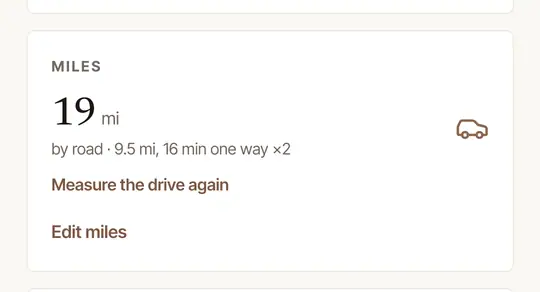
Tap Edit miles, type the round-trip miles, and tap Save.
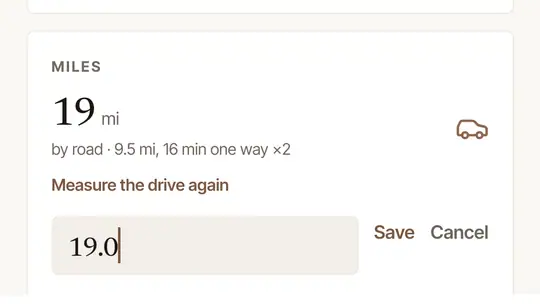
The miles you type are the job's total: they can't be less than the job's other drives add up to — recorded, added from To file, logged from the job, or typed on another phone or tablet, filed as work or as Commute. If one of those wasn't for this job, file it as personal or remove it first. What you type beyond them goes in your log, filed the way the phone or tablet you type it on files a drive between home and a signing, as above.
Open the job. Once its time has passed — or it's closed out — Produced by this job has a Drive row. With no drive recorded, it says The phone recorded none, how far the round trip from home is, and how it will be filed.
Answer the questions, if they're asked. Until you've answered Is your home your main place of business? — and, after a No, Do you also have a regular place of work away from home, in the same business as your signings? — they're asked under the row. Choose your answers: Log it keeps them as it logs the round trip, and Save answers keeps them without logging it. You can change them on Mileage, under How Log it files a drive between home and a signing.
Choose Log it.
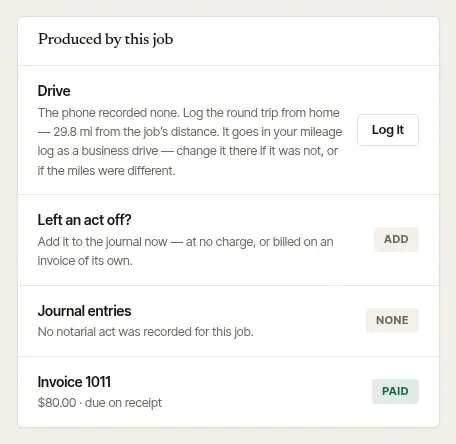
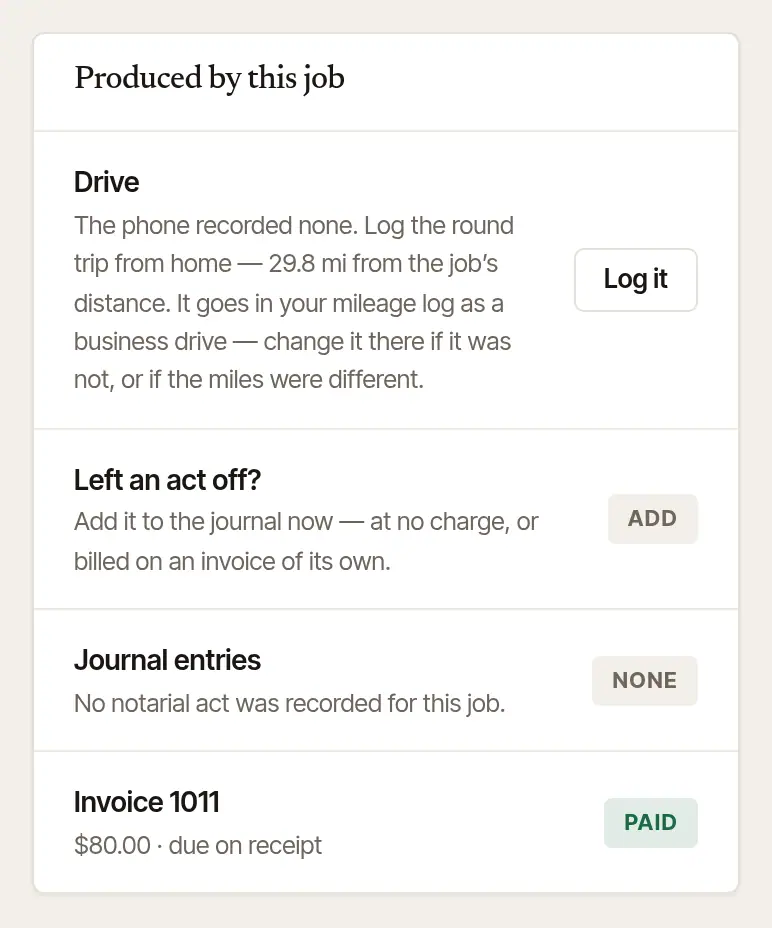
The round trip goes into your log filed to the job, by your answers: as a business drive when either is Yes, and as commuting after a No to the first unless the second is Yes. Until you've answered, it goes in as a business drive — or, if it was in your log before as work or as a commute, as it was filed then. The row says which before you choose Log it, and then shows the drive and what it's worth. If you drove farther, type the whole round trip on the phone with Edit miles on the job: the miles beyond the job's drives are added, filed by that phone's home-office setting. If you drove less, remove this drive from your log first, then type the miles there. Miles typed for a signing after your plan ended wait on the phone until you subscribe again.
A drive that wasn't for a signing
An errand for your business that the phone didn't record — a signed package to the drop box, the bank, supplies — is added on the web.
Open Mileage. Add a drive by hand is beside the month's drives — below them, on a phone.
Fill it in. The Day you drove — today, or a day before, back to the first day Hand & Seal has an IRS rate for — From and To in your own words, the Miles (there and back, for a round trip), and the Purpose recorded in the log. Other business needs a few words under In a few words.
Choose Add the drive.
It goes into your log as business miles, marked Entered by hand on its page on the web and in the exported log, which show its day and no time of day. If your log already has a drive of the same miles on that day, it's taken as the same trip and isn't added again: tick These were two drives — or, when it names several, These were all different trips — if it was another one. If the phone recorded the trip too — as one drive, or as two, there and back — they aren't paired, so the trip can count twice. On the web's Mileage, a drive the phone recorded that day that isn't filed to a job, as personal or as a commute, and is about as long — the two together, when it's two — says May be the drive you added by hand, and yours says May be the drive the phone recorded, or May be the two drives the phone recorded. If it was one trip, remove one from the log; if they were other trips, choose These were two drives — on your drive beside two, These were different trips — and the mark goes. If you work in a business and also keep a practice of your own, it's kept with your practice's records, as the phone keeps a drive that wasn't for one of the business's jobs. Adding a drive by hand needs the plan of the business it's kept in, as recording does.
Good to know
- A drive added this way says how it was measured — Filled in from the route or Entered by hand — on its page, and in the exported log.
- A signing's trip is counted once. If the phone has the drive after all — its recording arrives later, or you add the trip from To file — the phone's drives take the place of the round trip logged from the job — whether they're filed as work or as Commute — and the round trip moves to that month's removed drives. And where the phone's drives are already in the log, Log it says so instead of adding the trip again. Miles typed with Edit miles add only what is beyond the job's drives as they stand when you save; if a recording of the trip arrives later, type the total again on the phone or tablet you typed them on — no less than the job's other drives add up to — and the miles typed there shrink to what is beyond them, or are taken back when nothing is. Once miles typed with Edit miles have reached your log, the signing's round trip isn't logged on top of them; miles typed after your plan ended, or that couldn't be sent at once, wait on the phone or tablet — so log the round trip only for a signing with no miles typed on a phone or tablet.
- Log it on the web files by your answers on Mileage, and the phone app files the drives it records by its own setting. The two questions follow IRS Publication 463, chapter 4, which says the daily drive between home and another work location in the same trade or business can be deducted when an office in your home qualifies as your principal place of business, and between home and a temporary work location in the same trade or business when you have a regular work location away from home. Answered No to both? A drive from home to a signing outside the metropolitan area where you live may still count: you can file it as business on the drive. Whether a drive between home and a signing is business miles or commuting is a tax position: this is tax information, not tax advice — ask your tax preparer.
- A drive that wasn't for a signing — an errand, say — is added with Add a drive by hand on Mileage, as above. Next time, you can also tap Record a drive on the phone as you set off: see Record a drive yourself.
- Missing drives keep happening? See A drive wasn't recorded for why, and what to change.
Was this helpful?
Still stuck? Contact support — a person reads every message and answers by email.