Guide
Add your commission, bond and insurance
Your commission, bond, E&O policy and signing-agent credentials in Settings → Account — how the commission is checked on your state's list, and the reminders before each runs out.
General information, not legal advice
This page explains how Hand & Seal works. Your state’s law, and your commissioning authority, decide what you must do — when in doubt, ask them or a lawyer.
Your commission tells Hand & Seal which state's rules to follow: what your journal lines ask for, which IDs are listed and the most you may charge. Your bond, E&O policy and signing-agent credentials are optional. Add their dates, and you're reminded before each one runs out.
Your commission, bond and E&O
Open Settings, then Account. On a phone-sized screen, Settings is under More. Scroll to Commission. The label at its top says where the check on your state's list stands (more below).
Check the state, number and expiry. State, Commission number and Commission expires, exactly as they are on your commission certificate. A Louisiana notary is commissioned for life, so there's no expiry to enter: the card says so in its place. Louisiana requires a notary who is not an attorney to file an annual report by the anniversary of the commission: give the Date of your commission from your certificate, and Today and a letter remind you of it from sixty days before. If you file none, leave it blank. Choosing the state loads its rules: See them lists them.
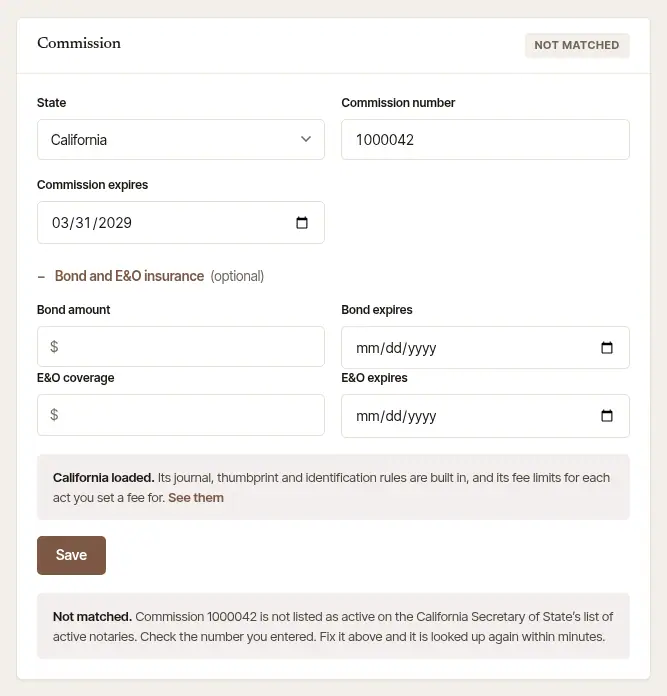
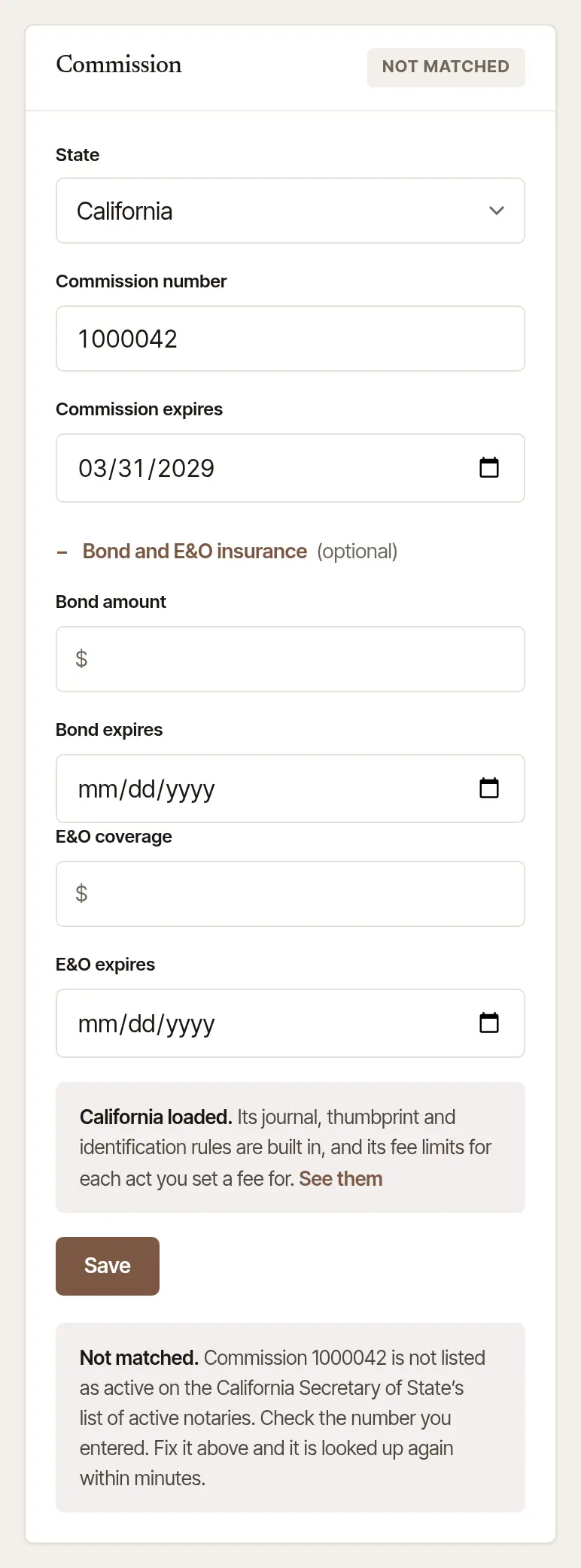
Add your bond and E&O, if you like. Open Bond and E&O insurance and fill in the Bond amount and Bond expires, and the E&O coverage and E&O expires. While they're current, your public page shows the amounts, marked as stated by you — if you hold more than one commission, those of the one that runs longest.
Choose Save. Renewed your commission? Record the new number and date the same way. Your journal, fees and page carry on from it.
When a date you had saved moves later — your commission's, your bond's or your E&O policy's — the card asks Renewed — add what it cost to your expenses? Type What it cost and choose Add to expenses. It goes in your books under the kind the books name for it: the commission under Taxes & licenses, the bond under Legal & professional, the E&O policy under Insurance. To file it under another, change Kind first. Paid on starts at today. The books go by the day you paid, so if you paid earlier, change it first: a renewal paid in December and recorded in January goes in December's year. It takes any day from January 1 of last year; a renewal paid before then goes in Books, with Add an expense. Press it twice, or again in another tab, and it still goes in this business's books once. Put a date right afterwards — a later day saved over one typed wrong — and the card asks again, but nothing more is added to this business's books: a renewal of the same kind in the same state paid within 180 days of one already there is taken to be that one, and the card names its line. Another renewal of it paid within that time? Add it in Books. Wrong amount, kind or day? Remove the line in Books, then add it there with Add an expense. A business's owners are asked this, each about their own renewals; an employee isn't, since the business's books are its owners'.
Hold another state's commission too? Choose that state on the same card. The form empties for it: fill in its number and dates, and choose Save. Choose a state you already hold and Save turns off: a link to that commission appears under the state, such as Open your Maryland commission, and that one is changed there. Your other commissions, under the form, lists the rest with where each one's check stands, and Update opens one in the form.
Open More, then Credentials. Under Renewals, each date on file is counted down: your commission, Surety bond, E&O insurance, Annual report (where your state asks one and you gave the date of your commission), Signing agent certification and Background screening. Each shows the days left, in amber from 60 days out and red from 14. Hold more than one commission? Each is listed by its state, with its own bond, E&O policy and annual report (“Your Maryland commission”, “Your Maryland bond”, say). Under them, a commission that isn't checked on its state's list says why: it's being checked, the list didn't match it, or its state has no list that can be checked.
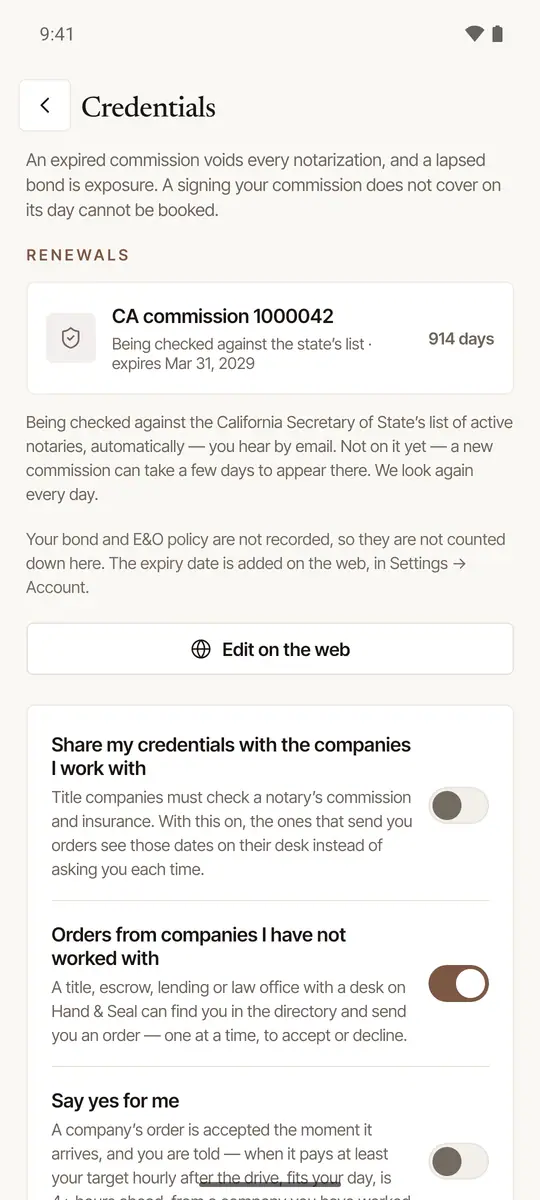
Tap Edit on the web to change them. Your commission, bond and E&O are added and changed on the web. The button opens Settings → Account inside the app, at your commission. Hold more than one? There's a button for each, such as Edit your Maryland commission, and each opens that one; so does Fix it on the web under a commission its state's list didn't match. With no commission on file yet, the button says Add it on the web and opens Settings → Account in your browser, already signed in.
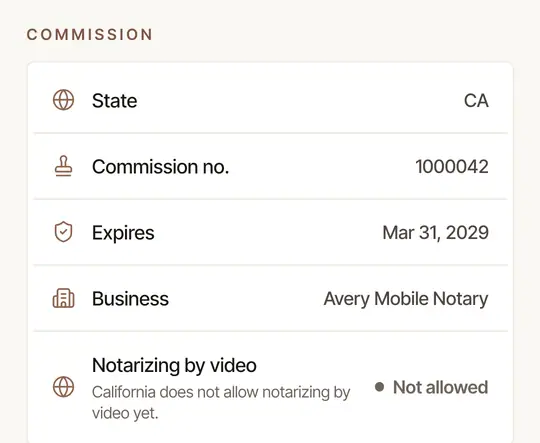
See it in Settings, too. More → Settings shows your commission at the top (Commission checked, Being checked, Commission on file and so on), and its State, Commission no. and Expires under Commission.
How your commission is checked
Where Hand & Seal can check your state's list of notaries, your commission is looked up on it by itself. Nothing is sent from you, no certificate and no ID. The label on the Commission card says where it stands:
- Checking: it's being looked up. A new commission can take a few days to appear on the state's list, and it's looked for again every day. The label changes once there's an answer. You hear by email — even with email alerts off.
- Checked: it matched. Your page says so under Checked by Hand & Seal — “Commission on California's list of notaries”, with your own state's name — and checked notaries come first among their state's notaries in the directory. It's looked at again every month.
- Not matched: the state's list shows a different name, number or expiry. The note under the form says what didn't match. A number or expiry corrected against your certificate is usually looked up again within minutes of Save. Your name isn't on this card: it's Your name, under Sign in on the same page — the one the state's list has your commission under, not a short name or one from before or since a marriage. Where Hand & Seal reads your state's list of notaries and the note says the list has your number under a different name, a name changed there is usually looked up again within minutes — later if a state's list or search page is slow or can't be read just then. Where it asks your state's own search page instead, a changed name waits for the next time that page is asked — about once a week, and later if the page can't be reached then. The note says which. Until then, Today's Get your first orders shows Your commission didn't match the state's list, and your public page gives your commission as you entered it and says it is not yet found on your state's list of notaries.
- Not checked here: Hand & Seal can't check your state's list of notaries — your state publishes none, or none a program may ask. Nobody there is shown as checked, and your place in the directory is never lower for it.
Hold more than one commission? Each is checked on its own, where its state's list can be, and what you hear about it names the state. The label at the top of the card is for the one open in the form; Your other commissions says where the rest stand. What's said above of your public page and the directory is so of each commission you hold that hasn't run out: your page names each, with its own check, and wherever the directory shows you in one of those states, your card there is that commission's.
Signing agent credentials
Title and signing companies usually ask for a current signing agent certification and background screening, and most renew yearly.
Fill in the dates they run out. In Settings → Account, under Signing agent credentials: Signing agent certification and Background screening.
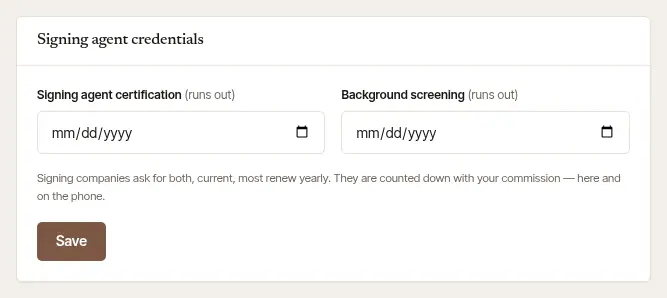
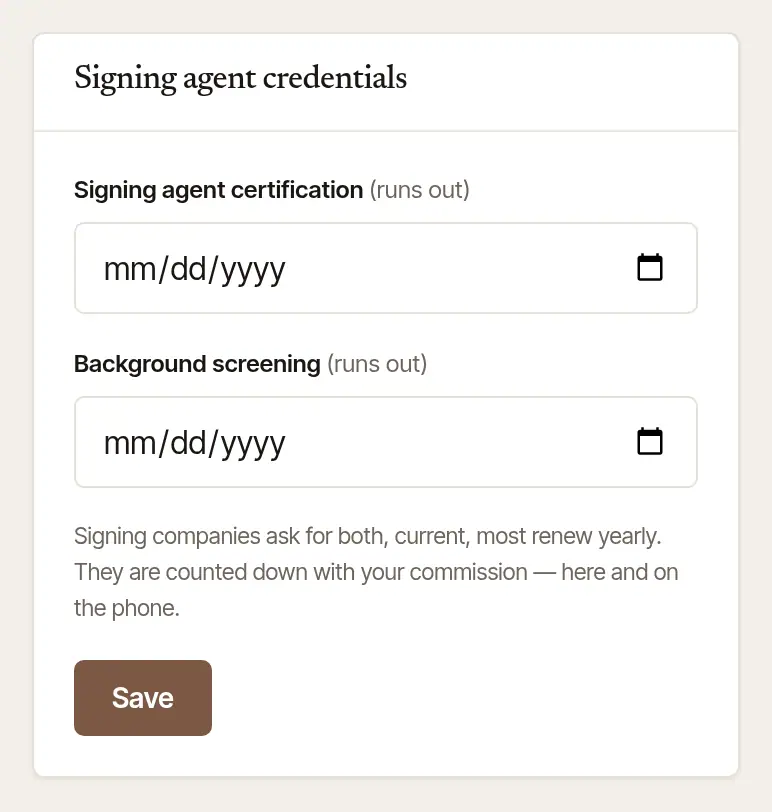
Choose Save. They're counted down with your commission, here and on the phone.
They're yours wherever you work on Hand & Seal: saved once, they show in your own practice and in any business you work in, and in a practice you start later.
Reminders before anything runs out
- On Today. From 60 days before a date, Today's Needs you shows it (“Your commission expires in 30 days”, say) with Update. That opens the right card in Settings → Account.
- By email and on your phone. 60, 30 and 7 days before, and on the day, one letter lists everything that's due. It comes even with email alerts off. A new date starts the reminders afresh.
- If you hold more than one commission. Each is reminded of on its own, on Today and by email, with its own bond, E&O policy and annual report, and each is named by its state (“Your Maryland commission expires in 30 days”, say). Update on Today opens that one, and so does the button in a letter that names one state. A letter that names more than one says how to reach each. A notification on your phone names the state when one thing is due, and Credentials in the phone app counts down each of your commissions by its state, with its own bond, E&O policy and annual report. On the phone's Today, Needs you shows whichever date comes first; when that one is in the red, it also says how many more dates are in the red too (“· 2 more in Credentials”). Once one is more than a week past its last day it isn't mentioned again, so long as another of yours runs later than it.
Good to know
- A signing on a day your commission doesn't cover can't be booked. Record your renewed commission before its first signing.
- To show these dates to the companies that send you orders, turn on Share my credentials in Settings → Integrations. See Share your commission, insurance and W-9 with companies.
General information, not legal advice
Who must hold a bond or E&O policy, and how a commission is renewed, are set by each state. What the app checks and reminds you of is general information, not legal advice: your state's commissioning office, or a lawyer, has the last word.
Was this helpful?
Still stuck? Contact support — a person reads every message and answers by email.