Guide
Record a payment you received another way
A check in the mail, cash, Zelle, Venmo or a card taken on another reader — record it on the invoice, in full or in part, and your books take it on the day it arrived.
Card payments taken through Hand & Seal record themselves. Everything else — a check, cash, Zelle, Venmo, a card on a reader of your own — you record on the invoice. The invoice settles and your books take the income in the same step, on the day you received it.
Open the invoice. From Invoices, or on the job under Produced by this job.
Fill in Record a payment. Amount received starts at what's still owed — change it for a part-payment. Choose How (Cash, Check, Zelle, Venmo, Bank transfer, Card, taken elsewhere, Other), check Received on, and add a Reference if you like — the check number, say.
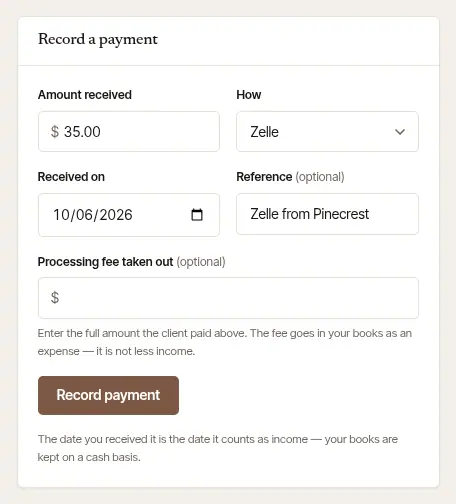
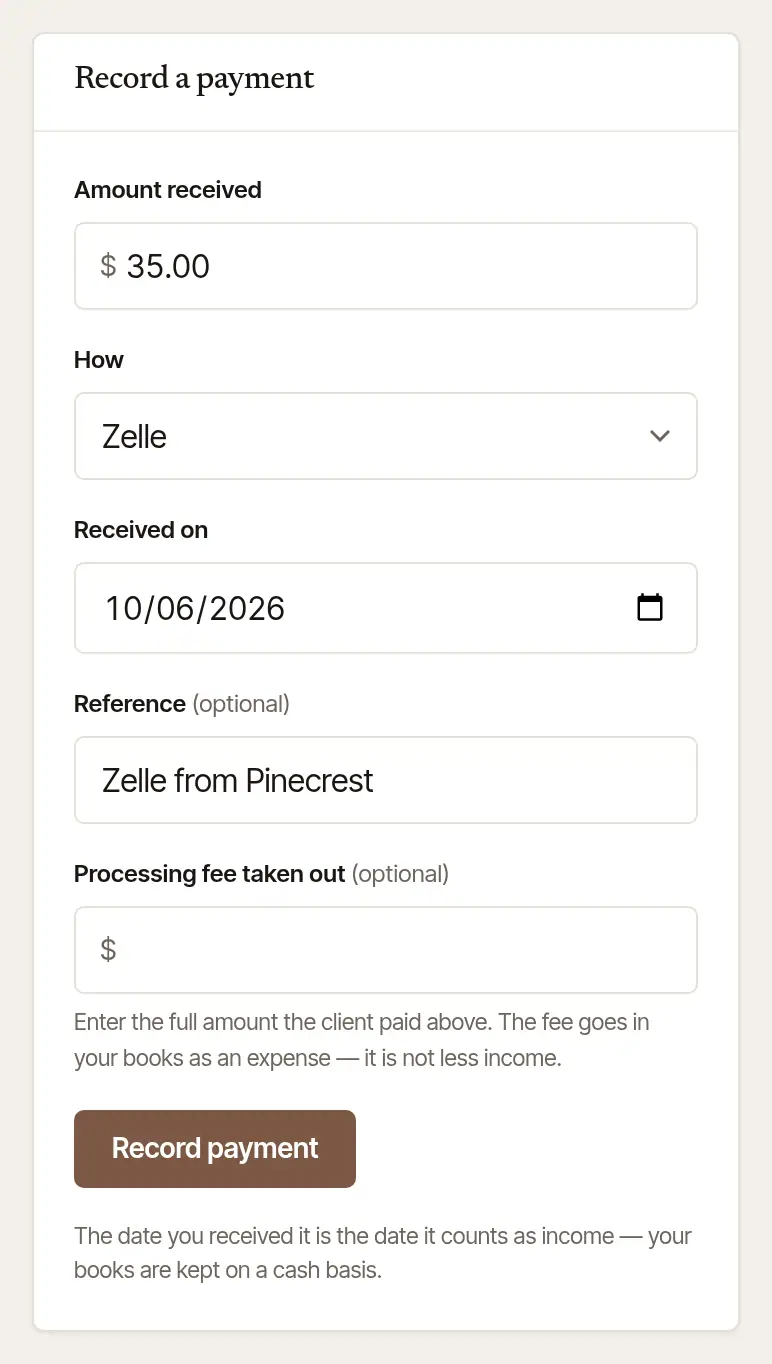
Paid through something that took a fee, like a card on your own reader? Enter the full amount the client paid, and what was kept in Processing fee taken out: the fee goes in your books as an expense — it isn't less income.
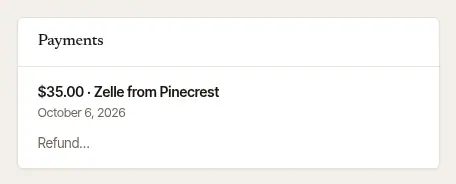
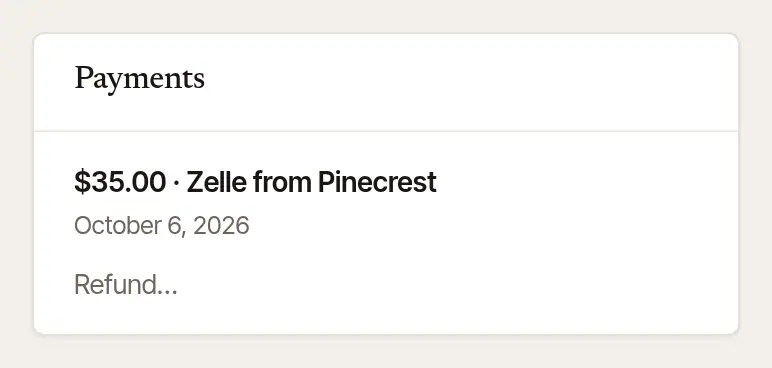
Choose Record payment. Send the receipt to … is ticked for you: when this payment pays the invoice in full, the receipt is emailed to the client in the same step, and the page says where it went. Untick it and nothing is sent. A client with no email address isn't offered the tick, and the form says so. A part-payment is listed under Payments, and the rest stays owed on the invoice; record the next one the same way when it comes. Once it's paid in full, the invoice says Paid, and Send the receipt is there to send it, or send it again.
Paid at the table? At close-out, under How you were paid, tap Cash, Check, Zelle, Venmo, Bank transfer, Card, taken elsewhere or Other, and add a Check number or Reference if you like. Closing out records the payment.
Paid later? On Books, under Owed to you, every open invoice is listed, the oldest first: tap Record payment beside it. (Or open the job and tap its invoice — Invoice 1043 — to reach Invoice & payment, then Record a payment.) Choose how it arrived under How did it arrive?, check the Amount ($) — it says what's owed — add a Check number (optional) or Reference (optional), and check Received on. For Card, taken elsewhere, What the processor kept ($) goes in your books as an expense.
Tap Record $150 · paid in full, or Record $50 · part-payment when it's less than what's owed. The card says what was recorded and what's still owed.
One check for several invoices
Companies often pay several signings with one check. On the phone, record it once:
On Books, under Owed to you, tap One check for several invoices — or, under Record a payment on an invoice's Invoice & payment, One check for several of their invoices.
Under From, choose the company. Their open invoices are listed: tick the ones the check pays.
Enter The check ($) and the Check no. (optional), then tap Record $… on … invoices. It's recorded on each invoice it pays, the oldest first, with the same check number, and lands in your books on today's date.
On the web, record it on each invoice in turn, with the same reference.
A card you took in the app that never finished
Your phone lost its signal, or the app closed, as a card went through — and the invoice still says it's owed. You can wait: Hand & Seal reads Stripe back each morning and records it by itself. Or record it yourself: choose Card, taken elsewhere, for the amount that was charged. (Recorded as Other, or for another amount, it isn't matched to the card — it counts as a second payment.)
- If the card did go through, that payment is recorded from Stripe's own record — with Stripe's fee — and nothing is added on top. On the web, the card says so: That card went through on your reader.
- If Stripe can't be reached just then, your payment is recorded as you typed it. When Stripe's own word of the card arrives, the two are matched — one payment, counted once — and you're told: Card payment matched. Only a payment you wrote down after the card was charged is matched; one you wrote down before it is another payment.
- If the card is already on the invoice — Hand & Seal recorded it from Stripe before you did — you're told so the first time, with when Stripe took it, and nothing is added. Took a second card for the same amount? Record it again, and it's added.
The same goes for a bank transfer that Stripe shows as arrived while the invoice still says it's on its way: record it as a Bank transfer, for the amount Stripe shows, and it's matched the same way. If you close out the job before Stripe's word of it comes, it's still matched to the payment you recorded: on the final invoice, if close-out carried it there, or on the job, if close-out set it aside. If the final invoice doesn't count all of it, or close-out billed nothing, you're told what of it, if any, is still theirs to give back: refund that in your Stripe Dashboard, and the refund is recorded here when Stripe says so.
If the bank then sends that transfer back, the invoice still reads paid, because of the payment you recorded. You're asked — by an alert, an email, on the invoice and on Today — whether the payment you recorded is that transfer. Yes — take it off takes it off the invoice and out of your income, opens the invoice again, and tells your client their transfer failed, with the link to pay. No — it was another payment changes nothing. Nobody is asked to pay again until you answer.
Good to know
- Recording a payment charges nothing: it writes down money already in hand.
- Took cash or a check when the card had gone through after all? Then they've paid twice. The card is held on the invoice as A card payment with nowhere to go, and you're told — see Give a refund.
- A payment can't be deleted once it's recorded. Gave money back, or recorded too much? Record it as a refund — see Give a refund.
Tax information, not tax advice
Your books are kept on a cash basis: the date you received it is the date it counts as income, and a fee a processor kept is recorded as an expense, not as less income. If your preparer keeps yours another way, give them the year's files from For your accountant on Books.
Was this helpful?
Still stuck? Contact support — a person reads every message and answers by email.