Question
The confirmation email didn't come
Where to look for the letter that confirms your email, how to send it again or fix a mistyped address, and what waits until your address is confirmed.
When you sign up, we email a link to confirm that the address is yours: the letter is called Confirm your email for Hand & Seal. Until you've followed it, a line at the top of every page of the web app says Confirm your email — and the address the link went to.
Find the letter
Look in spam, junk and promotions. Search your mail for “Hand & Seal”. Gmail sometimes files it under Promotions or Updates.
Check the address. The line at the top of the app says where the link went. If it's mistyped, choose Wrong address? on that line — see below.
Send it again. Choose Send again at the end of that line, and a fresh link goes out. In its place the line then says what happened: Sent — look in your inbox. It can be sent three times an hour: after that it says Three were sent in the last hour — use the newest one, or try again later. And five times in a day, the first letter among them: after that it says Five were sent today — any of them still works, so look in your spam folder. More can go tomorrow. Every link we sent works for its week, so the letter you're looking for is already there.
Follow the link
The link opens a page called Confirm your email. Choose Confirm my address — opening the link by itself confirms nothing, because some mail services open every link to check it. The button is there where you've signed in to your account in that browser: opened anywhere else — your phone's mail app, say, or a browser the phone app opened for you — the page asks you to sign in there first, then brings you back to it.
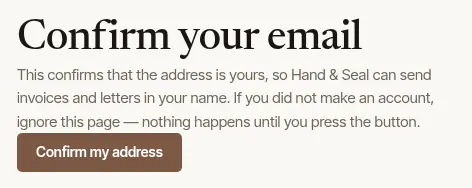
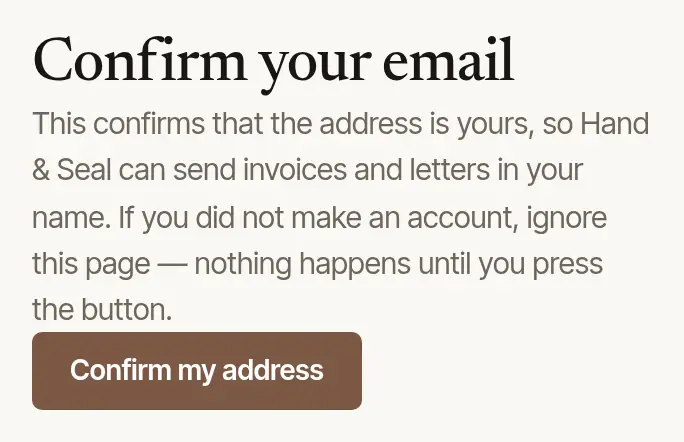
The page then says Your email is confirmed, and the line at the top of the app goes away. Open that same link again in the weeks after — from your phone's mail, say — and it says Your email is confirmed again. It says “That link has run out” instead once your sign-in address has changed or the account is closed, and from about a month after the link's week is up. A link works once, for a week: one left unused past its week, or one from an earlier letter once your address is confirmed, says “That link has run out”. If the line is still at the top of the app, choose Send again for a new one.
The address is wrong
Choose Wrong address? on the line at the top of the app: it opens Change your email, in Settings → Sign-in & security. A link goes to the new address; following it — signed in to your account, as with confirming — changes the address you sign in with and confirms it in the same step. Until then you sign in with the old one.
Can't sign in at all? See I can't sign in.
A letter for an account you didn't make
If a letter asks you to confirm an account you never made, someone used your address. Only that account, signed in, can confirm the address — and on the page the link opens, I didn't make this account shows whose account it is (the name it was made in, when, and for what business), then Close it to whoever made it takes away its password, two-step sign-in, passkeys, Google and Apple sign-ins, any calendar link or Google Calendar connection made on it, and every device signed in to it; your address isn't confirmed for it. If the address is one you share — orders@, say — ask your colleagues first. If you'd like the account after all, Forgot your password? on the Sign in page sends a link to your address.
What waits until it's confirmed
Your account works — jobs, the journal, mileage, the phone app. What waits is anything sent in your name, so an unconfirmed address can't be used to mail people:
- Invoices, reminders and receipts. Only the first few are emailed for you. After that the invoice says “Confirm your email address first” — until you do, copy the client's link from the invoice and send it yourself.
- Messages to clients. The same: a few, then they wait.
- Invitations to join your business.
- Two-step sign-in and passkeys — they protect an address that's shown to be yours.
Still nothing?
Setting a new password proves the address too: Forgot your password? on the Sign in page sends a link to the same address, and choosing a new password from it confirms your email as well. It also signs out your other devices, takes off any Google or Apple sign-in, and stops any calendar link or Google Calendar connection made before — but a Google Calendar connected with this same Gmail address. Connect yours again under Settings → Integrations after. If that letter doesn't arrive either, the address isn't receiving mail from us — write to us with the address you signed up with.
Was this helpful?
Still stuck? Contact support — a person reads every message and answers by email.