Guide
Let matching orders book themselves (Say yes for me)
Set your terms once, and a company's order that meets every one of them is accepted the moment it arrives. You're told; anything else waits for you as usual.
Orders from companies are often a race: the notary who answers first gets the signing. Say yes for me answers for you, but only for orders you'd have said yes to anyway. The company hears at once, and you're told. An order that misses any one of your terms waits for you, like any other.
Before you start: your target for an hour
An order is judged by what it actually pays per hour, once the drive and the printing are counted. So Say yes for me needs your target first.
Open Settings, then Fees & rates.
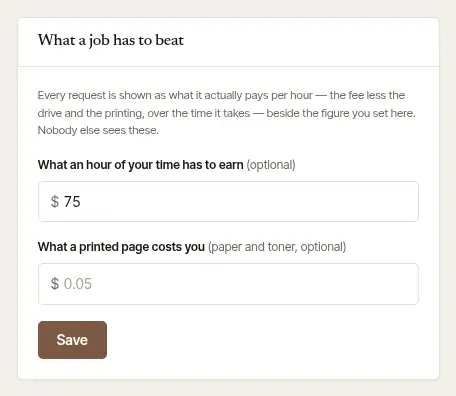
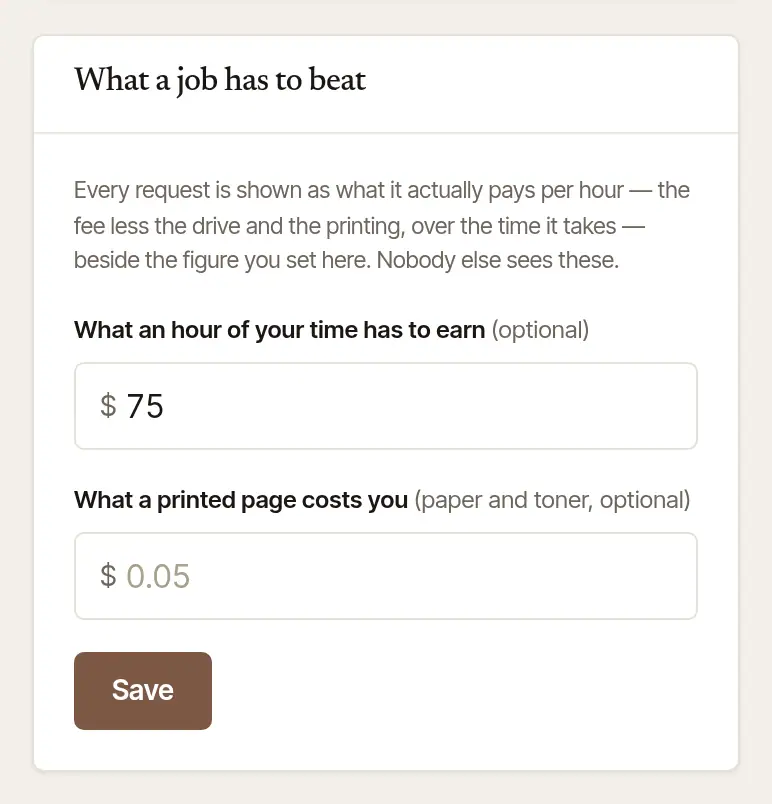
Under What a job has to beat, fill in What an hour of your time has to earn, and save. Add What a printed page costs you too, so printing is counted. Nobody else sees these figures.
Set your terms and turn it on
Open Settings, then Integrations. Under Your order link, open Say yes for me.
Set your terms:
- From: Companies I have worked with (a company with an order of yours you accepted before), or Any company.
- At least this far ahead: from 2 to 48 hours before the signing.
- Within (miles, optional): how far away it may be.
- No more than: how many a day it may say yes to, from 1 to 5.
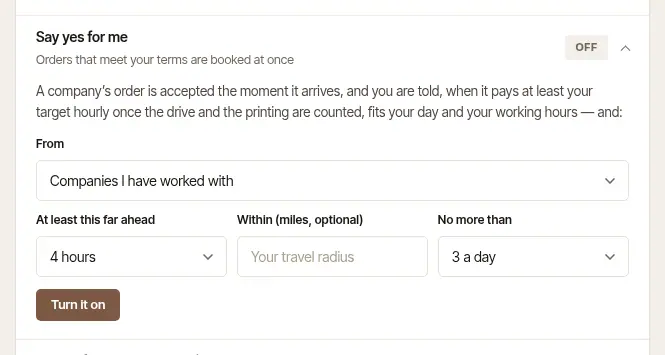
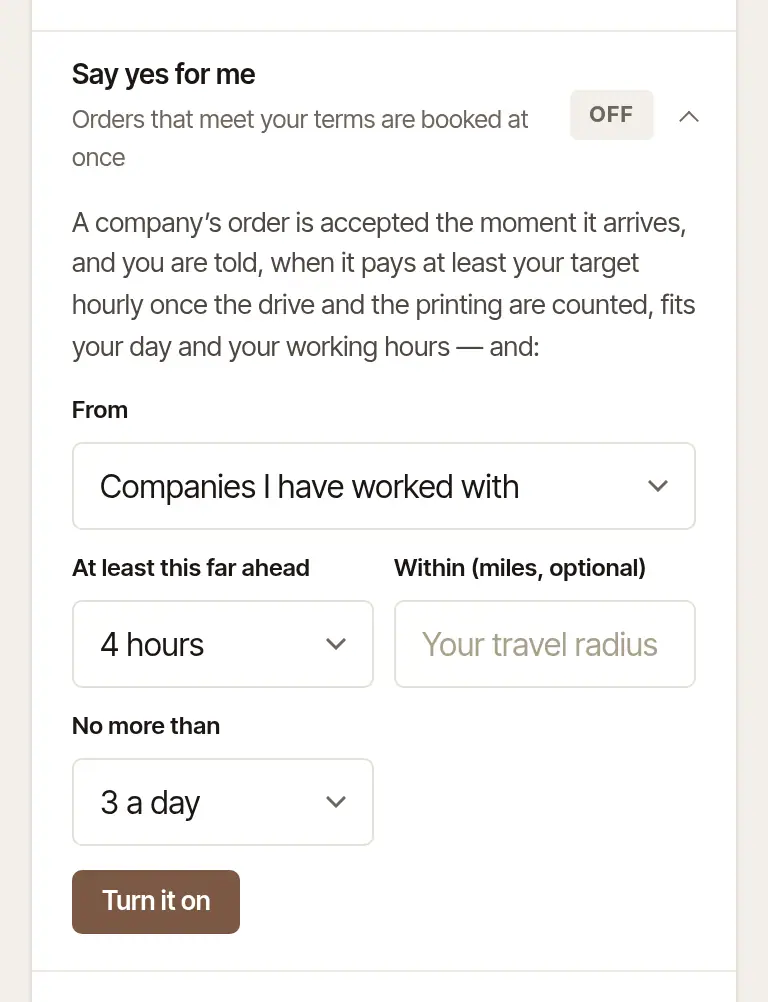
Choose Turn it on. From then on, Save the terms saves a change, and Turn it off stops it.
Tap More, then Credentials (under Records).
Turn on Say yes for me. The line under the switch says your terms as they stand.
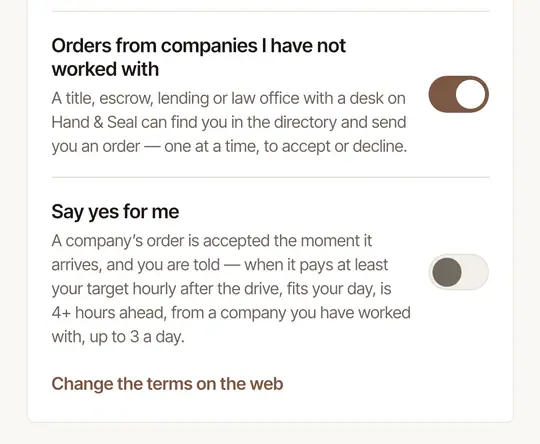
To change the terms, tap Change the terms on the web. The page opens in your browser, already signed in.
The phone can turn it on only once your target for an hour is set on the web.
What an order must meet
Besides your own terms, every order is checked for all of these before it's accepted for you:
- It pays at least your target for an hour, once the drive and the printing are counted.
- It fits your day. It doesn't run into another signing once the drive is counted, and the drive from the signing before it, or on to the one after, isn't too tight.
- It's in your working hours, the ones clients can book (Settings → Hours).
- It's a company's order. A person's request from your page always waits for you.
If any of it can't be worked out — the drive hasn't been measured, say — the order waits for you.
When it says yes for you
- The company is told at once, as if you'd accepted it yourself, and the signing goes on your calendar.
- You're told on your phone and devices: “Said yes for you · $…”, with the signing and the town.
- The job's own history says Said yes for you, “It met your terms”.
Changed your mind about one? Cancel it like any booking: Cancel job on the web, or Cancel this job… on the phone. The company is told.
Good to know
- Say yes for me never names a fee of its own, and never says no for you. An order it doesn't accept is yours to answer.
- It works on the orders companies send you, whether through your order link or from their desks.
Was this helpful?
Still stuck? Contact support — a person reads every message and answers by email.