Guide
Ask a company for a higher fee
When a company's order pays well below your target for an hour, you can answer once with a fee of your own. The company accepts it or keeps its fee, and that's the end of it.
Some orders pay too little once the drive and the printing are counted. Instead of a flat no, you can name one fee of your own. It's one figure, sent once, with the reason in facts the company can check: the miles, the time, the pages. There's no back and forth. The company accepts your fee, or keeps its own.
When you can name a fee
- It's a company's order, sent through your order link or from its desk. A person's request from your page can't be answered this way.
- You've set your target for an hour. In Settings → Fees & rates, under What a job has to beat, fill in What an hour of your time has to earn. Nobody else sees it.
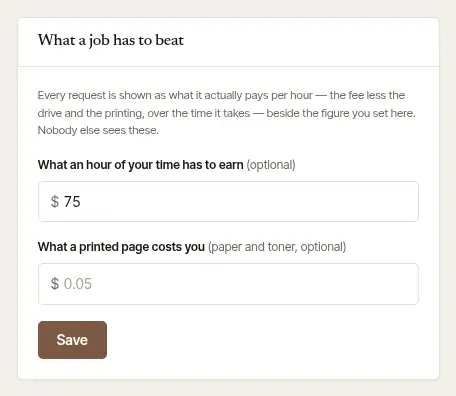
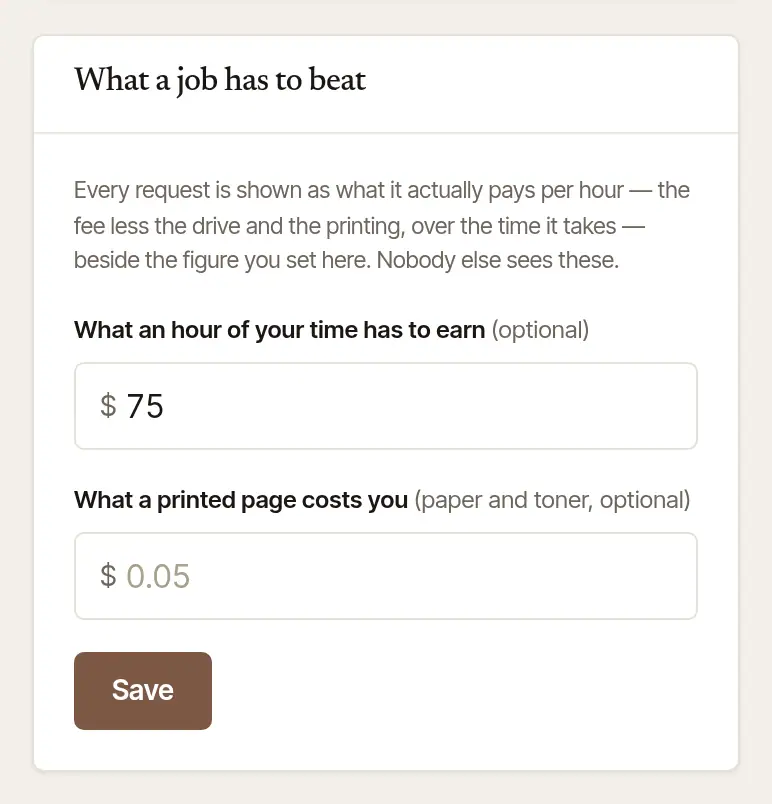
- It pays well below that target. The fee your target calls for is worked out from the time the signing takes, drive included, plus the drive's cost and your printing. Only when that comes to clearly more than the offer does Name your fee once show.
- It hasn't been answered yet, and no fee was named on it before.
Name your fee
Open the order. Under Accept and confirm and Decline… it says “Pays below your target hourly?” Choose Name your fee once.
Check the figure. The box starts at the most your target calls for, and says so (“Up to $…, what your target hourly takes”). You may ask for less, but not more, and it must be more than they offered.

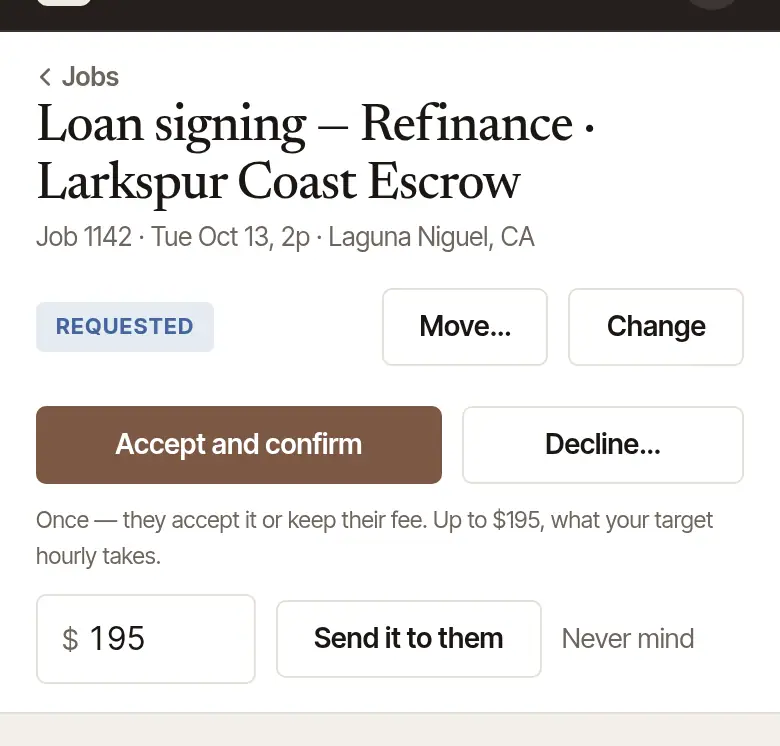
Choose Send it to them. The company is emailed at once, in your name, with your fee, what they offered, and the reason in facts: how many miles each way, about how long with the drive, and the pages to print. Never mind closes the box without sending anything.
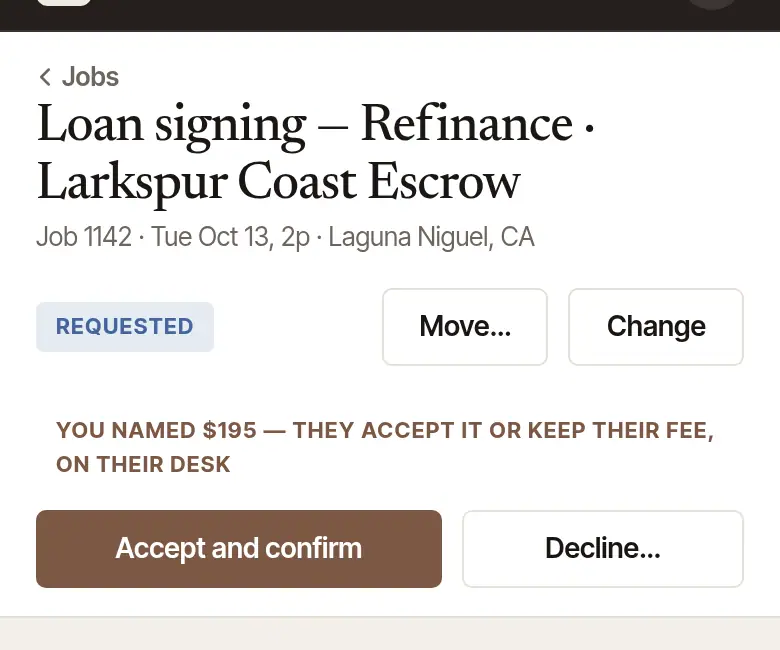
Wait for their answer. The job says “You named $… — they accept it or keep their fee, on their desk”. Meanwhile Needs you on Today doesn't list it as waiting for your answer.

Find the order on Today under Requests, or open it from Jobs.
Tap “Pays below your target? Name your fee once”. It says the most your target calls for, and what they offered: “They accept it or keep their $… — nothing more is said either way.”
Check the amount, and tap Send it to them. The card then says “Your $… is with them — they accept it, or keep their own fee.”
What the company sees, and what happens next
The company answers on its desk, in one tap:

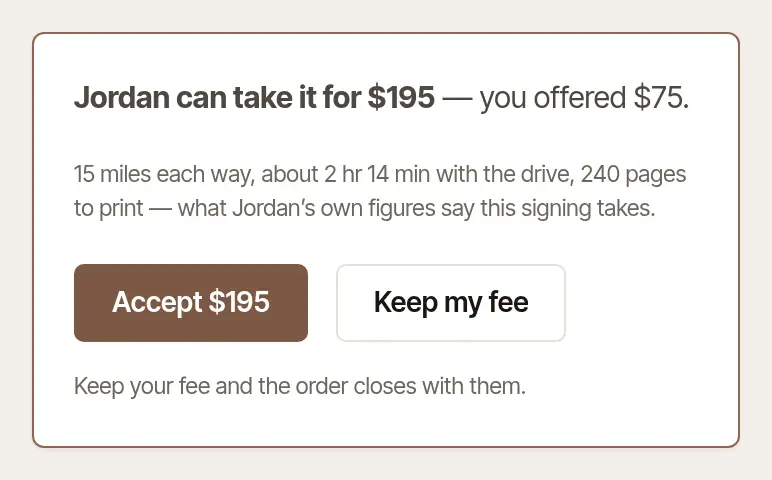
- Accept $…: the signing is booked at your fee, as if you'd accepted it. You're told, and it goes on your calendar.
- Keep my fee — close it with … (or, with a backup the company can still send it to, Keep my fee — send it to …): the order closes with you, marked “kept its own fee”, and nothing is owed. You're told. If the company named backups, it goes to the next one.
Good to know
- One fee, once. There's no counter to your fee, and no second try. If the company keeps its own fee, the order is over for you.
- Named a fee and changed your mind? While they haven't answered — and until the order's time to answer runs out: two days, or the signing if that's sooner — Accept and confirm still takes the order at their fee, and Decline… still says no. Unanswered by then, the order lapses. If the company named backups, it then goes to the next one, while one is left to ask and the signing is still ahead.
- An order that pays your target or more never offers this: accept it, or decline it.
Was this helpful?
Still stuck? Contact support — a person reads every message and answers by email.