Guide
Accept or decline a company's order
A title, escrow or signing company sent you a signing. See what it actually pays and whether you can get there, then accept or decline — and what to do if they later move or cancel it.
When a company sends you an order, through your order link or from its desk, it waits for your answer as a request. Nothing is booked until you accept, and the company hears your answer.
Answer an order
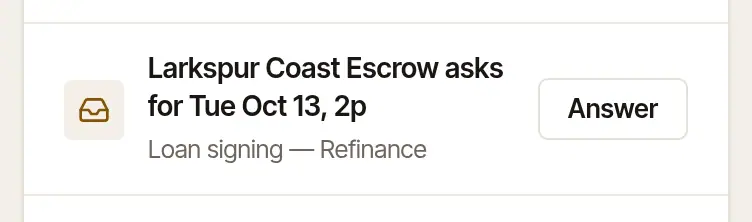
Find it. New orders show on Today under Needs you, with the company's name and the time it asks for (“Larkspur Coast Escrow asks for Tue Oct 6, 2p”, say). Choose Answer. One that overlaps a signing of yours here says so on its row: “…: overlaps another signing”. You'll also find them in Jobs, under Requested. Unless you've turned email alerts off (Settings → Account), you're emailed when one comes in.
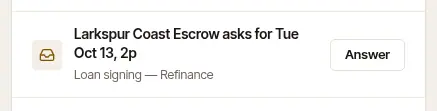
Read the order. The fee it offers is at the top — Offered $125.00 — beside Accept and confirm. When it overlaps a signing of yours here, that's said just above Accept and confirm, in rose — “Your day: Overlaps the 6 PM signing. 7:30 PM would work.” — and accepting is still yours to choose. The job shows the day and time, the signers, the company and how to reach them, where, the documents, the pages to print and the company's file number. Any instructions from the company are there too. Sent by says who at the company sent it — the name and address they signed in with when they sent it — whether that address is confirmed and still theirs, and since when the company's desk has been on Hand & Seal. An address that is the sender's own is said there once, not again under The company or About the file.
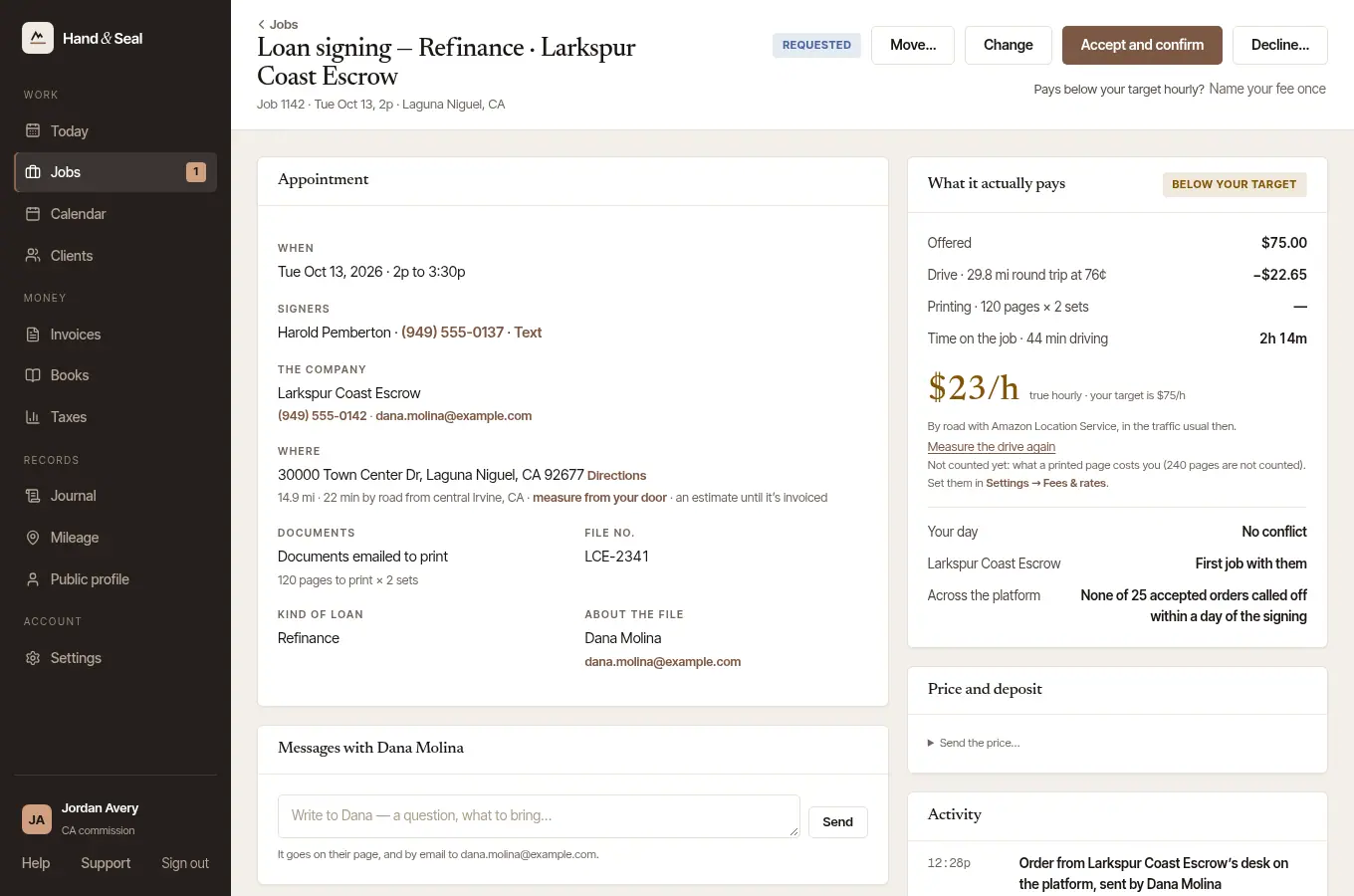
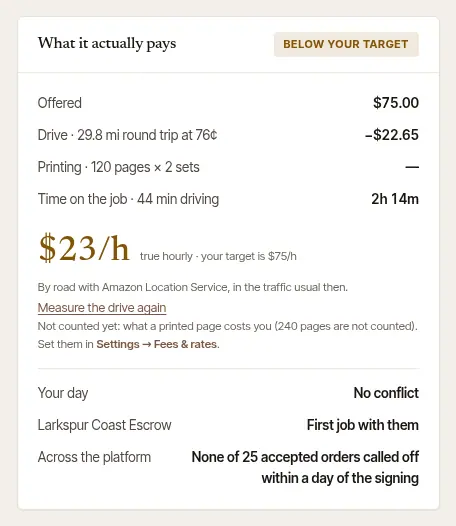
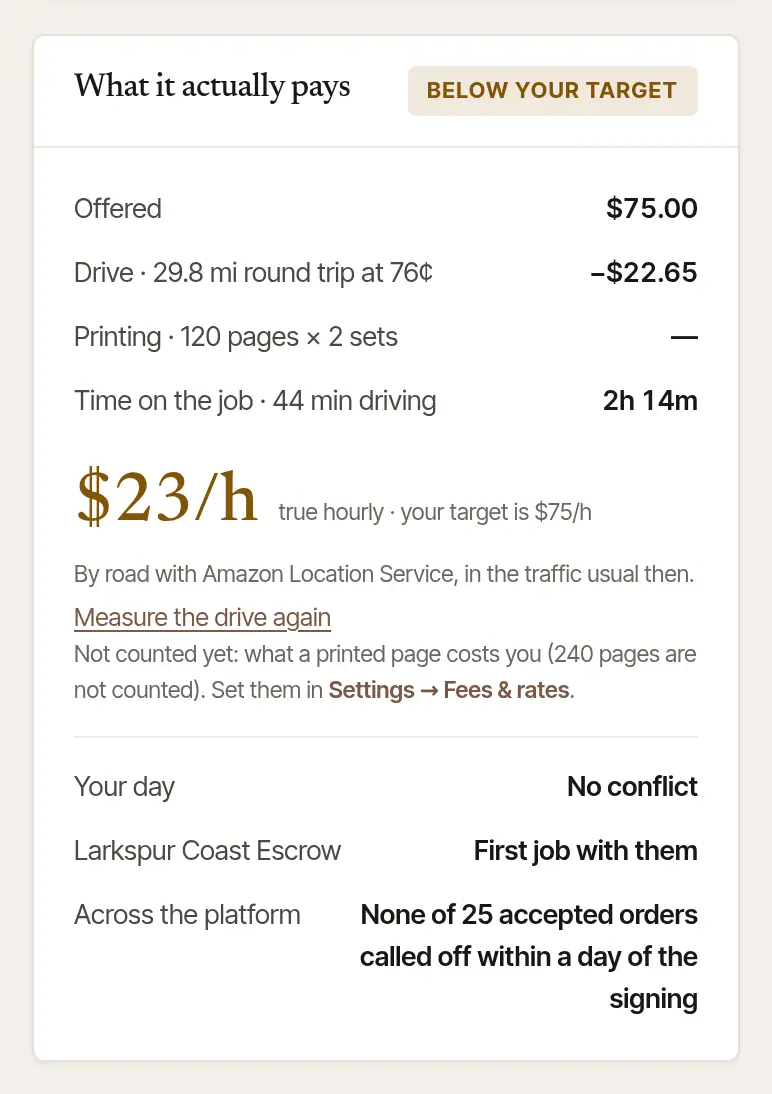
Check what it actually pays. What it actually pays takes the fee offered, subtracts the drive and the printing, and divides by the time it takes you, drive included. That's your true hourly, set beside your own target (Above your target or Below your target). Under it:
- Your day says whether it fits with your other signings once the drive is counted, or if the drive from one to the next is tight.
- The company's name says how many jobs you've done for them, and how fast they paid you.
- Across the platform is the company's record with every notary here: how fast it pays notaries — counted from the dates notaries recorded, the day each wrote down that a payment had arrived — and how often it calls off an accepted order within a day of the signing. A company new here says New here — no record yet.
Answer it.
- Accept and confirm books it. The company is emailed at once, and the signing goes on your calendar. The job page says when the confirmation went.
- Decline… opens a step and sends nothing yet. It says who is told — the company that sent it, with what you write — and gives you a box: Anything to say? Another time that works…. Choose Decline the order, or Keep it if you changed your mind. Nothing is held against you. To stop more orders from this company, tick No more orders from it first: see Which companies can send me orders?.
If it pays well below your target, there's a third way: Name your fee once, under the buttons. See Ask a company for a higher fee.
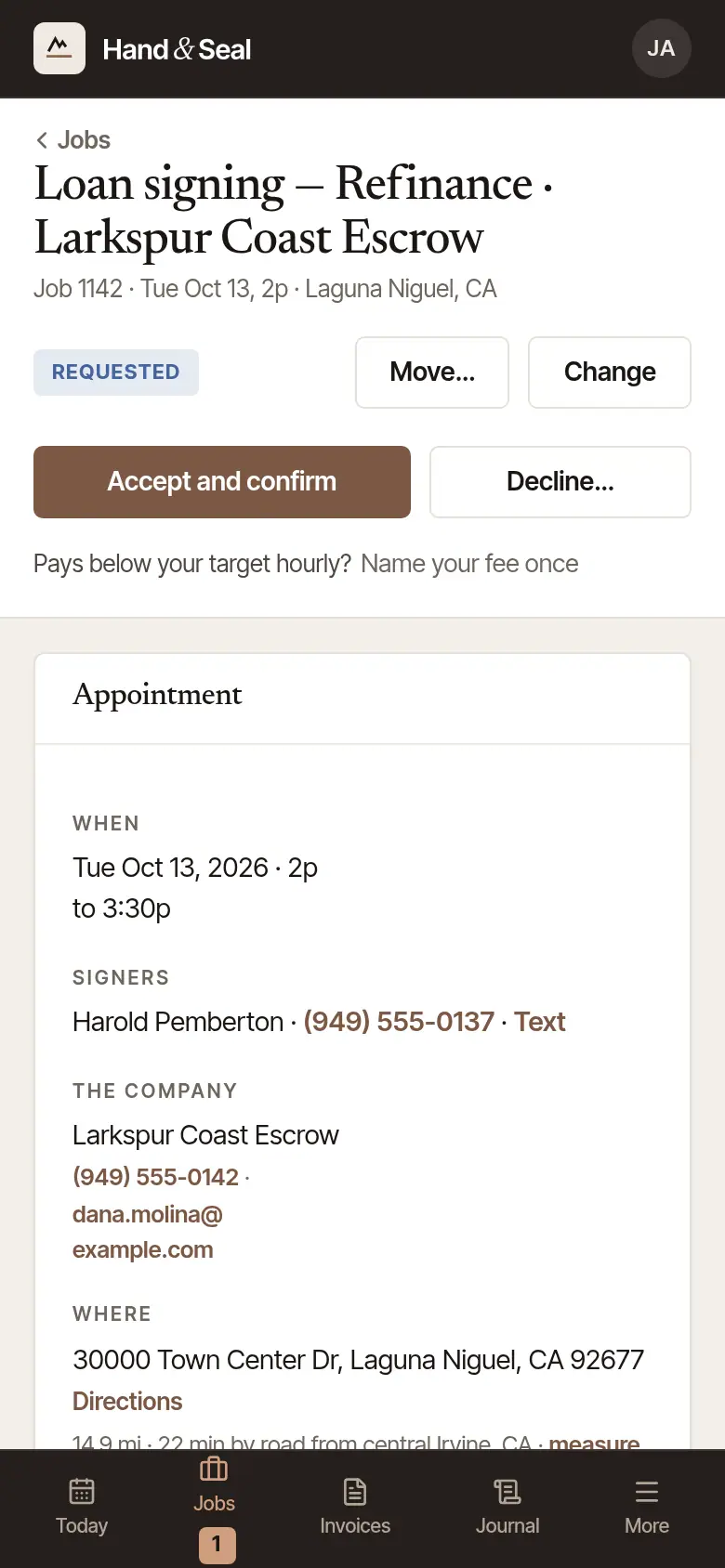
Find it on Today. New orders are under Requests, each on a card with the day and time, the company, what it is, the fee and the address. Jobs has them too, under Requests.
Check what it actually pays. On each card, the line under the address shows your true hourly beside your target, and whether it fits your day. Tap Details to see how it's worked out: the drive, the printing and the time on the job. For a company's order, the company's record across the platform is on the line below. On the job itself, the same figures are open already.
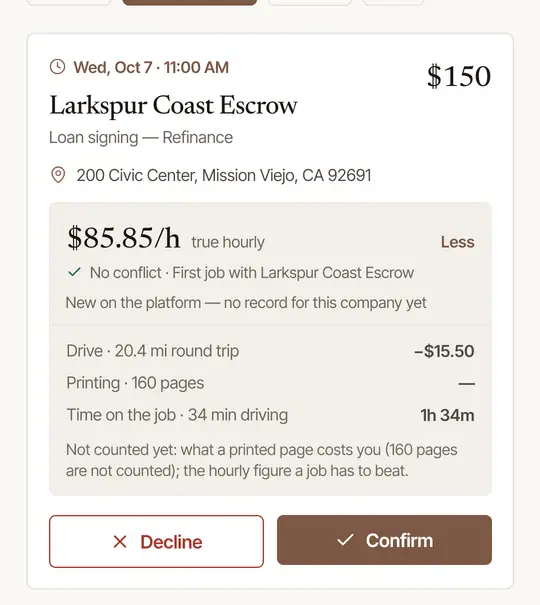
Tap Confirm or Decline. Confirm books it and tells the company. Decline waits a few seconds, with Undo at the foot of the screen, before it's sent. On an order from a company's desk it first opens a step: tick No more orders from the company to stop more of them too, then Decline the request, or Keep it.
Signs to read before you answer
- “Answer by 2:40 PM — after that it goes to another notary they chose”, on the order and under it on Today, means the company named backup notaries. If you haven't answered by then, the order goes to the next one they chose. Not answering is never held against you. If you're the last they chose, or the signing comes first, the order's page on the web says instead that it closes with you — no other notary is asked. Once the signing's time has come, that page says so where Accept and confirm was: the order can no longer be accepted, and unanswered it closes with you. Decline… is still there, under those words, to close it yourself. It can't be moved to another time then either: Change time and Edit aren't offered on it, and Send the price… isn't offered there. A no goes the same way: the company isn't emailed — the next notary is asked, and its desk shows it.
- An order sent to you alone says Answer by … under it on Today when its time to answer ends before the signing. Unanswered by then, it lapses.
- No distance yet? When an order arrives without a measured drive, the job asks for it first: Measure by road, or type the miles, then Price the travel. The true hourly needs it.
- “Named like your client …”, under Sent by, means the name the order was sent under — or its desk's name now — reads like one of your company clients (one you've accepted an order from, or added yourself), and nothing proves it's that company: only a confirmed address at that client's own web domain does, never one anyone can have, like Gmail. Anyone can make a desk and give it any name. Call the company at a number you already have before you share anything it asks for. It's said while the order waits for your answer, and the same caution is beside Accept and confirm. Once you've accepted an order from that desk under that name, it isn't said again — but if the desk takes a name like another of your clients', it is, with the name you accepted it under. Say yes for me never accepts an order for you while this is said, or while who sent it can't be read. No rule of names catches every disguise: the address an order came from is what to check.
- Documents from the company show on the job as sealed. They open once you accept: see Open and print a signing's documents.
- Accepting says “We can’t tell which state this address is in”? Accepting checks the address against your commission, and this one doesn't say its state: it has no ZIP code and no state after its town, or a ZIP that doesn't fit the state written beside it. Add or correct the ZIP — with Edit, on the web or the phone — then accept, or decline it. An address in a U.S. territory, or a military one, can't be checked against your commission at all.
When the company asks for a new time
A company can ask to move an order you accepted. It shows at the top of the job, and on Today.
Open the job. At the top it says the company asks to move it, and to when, with the company's note, and whether you can get there then.
Choose Move it, or open Say no…, add A word for the company if you like (they see it), and choose Say no. The fee stays as it was, and the company is told either way.
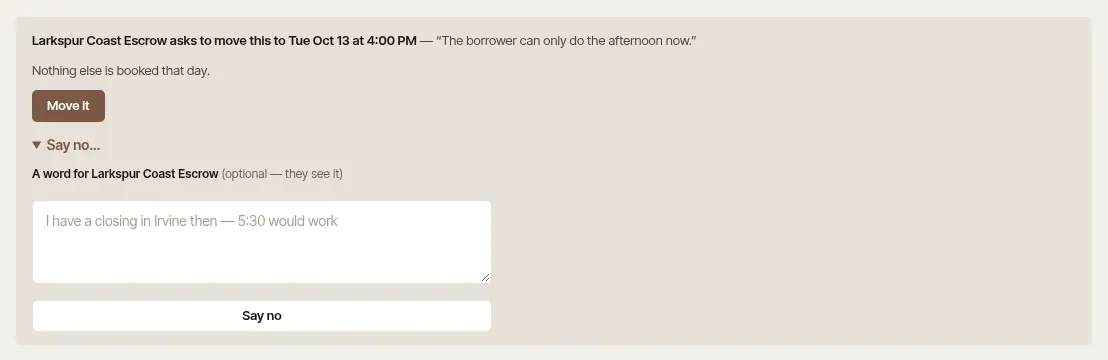
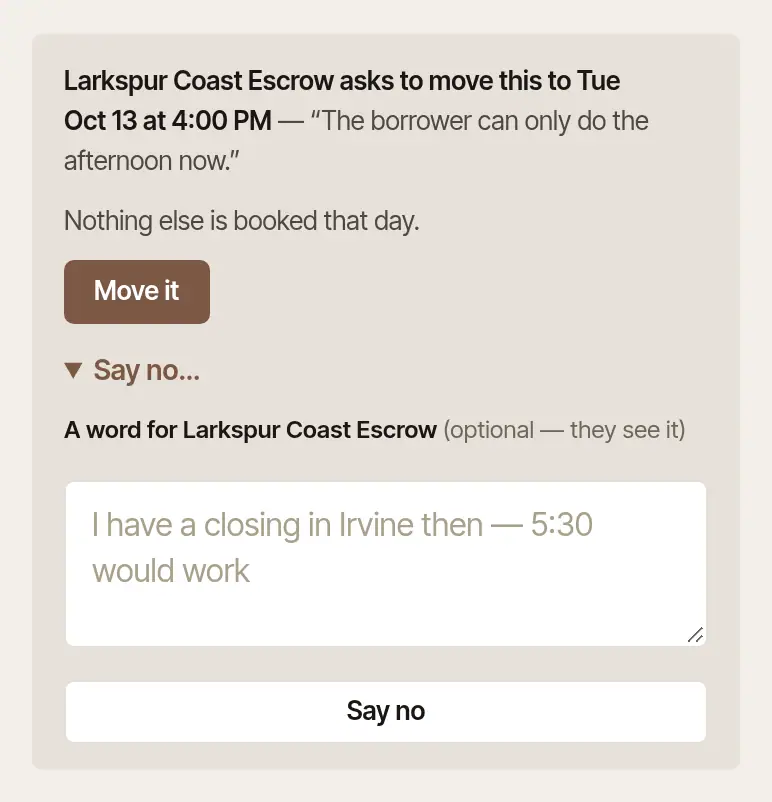
Tap the card on Today. It says the company asks for a new time, and when, and under it the time it's at now.
Tap Move it, or Say no…, add a word for the company if you like, and tap Say no.
When the company cancels
The signing comes off your calendar, and Today shows it under Needs you for a few days (“Larkspur Coast Escrow cancelled Tue Oct 6, 2p”, say), with their reason. Choose See to open it: the job says Cancelled because, and gives their words.
Good to know
- To move or cancel an order yourself, use Change time or Cancel job on the job, as with any signing: see Change, move or cancel a signing. The company is told.
- The company follows the order on its desk: when you accept, set off, arrive, finish and ship the documents back. See Keep the company posted.
When an order closes overnight
An order a company sent with backup notaries closes with you if it's still unanswered when the signing's time comes. When that happens between 9 at night and 7 in the morning where you work, nothing is sent to you then. Soon after 7 in the morning:
- An Order closed alert goes to each phone of yours signed in to the Hand & Seal app with its alerts on — in place of the evening's New order — and to each browser where you've turned on notifications for Hand & Seal.
- An email, Order closed, with the company, the signing's time and why it closed, goes too if no phone of yours took the alert at once — unless you've turned email alerts off (Settings → Account). A phone where you allowed the app's notifications and later turned them off in the phone's settings still takes the alert, so no email comes: to be emailed instead, sign out of the app on that phone.
Neither is sent twice. On the web, Today says it under Needs you (“An order from Larkspur Coast Escrow closed overnight, unanswered”, say), with See to open the job, from 7 that morning until midnight of the day you're told, where you work. It's yours alone: nobody else in your business sees it. Not answering in time is never held against you. If the company has since sent you the same order again and you have it, you're told nothing of the one that closed.
Was this helpful?
Still stuck? Contact support — a person reads every message and answers by email.