Guide
Close your account
Your account and its data are deleted 30 days after you close it — how to close it, signed in or not, what is deleted and what is kept, and how to change your mind before then.
General information, not legal advice
This page explains how Hand & Seal works. Your state’s law, and your commissioning authority, decide what you must do — when in doubt, ask them or a lawyer.
Your account and its data are deleted 30 days after you close it. Closing takes your page, your order link and your orders address offline at once, and signs out every device. Until the thirtieth day, signing in again keeps it, just as you left it — the email we send when you close gives the date. After that it's gone for good, and copies in our backups are gone within 35 days more.
You close it yourself, signed in — on the web or from the phone app. If you can't sign in, there's a way for that too.
Only want to stop paying? You don't need to close: cancel in Settings → Billing instead, and your account becomes read-only with everything still there.
Before you close
Keep a copy. Once the account is deleted, its records can't be brought back. Download everything first — your clients, jobs, invoices, books, journal index and drives — and Download my data.
Cancel the signings booked ahead. Nobody is told when you close. Cancel each one from the job, so its client or company hears in time — or tell them yourself. The close page says how many are still booked.
Leave any business you're part of. If you're a partner in a business with other owners, an employee or an assistant, leave it first (Settings → Team → Leave); if people work in your business, take them off its team first. The close page tells you what's in the way.
Close it
Open Settings → Your data and choose Close my account… (In a phone's browser, Settings is under More.)
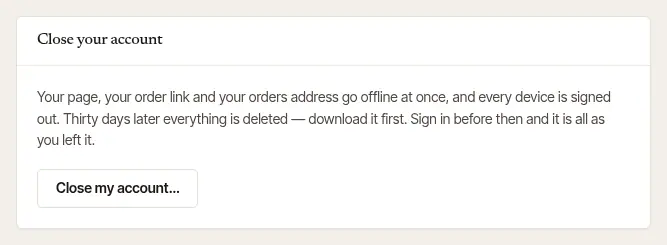
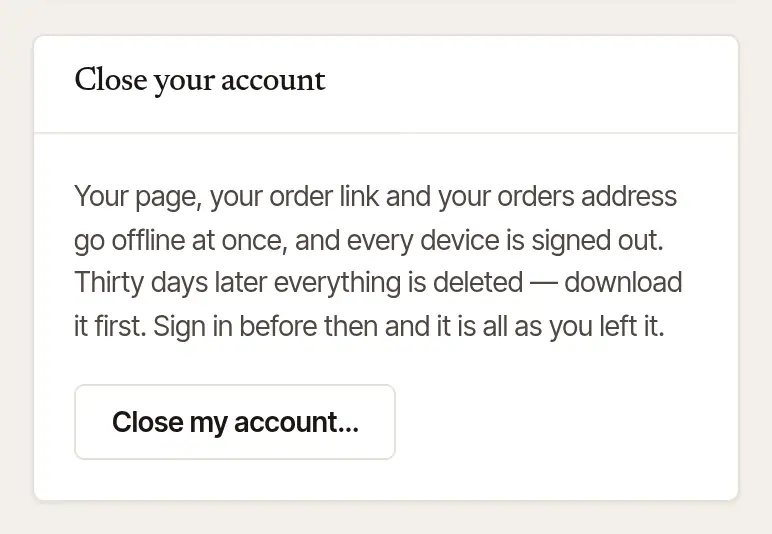
Read what will happen, and use Download everything and Download my data beside it if you haven't yet. The page gives the date everything will be deleted.
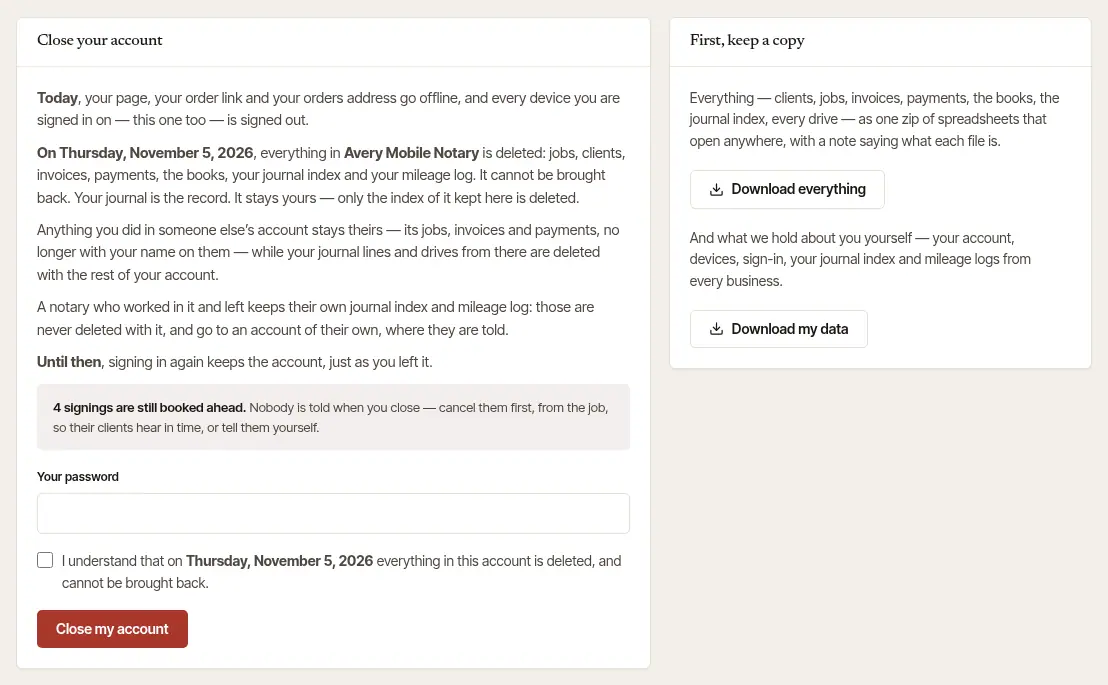
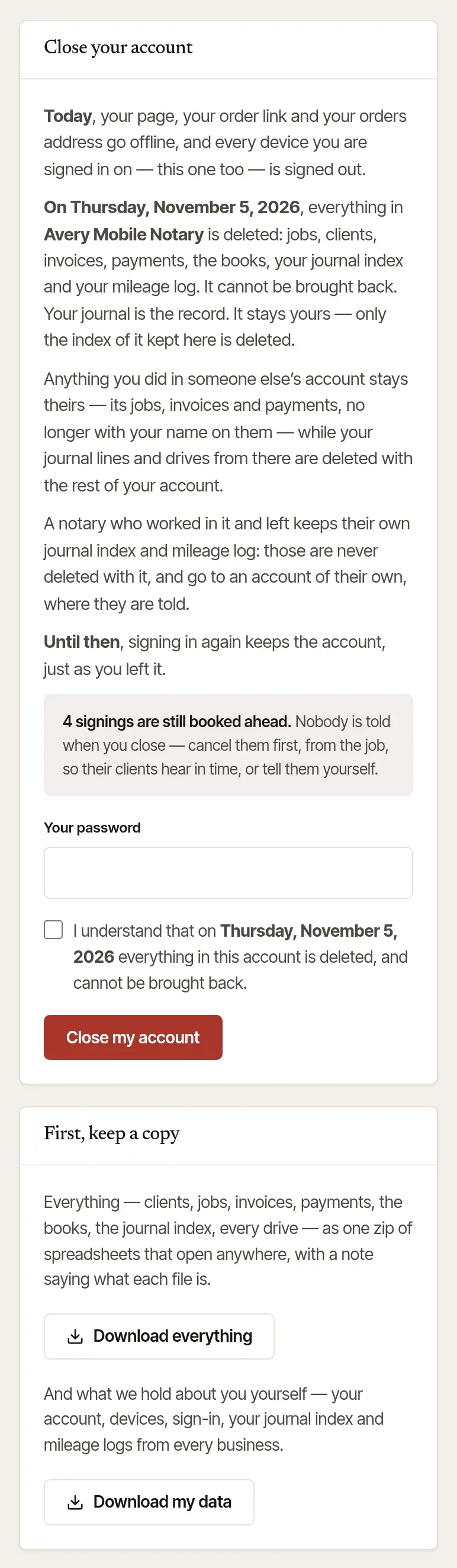
Confirm it's you. Enter Your password. If you sign in only with Google or Apple, you have no password here, so the page asks for a fresh sign-in instead: choose Sign in with Google again (or Apple), and you're brought back to this page — close your account within 15 minutes of signing in. A page opened from the phone app doesn't count as a fresh sign-in, so it asks there too. With two-step sign-in on, it asks for a code from your authenticator app as well.
Tick “I understand…” and choose Close my account.
Open More → Settings and scroll to the foot.
Tap Close my account… It opens the close page on the web in your browser, already signed in.
Follow the Web steps from step 2: keep a copy, confirm it's you, tick “I understand…” and choose Close my account.
Can't sign in?
You don't need the app, or to be signed in, to ask for your account to be deleted.
Try resetting your password first. On the sign-in page choose Forgot your password?, or go straight to handandseal.app/forgot. We email a link to the address you sign in with; set a new password, sign in, and close the account yourself as above. (Signed up with Google? The same link sets a password.)
Still can't — or would rather we did it? Write to us and choose Account & sign-in, or email privacy@handandseal.app. Say that you want your account closed and deleted, and which email address it signs in with.
We check that it's you, by email. We write to the address your account signs in with, and close it once you answer from there. We never close an account on a request we can't match to it.
It's closed the same way as if you'd done it yourself: offline at once, every device signed out, an email with the date, and everything deleted 30 days later — signing in before then still keeps it.
What happens then
- At once: your page, your order link and your orders address go offline, and every device you're signed in on — this one too — is signed out. A subscription is cancelled, and nothing more is charged.
- We email you that the account is closing, with the date everything will be deleted: 30 days after the day you closed it.
- On that date, everything in your account is deleted: jobs, clients, invoices, payments, the books, your journal index and your mileage log, photos and receipts, your page and its reviews, your sign-in and devices, and Hand & Seal's access to your Google Calendar.
- Within 35 days after that, the copies in our backups are gone too.
What is kept, and for how long
Some things aren't only yours, or the law asks us to keep a record. Nothing else is kept.
| What | Kept | Why |
|---|---|---|
| Work you did in someone else's business — its jobs, invoices and payments | Stays theirs, without your name | It's their business's record. Your own journal lines and drives from there are deleted with the rest. |
| Invoices and receipts already sent to your clients or companies | In their email, as sent | They are the other person's copy. |
| Messages you sent to a client or a company, and orders you sent to notaries | In the other person's records | They are part of their conversation or their order. |
| A privacy request you made to us | 2 years after we answered it | The record that we answered it. |
| Messages you sent us for help, with our notes | 2 years after the conversation was closed | So we can show how a question was answered. |
| Card payments your clients made, and your Hand & Seal subscription's bills | By Stripe, under Stripe's own terms | Card payments went into your own Stripe account; the bills are Stripe's records. Close your Stripe account with Stripe if you want those gone. |
The full list of how long we keep things is in our privacy policy.
Changed your mind?
Sign in before the date in the email — with your password, Google, a passkey or the phone app — and your account is back, just as you left it. Sign in to keep it in that email takes you there.
General information, not legal advice
Where your state requires a journal, your bound paper journal is the record, and closing your Hand & Seal account doesn't touch it. How long you must keep your journal and your business records is set by your state and by tax law — general information, not legal advice. Download what you need to keep before the deletion date.
Was this helpful?
Still stuck? Contact support — a person reads every message and answers by email.