Guide
When someone asks you to remove their details
A client, a signer or someone who sent you a request asks what you keep about them, or to be removed — find the records that name them, take them out, and see what stays.
General information, not legal advice
This page explains how Hand & Seal works. Your state’s law, and your commissioning authority, decide what you must do — when in doubt, ask them or a lawyer.
Sometimes a client, a signer or someone who sent you a request asks what you keep about them, or asks you to remove it. Settings → Privacy finds the records in your account that name them, and takes them out of each one. A few things stay, and this page says which.
Find them, and take them out
Open Settings → Privacy. (In a phone's browser, Settings is under More.)
Look them up. Type their name, email or phone under Someone asked about their details, and choose Find.
See where they appear. Each record that names them is listed with what it is — Client, Contact at a company, On a job, Order by email, Sent a request, Booked in the app, Journal line or Message — and Open to look at it first. A client is found by your record of them, and by the email an invoice of theirs kept in its Bill to — or, on a person's invoice, by the whole name it kept. One found only by what a Bill to kept is listed under the name it kept, and says whether your record names someone else now or no longer holds that address. The page of a booking you made for a client in the app is listed in that client's row when the client is found too and still has something to take out — taking the client out takes it with them — and by itself, as Booked in the app, when not, saying as a Bill to's row does whether your record names someone else now or no longer holds the address or the number you looked up. A job is found by its signers, by the person to call about it, and by the words it's filed under: its title, its documents, its lender, and its loan, file and tracking numbers. An order you forwarded to your orders address is found by its words, by what was read from them, and by who sent it.


Open Take them out of this… on each record. It says exactly what goes from that record — for a job, From this one: lists it, with its loan, file and tracking numbers and where its photos were taken. A request someone sent from your page — or by asking several notaries at once — made its job, and what it put there goes with it: From the job it made: lists the street address, their note, what the document is and the signers' language, and your notes only where they name them — and from a review they left on that signing, the name and town on it, and the reply to it where that has a word of their name, which can be written again without it. Stays: a review they wrote with a word of their name in it: their name and town come off it, and we remove it if they ask us. A word of the name counts when it has four letters or more, in capitals or not, accents aside — or two or three letters with a capital first letter, or in a script without capitals, unless it sits among words written in capitals, as in “MY PLEASURE”. Each part of a hyphenated name counts on its own. A title or an initial doesn't count, nor does a joining word such as “de”, “van” or “and”, unless it starts the name with a capital, as in “Al Green”. A nickname, a name written another way, or a two-letter name typed without its capital isn't caught: check your reply. A signer you added and the file's numbers stay unless they name them. Choose Take them out. It can't be undone.
Check it's done. The page says it's done, and under where they appear it lists what was taken out just now — and says so if a record there still names them, each with what can be done about it: one you can't take them out of from here says why. A record left with nothing of theirs shows Nothing left to take out, or isn't listed any more, and what went is listed under Taken out lately and in your business's activity log.
Good to know
- A signing that's still ahead can't have its signer taken out — it needs to know where and who. Cancel it first, or wait until it's done. The same goes for whoever asked for it from your page.
- In a business with several notaries, an owner or an assistant looks through the business's clients, jobs and requests. Each notary finds only their own jobs and journal lines — a journal is searched by its own notary alone.
- Someone who is only the person to call about a job — an escrow officer, a scheduler — is taken out as that contact. The job's signers and its address aren't theirs, and stay.
- A contact at a company goes whole, and so does their address wherever the company's invoices were emailed to it or kept it in their Bill to — unless it's the company's own address too, which stays the company's. Taking out whoever sent a company's order — their contact, or the request their order came with — also takes their own email and phone off a company record an order made — not a bills address its desk gave, nor a number someone else there gave; the company and its name stay.
- Someone a message only mentions is taken out of the messages that name them. Whoever sent the request is someone else, and stays.
- A client found only by what one of its invoices kept in its Bill to — your record of that client doesn't name them now — is taken out of that alone. On a person's invoice, the Bill to that kept their email or their whole name loses its address and email — never the ones your record has now — and its name too, unless that's the name your record has now. On a company's, only their email goes. Their email goes from the letters about any of that client's invoices, from the lines on its jobs' timelines that say mail went there, and from the activity log. Your record of the client stays as it is: to take out whoever it names now, look them up by the name, email or phone it holds.
- A booking you made for a person in the app gives them a page, which keeps your record of them as it read then — their name, the email their details went to, their number — and lists the letters sent there on the job's Activity. Taking the client out takes them off it too: their name, email and phone, its messages, the addresses its letters and texts went to, and the lines on its job's timeline that name them — and no letter or reminder goes from it any more, nor does the job offer its link. Someone your record of that client doesn't name now — a name you first typed for them and have corrected since, or an address it no longer holds — is taken off the page by value, whatever you looked them up by: everything on it that isn't what your record holds now goes — their name, and any email or number your record doesn't hold now, your record's own in their place where it holds them — with the letters and texts sent anywhere but your record's address and number, and its messages that name them. The page stays your client's — with a new link whenever an email or number goes, or a letter of it went anywhere but your record's address: the old link then opens nothing, and the job says so — and offers to email them the new one, where you chose to send them the details and your record holds their email. The link your client was sent stops opening too: they get the new one when you choose Email them the new link on the job, or with the next letter or reminder. Only where your record holds no number, nor an email for a page that had one, does the page go whole, with every message on it, and its link then says only that it's no longer in use.
- Taking someone out of a job never takes your client's own address now off the lines of its timeline that say mail went there — those go when the client is taken out.
- Once whoever sent a request, or the client of a booking you made, is taken out of it whole, the page its link opens says only that it's no longer in use — with a link to the notary's page while that's up — and takes no message, cancel or answer from anyone.
- While an invoice still keeps a client's address or email in its Bill to, the client never shows Nothing left to take out — an invoice made at the very moment its client was taken out can keep them, and taking them out again clears it.
- Taking out whoever sent a request ends the refusal of the email address and phone number they typed, if No more from this sender was ticked on a request in your business by the notary they asked. The request's job says so on its timeline, and so does each of your jobs a refusal that ended was made from. A refusal that notary made in another business isn't ended or told of here: it stays until its time is up, or until they take it back. Nothing else refused with them ends: not an address or number someone else typed beside theirs, and not the internet connection they came from, which stays refused until its day is up. They can ask again, and can be refused again.
- The page looks through your clients — and the Bill to each invoice kept — jobs, requests, orders by email, journal lines and messages. It doesn't look in the rest of your books, in an invoice's notes or in your mileage log.
- Requests that ended without a signing — declined, expired, cancelled or taken by another notary — lose the sender's details by themselves ninety days later, and their jobs lose the street address, your notes and the instructions, and the signers' language. A client record the request itself made for a person goes too — with anything you wrote on it — unless a signing with you still on or done, a booking you made for them yourself or an invoice rests on it, or your import of clients filled it in; and while a later request of theirs filed under it is still to be cleared, it waits, and goes with the last of them. Whoever sent a company's order goes the same way — a contact an order of theirs added at that company, and their own email and phone on a company record an order made (the company and its name stay, and so do a bills address its desk gave, a number someone else there gave and — once you've accepted an order filed under that company — the part of their email after the @, unless it's on Hand & Seal's list of free mail and forwarding services, such as gmail.com) — unless a job naming them, as the one who asked or as its person to call or client, is still waiting, booked or done, or is one you booked yourself — a request through your page counts for them only once they have said it is theirs, with Yes, this is my request. When a company's order ends without a signing and something else of its sender's is still with the notary, the sender's name, email address and phone number can stay on the notary's record of that company for as long as something else of theirs does, which after a signing can be as long as the account lasts. Where the notary accepted an order sent from an address that isn't a free mail service's, the part of that address after the @ stays on that record. An address its bills go to, or a number others there share, stays too. Meanwhile we keep one-way codes made from the sender's email address and phone number — nobody without our key can turn them back into either — so that the sender's details can still be found and removed even if the notary deleted the sender's contact. The codes go when nothing of those details is left for us to remove from that record, and they are never in the notary's export. If that notary's own account is deleted, the requests and orders they were sent go with it, and these codes with them; the jobs those requests and orders made stay with that business. Just before, we take off what we would otherwise have taken later; where something else of the sender's is still with that business, or that can't be done at that moment, those details stay on the business's record until someone there takes them off.
- An emailed order you've booked or put aside loses what was read from it by itself, ninety days after it arrived: the signers, the address, the loan number, its subject, its attachments' names, and all of its sender's address but the part after the @.
What stays, and why
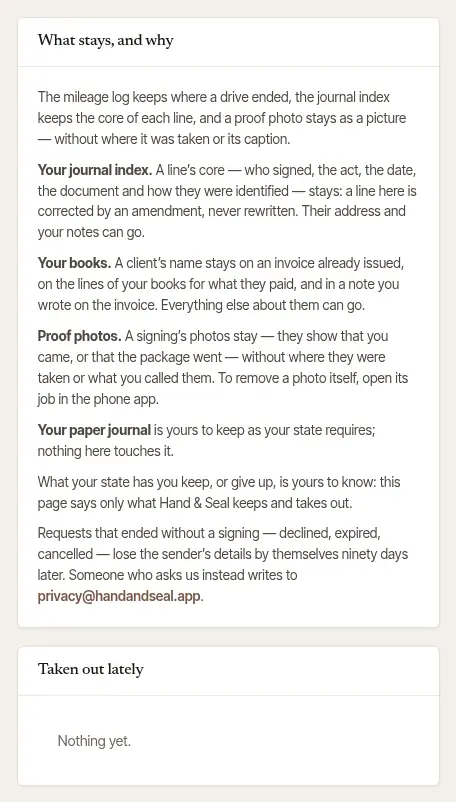
This is what Hand & Seal keeps, and what it takes out.
- Your journal index. A line's core — who signed, the act, the date, the document and how they were identified — stays: a line here is corrected by an amendment, never rewritten. Their address, your notes and any witness's address are taken out.
- Your books. A client's name stays on an invoice already issued, on the lines of your books for what they paid, and in a note you wrote on the invoice. Their email, phone, billing address and notes go — from your record of them, and their email and billing address from the Bill to of each invoice issued to them — and so do the addresses their invoices were emailed to, and the lines on their jobs' timelines that say mail went there.
- Your paper journal is yours to keep as your state requires. Nothing here touches it.
- Jobs keep their date, fees and status. The signers' names, emails and phones and their language, the street address (the town stays — on a signing by video, where the address is the signer's own, the town goes with it), your notes and the instructions go, and the job's loan, file and tracking numbers go with them — and, where they name the person, the person to call about it, its title, its documents and its lender. Where the job's invoice was emailed to one of them, that address goes from its letters too — and from its Bill to, where it kept one of their addresses that isn't the client's own now.
- Proof photos stay as pictures: they show that you came, or that the package went. Where each was taken and what you called it are taken out. To remove a photo itself, open its job in the phone app.
- An order by email keeps that it arrived, and the job it became. Its words and subject, everything read from them, the names of its attachments and who sent it go; one still waiting as a draft is put aside.
- Your mileage log keeps where a drive ended — a signing's address among them. This page doesn't look in it.
When a company asks for it
A company that sent you orders can't change them in your account. When one of its signers asks the company to delete their details, the company asks Hand & Seal, and we take the person out of the orders that company sent you — the same way this page does, and leaving what this page leaves.
- You get a notification and an email saying which jobs, and what was removed from each. Neither names the person.
- Each of those jobs' timelines says Details removed at the company's request, and it's in your business's activity log.
- Only the orders that company sent are touched: never a job you booked yourself, your own clients, or another company's orders.
- A signing that's still ahead is left as it is, until it's cancelled or done.
General information, not legal advice
This page says what Hand & Seal keeps and what it takes out — not what you must keep, for how long, or what you may remove. Those are for your state's notary law and for tax law to say, and nothing here says them: it isn't legal advice. If someone asks you to remove a journal record, your state's notary handbook or a lawyer has the last word.
Was this helpful?
Still stuck? Contact support — a person reads every message and answers by email.