Guide
See where you're signed in, and sign out
Every computer and phone signed in to your account, with a way to sign any of them out — and the record of recent sign-ins and changes to how you sign in.
Each browser and phone signs in on its own, and stays signed in while you keep using it. Left unused, it's signed out by itself: a browser no sooner than two weeks and no later than 30 days after you last used it, the phone app no sooner than six weeks and no later than 90 days, unless its 180 days end first. However much you use it, no device stays signed in for more than 180 days without asking you to sign in again. If a phone is lost, or you signed in on a computer that isn't yours, sign it out from wherever you are — nothing else changes, and your password stays the same.
See your devices, and sign one out
Open Settings → Sign-in & security and find Devices. (In a phone's browser, Settings is under More.) The card says how many are signed in, with the one you're using first — This device — and then the rest, most recently used first. Each is named the way you'd know it — a browser like “Chrome on Mac”, an Android phone with the app by the phone's own name, like “Pixel 9”, and an iPhone with the app as “iPhone” — with when it was last used and when it signed in. Each device is listed once: signed in there more than once, it says how many times. Show … more lists the rest.
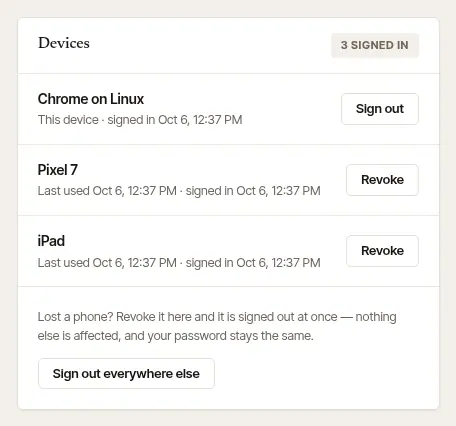
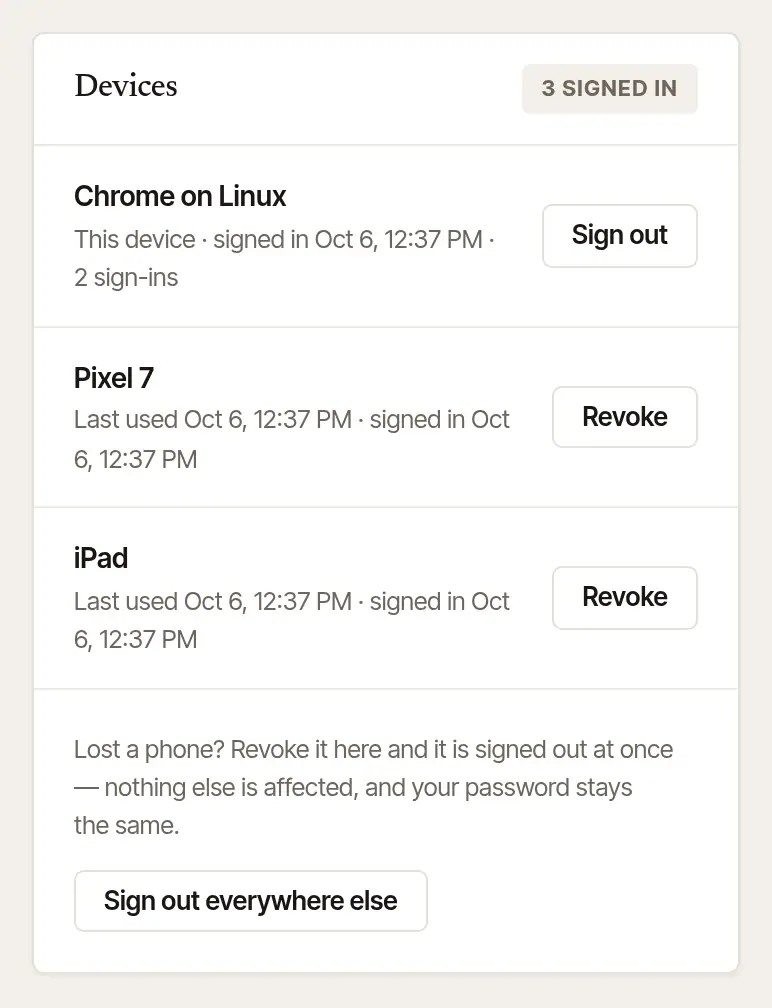
Sign one out. Choose Revoke beside it. It's signed out at once — every sign-in on it — and has to sign in again to get back in.
Or sign out everywhere else. Sign out everywhere else signs out every device but the one you're using.
Sign this one out. Sign out, beside This device.
Open More → Settings and find Signed-in devices. This phone is first, marked Here; then every other browser and phone, each with when it was last used and when it signed in. Show … more lists the rest.
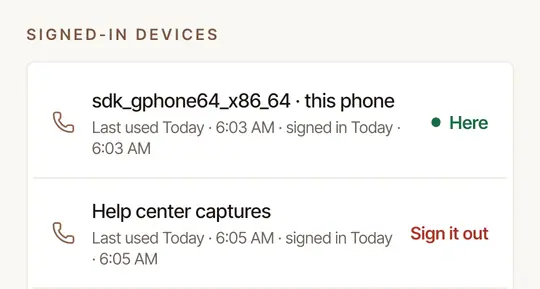
Sign one out. Tap Sign it out beside it, then Sign it out again to confirm. It's signed out at once.
Sign this phone out. Sign out of this phone is at the foot of Settings. Drives stop recording on it, and everything of yours on the phone is cleared from it — your drives, your home location, journal lines you typed at a signing, anything waiting to send — until you sign in again, when your log comes back from your account. If something hasn't been sent yet, the phone says so first: tap Send now, or Sign out anyway to lose it.
Good to know
Changing your password signs out every other device too — do both if you think someone else has your password. A browser opened from the phone app (Open on web) is signed out by itself sooner than other browsers: left unused, no sooner than three days and no later than a week after it was last used, unless the phone's 180 days end first — after that, open it from the app again. Signing that phone out, or signing it out from another device, signs its browser out too.
Check Security activity
Open Settings → Sign-in & security and find Security activity. It lists the latest sign-ins and changes to how you sign in, newest first, each with the day, the time and the device: signed in with your password, with Google or with a passkey; password changed or reset; two-step sign-in turned on or off; a passkey added or removed; Google connected; a device allowed to open your loan packages; a calendar link made, made again or stopped. Show … more lists earlier ones.
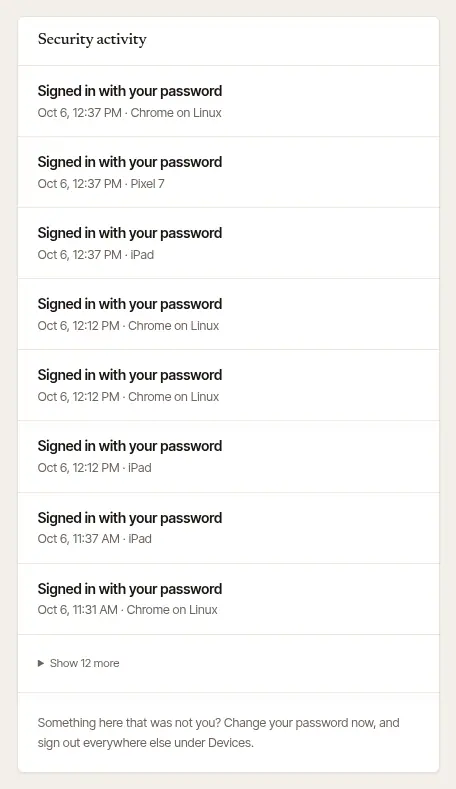
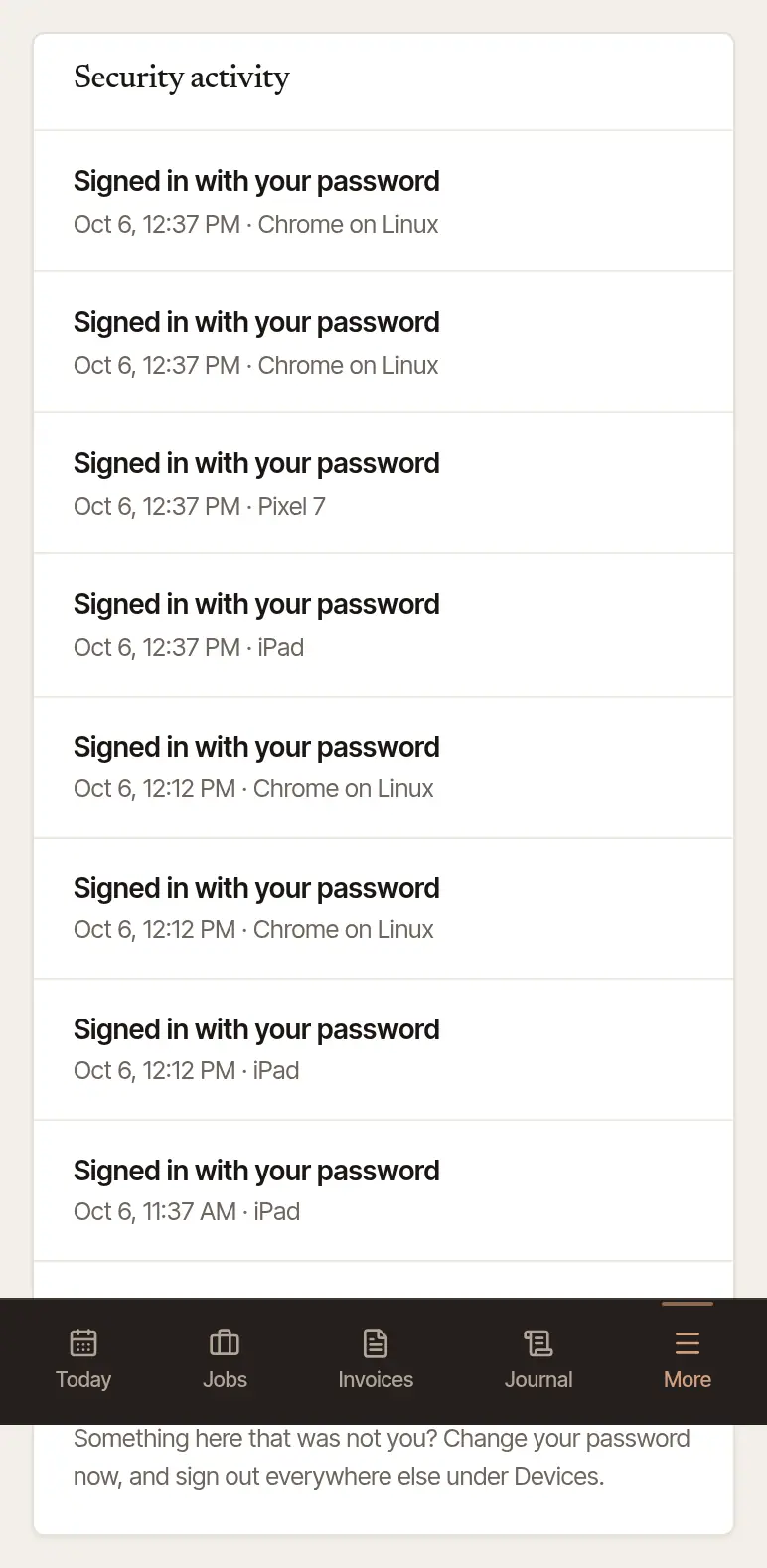
Something you don't recognize? Change your password now (the Sign in card), then Sign out everywhere else under Devices. If a calendar link was made for your account — by you or not — stop it or make a new one too: neither changes it. See Show your jobs in Outlook, Apple Calendar or another calendar.
Good to know
The first time your account signs in from a device or browser we haven't seen, we email you, saying where and when. If it wasn't you, It wasn't me in that email opens Settings → Sign-in & security, where Devices lists every device signed in — sign that one out, and change your password. We email you each time a calendar link is made for your account, too.
Was this helpful?
Still stuck? Contact support — a person reads every message and answers by email.