Guide
Book a signing
Enter a signing once — who, when, where and the acts — and the fee works itself out from your fees and the drive. Then the journal lines, the invoice and the mileage follow from it.
A client calls, or a signing service emails you a job: book it here once. The fee is worked out as you type — each act at your fee, travel from the distance — and after the signing the same booking becomes your journal lines, the invoice and the mileage.
Book it
Choose New job. It's at the top of Today and Jobs (or press N anywhere in the app). On a client's page, New job starts with that client already in; on the Calendar, Book under a day's date (Book this day on a phone-sized screen) starts on that day.
Fill in Who and when. Click in Client and the clients you booked for lately show under Booked lately; start typing and yours that match show instead. Choose one, and their terms come with them (“pays at the signing”, or billed on terms) — and the place, the signers and the acts of their last signing fill in wherever the booking has none yet. For a company, the acts fill in but not the place or the signers: its next signing is with someone else, at their place. A line says what was filled in: change anything, or choose clear them. Type another name over a signer who was filled in, and the phone and email that came with that name are cleared, for the new signer's own — unless you changed them after they were filled in: then they're yours, and stay. A line under the row says what was cleared, with Undo. A name you haven't booked before becomes a new client: say whether it's A person or A company (a name like “… Escrow”, “… Title” or “… Signing” starts as a company), and add their Phone and Email if you have them. A new company is billed net 30 and a new person pays at the signing — change it on their page under Clients. When a person books for someone else — Robert for his mother — the form says who pays: the bill and the receipt go to the client, and the signers sign. If two of your clients have the name you typed, it asks Is this… — choose one, or Neither — a new client. Then the Date (any day — yesterday's walk-in or next quarter's signing), the Time and how many Minutes it takes: your own length from Settings → Hours, and ninety minutes for a loan signing, until you type another. A person with an email — one you picked, or a new one as soon as you type their email — gets Send … the details, ticked: they're emailed the confirmation as you book, and a reminder the morning before, each with a page that shows when you're on your way. Correct their name or email on their record later, and the reminder and the letters after it follow: they greet them by the name, and go to the email, your record has then — though a reminder to an address you've never written to can be held, and the job says so. Where your business's limit on writing to new people would hold a letter to someone new just then, the tick says so, and why, in place of its promise: the confirmation would be held if they're new to your business — and while our team has paused your business's letters, nothing would be emailed to anyone. If the confirmation was emailed less than twelve hours before that morning, no reminder goes: it already said when, where and what to have ready. Untick it to tell them yourself. It's never offered for a company, nor for a day gone by. For a time earlier today — an AM/PM slip, as often as not — it stays, and says nothing is emailed now: moved to a time ahead (and taken by a notary, if nobody has it yet), the confirmation goes then.
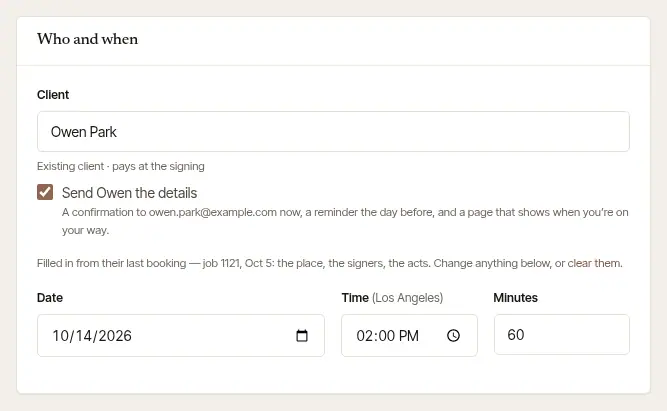
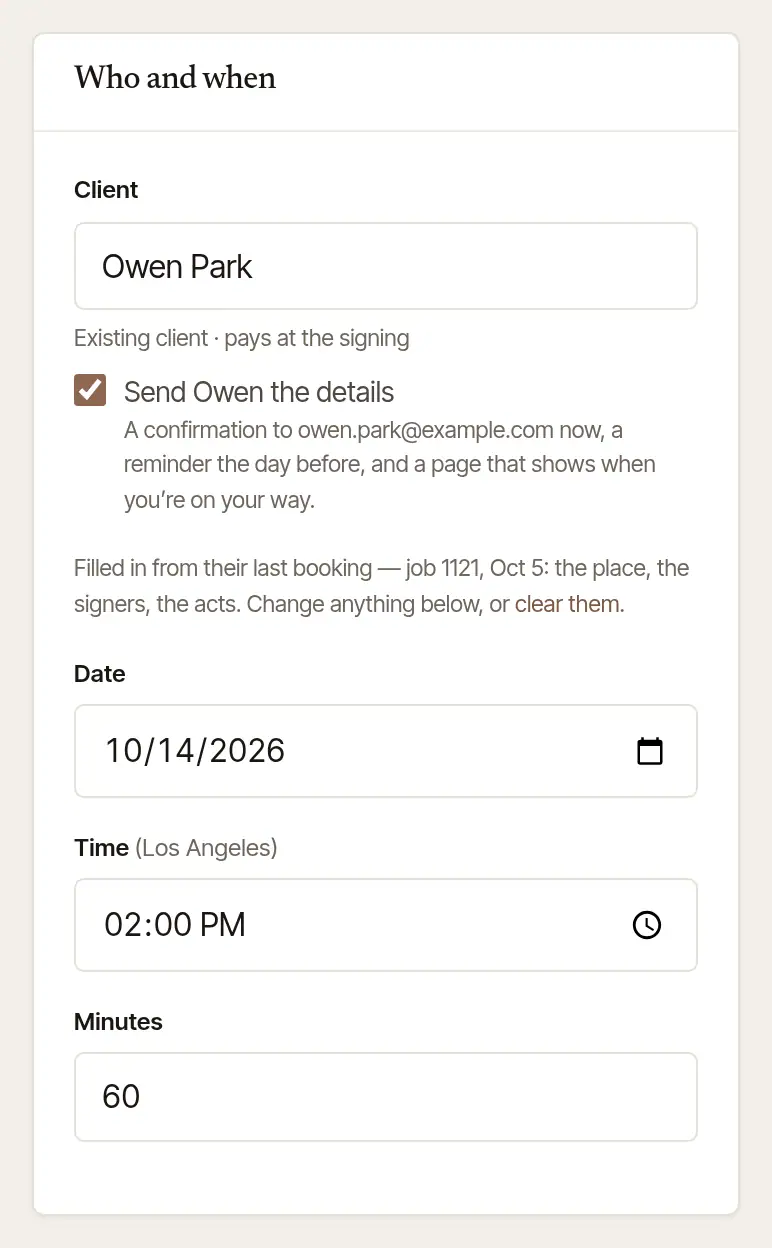
If the time runs into another signing, or you can't drive there in time from the one before, a note says so here — often with a time that works (Make it …). A day gone by is saved as done, and its page offers only the close-out.
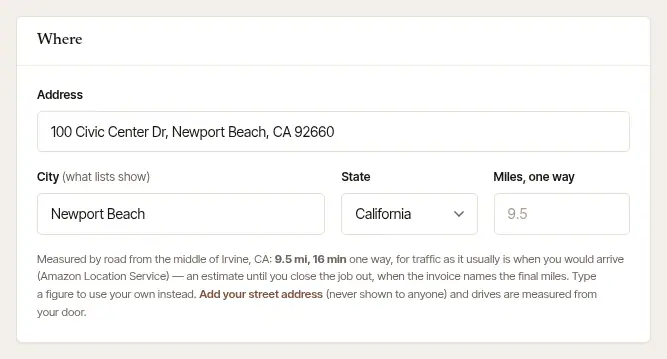
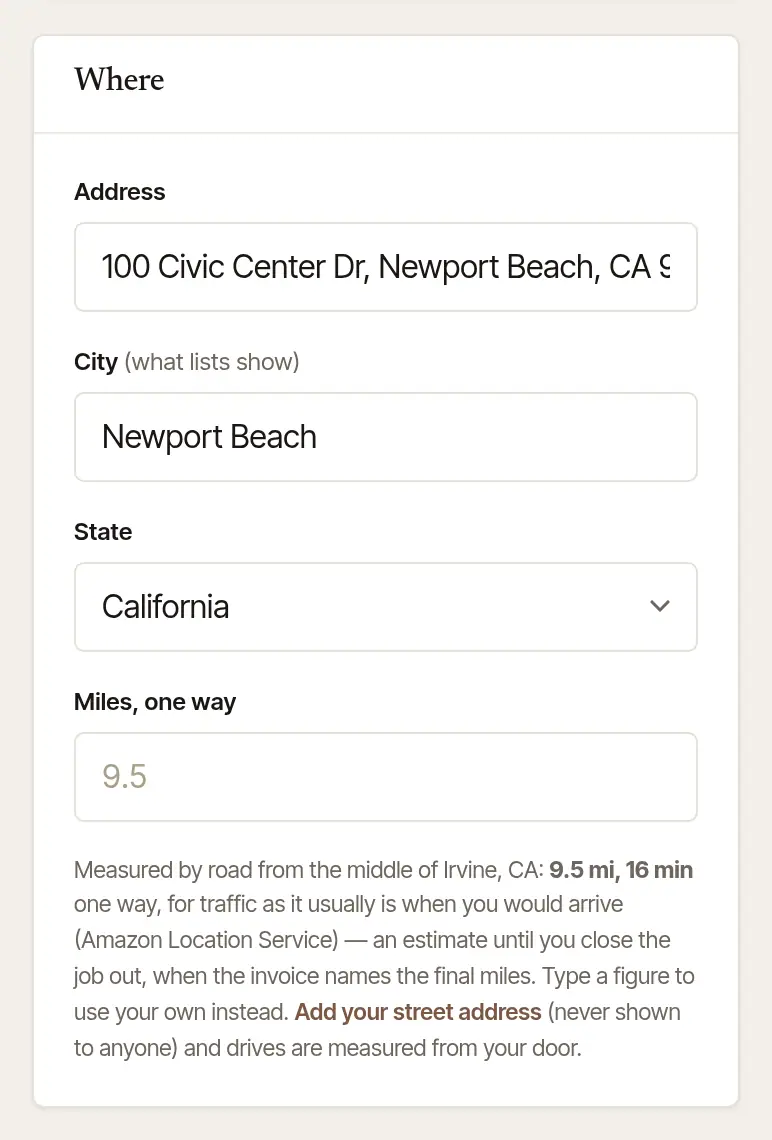
Fill in Where. Type the Address and pick it from the suggestions. The City and State fill in, and the drive is measured by road from near your home base, which prices travel — an estimate until you close the job out, when the invoice is priced from the final miles. To use a distance of your own, type it in Miles, one way. With commissions on file in more than one state, State starts empty: it fills in from an address that names its state — by the ZIP code it ends with, or the state after its town — and for an address that names none, the form asks you to choose. Change the address, and a State it filled in is read again from the new one; a State you chose yourself stays, unless you then pick an address from the suggestions in another of your states: the State changes to that one. Until there's a State, the total shows as a dash. With one state, an address that names none says which state the job goes under.
Fill in The work. Choose the Job type — General notarization, Loan signing, Apostille service, Fingerprinting, I-9 verification or Other — and, if you like, What it is. Under Notarial acts planned, type how many of each act. Add each of the Signers on a row of their own — their name as on their ID, their phone and their email — with + Add a signer for the next. Then the Documents and the Witnesses needed, if any.
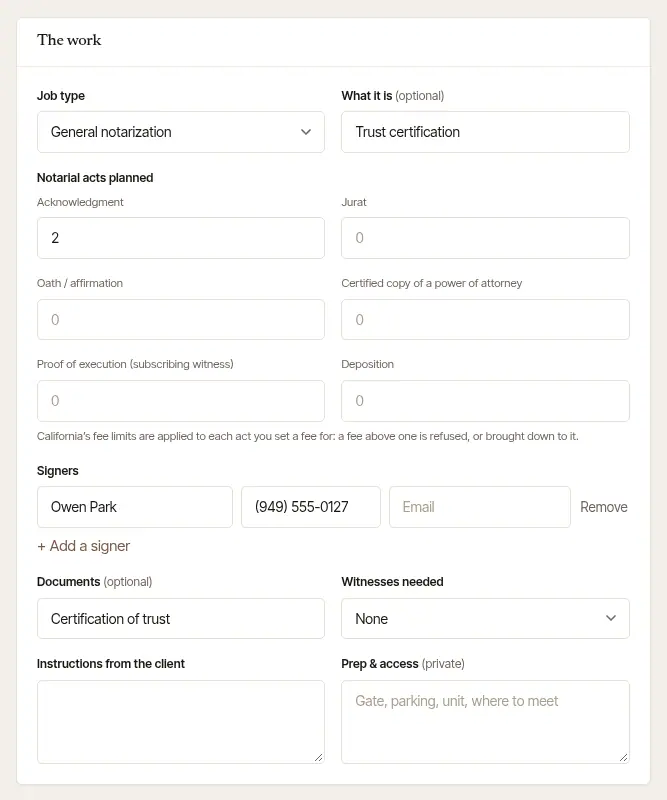
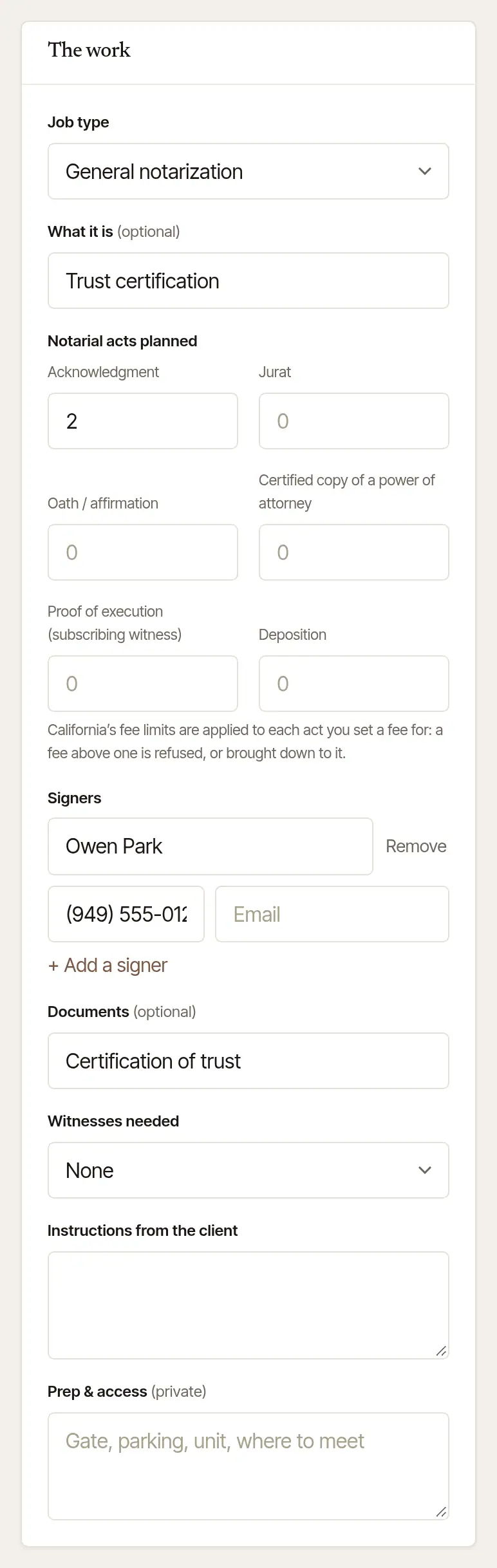
A Loan signing asks for more: the Kind of loan (Refinance, Purchase — buyer, Purchase — seller, HELOC, Reverse or Other), Pages to print and Sets to print, File no. (their file or escrow number), Loan no. and Lender, scan-backs, Who to call about the file (the escrow officer or scheduler — name, phone, email), Documents expected by and Return by (the drop-off deadline). Other work doesn't show them. If the job's state has a condition on who may run a loan signing, it shows under Job type as you book, with its citation — the same sentence as in Settings → State rules. Last come any Instructions from the client and your private Prep & access — the gate, the parking, the unit, where to meet — which stays on the job for you and whoever does it, and never reaches the client.
Check the Fee, and choose Add to schedule. The Fee card adds it up as you go: each act at your fee, travel, printing and any after-hours fee. With a caller on the line, To read to a caller under the total says the price in one sentence, travel included — “That comes to about $75 in all — $45 of it is the travel fee, estimated from the distance.” — once the distance has priced the travel. It says “about” because travel worked out from the distance is an estimate until you close the job out; a travel fee you typed is said as it is. Choose Waive beside a fee to let it go on this job — it stays on the bill at $0 — and Charge it brings it back. A company that pays one amount, whatever the work? Choose What they pay, all in and type What they pay for the whole signing. Travel and Discount take a figure of your own, and + Add a charge puts an amount of your own on the bill with its name — a rush, parking.
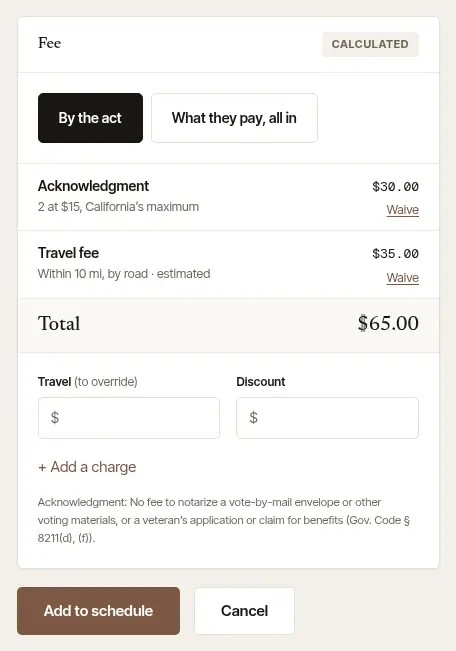
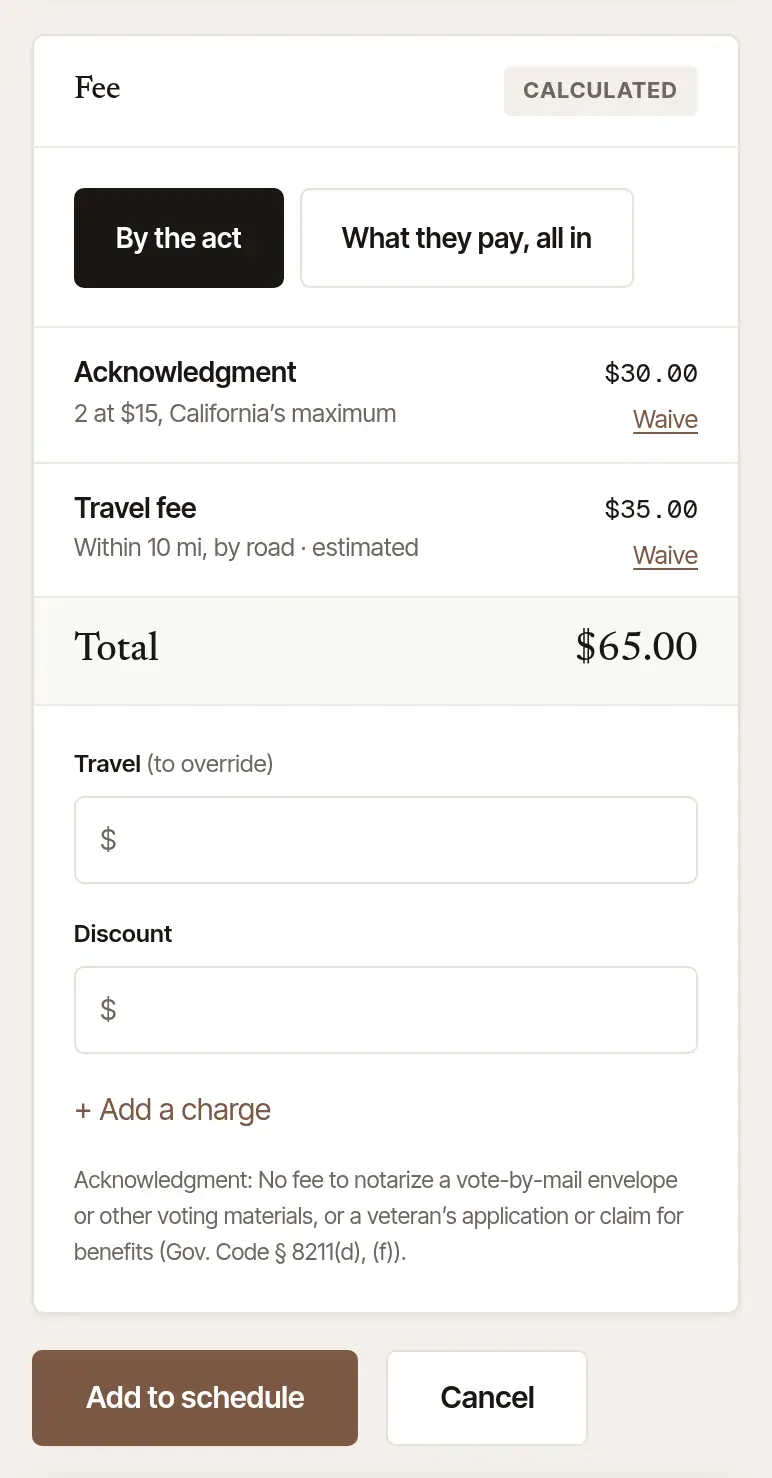
Under the lines, the card says what your state says about each act you've planned — and, where we have not established an act's limit, that. Where your state limits a travel fee by the mile, the travel line is held to the limit for the job's miles and says so, and a Travel figure typed above it is refused with the limit and how it's worked out. In Nevada, which limits it by the hour, the line is held for the drive's time and the time of the signing — $15 an hour by day, $30 between 7 p.m. and 6 a.m., two hours at the least — so the same address can cost more in the evening than at noon. If the job has no drive time, a travel fee above two hours by day asks you to add the drive's minutes. The job is booked and confirmed, and its page opens. If the note in step 2 warned you, the button says Book anyway; for a day gone by, Add it to close out. Something missing is said under its field.

Tap +. It floats at the foot of Today and Jobs. The screen that opens is New job.
Someone in front of you? Tap Right now — it's the first thing on the screen, beside Book a time. The place is your office (the street address saved on the web, or the phone's own) — or tap Here for where the phone is. It starts when you save, with no travel on the bill, and opens straight on its first journal line; the job's screen then holds only its journal lines and Close out and collect — no trip, no miles, never “On my way”.
Say what kind. Notarization or Loan signing; Apostille, Fingerprinting or I-9 under them for those services.
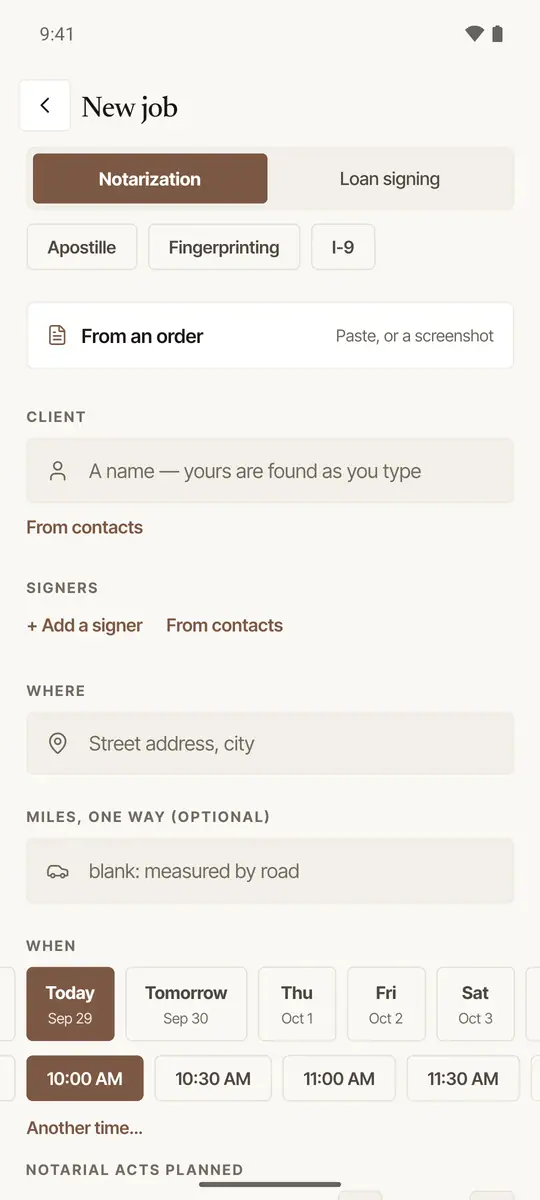
Choose the client. With nothing typed, Booked lately lists the clients you booked for lately; type a letter and yours that match show instead — or tap From contacts. Choose a person, and the place, the signers and the acts of their last signing fill in where the job has none yet (Clear them takes them out; Edit beside a client you picked puts their name and number back in the boxes to change). For a company, they're left for you to fill in: its next signing is with someone else. A new one: choose A person or A company (a company's name starts as A company), and add their Phone and Email if you have them. A new company is billed net 30 and a new person pays at the signing — change it on their page under Clients, on the web. If two of your clients have that name, saving asks Is this… — tap one, or Neither — a new client. A person with an email gets Send … the details, ticked: the confirmation now and a reminder the morning before, with their page. If the confirmation was emailed less than twelve hours before that morning, no reminder goes: it already said when, where and what to have ready. Untick it to tell them yourself. It isn't offered for a day gone by, nor for Right now — it has begun. For a time earlier today, it says nothing is emailed now: moved to a time ahead, the confirmation goes then.
Add the signers. Under Signers, each one's name, phone and email — From contacts picks one, and Same as the client adds the client.
Say where and when. Type Where and pick the address; Miles, one way is measured by road if you leave it blank. Tap the day, then the time — the times run across your working hours for that day — Another day… for any other day, yesterday's included, and Another time… for any other time. A day gone by is saved as done and opens on its close-out. Under How long, tap 30 min, 1 hour, 1½ hours, 2 hours or Other… — it starts at your own length, and ninety minutes for a loan signing.
Count the acts. Under Notarial acts planned, tap + beside each. Add the Documents and the Witnesses needed (None, 1, 2 or More). For a loan signing: the Kind of loan, Their file / escrow no., Loan no., Lender, Scan-backs requested, the Pages to print and sets, Who to call about the file, and when the Documents expected by and Return by. Then any Instructions from the client, and your private Prep & access.
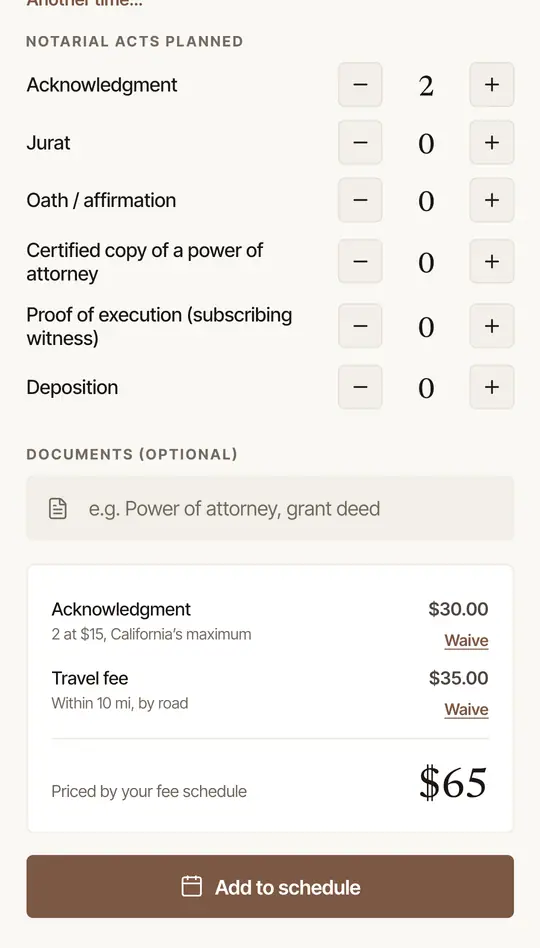
Check the fee, and tap Add to schedule. Over the card, What they pay, all in ($) for one amount (blank prices it by the act), a Discount, and + Add a charge for an amount of your own with its name. The card shows each line and the total; tap Waive beside a fee to let it go (Charge it brings it back). The button says Start the walk-in for a walk-in and Add it to close out for a day gone by. Something missing? Tapping it takes you there and says what it needs.
Good to know
- Not booked yet? On the phone, Hold it (beside Add to schedule) keeps the time for them for 48 hours while they decide, and Send the price sends them what it comes to, from your own phone or by email: Send the price, and hold the time while they decide.
- A deposit. Once it's booked, take one in hand — right after Add to schedule, or from the job: Take a deposit on a booked signing.
- By video. Once you've set up notarizing by video where your state allows it, the booking has By video (In person or By video on the phone): no drive, no printing, and each act held to your state's limit for remote acts.
- Apostille, fingerprinting and I-9 are booked as services of their own, not as notarial acts — and your state may limit or forbid one. Where the rules built in say a service isn't offered by a notary in your state, the form won't book it and says why; where they say to take care, it says what to remember, and keeps that in the job's notes. Their fee is a line of its own (Apostille service fee, Fingerprinting fee, I-9 verification fee). A document you also notarize for an apostille is an act — add it to the acts.
- A flat fee is the price, on any kind of job. The acts inside it are still counted — held to your state's limit where it has one, and kept apart for your taxes — and travel, printing and a discount aren't added. For a person, the rest of it is billed as Travel and service fee, so their bill says the travel is in it. Where your state limits a travel fee, or has one agreed beforehand, one amount isn't taken for a person's signing — the form says why, and prices it by the act, with the travel fee on a line of its own; a company's fee for the whole signing can still be one amount.
- An act your state limits by the page — a certified copy, in some states — is counted in pages: the form marks it (pages), and the fee card says so.
- Prep & access is kept on the job, not on one phone: the web shows it, a notary it's handed to sees it, and signing out keeps it. Notes a phone held before now go up to the job the first time you open it.
- An order fills in the loan's details — the kind of loan, the pages and sets, the witnesses, and who sent it as the person to call about the file. So does a company's order sent from its desk or your order link.
- Their page. A booking you make for a person has a page of its own for them, like a request from your page: when you're on your way and about when you'll arrive, the total line by line, and afterwards the receipt with a way to pay it. The job shows it under Their page — Copy their link, or Share on a phone — and the phone's “on my way” text carries it. No review is asked for there: reviews come from people who asked through your page.
- Book again. A finished or cancelled job has Book again: the same type, price, place and signers, on a day you choose. On the web, a company's job comes with the same type and price, and the place and the signers left empty for the next signing's own.
- Your fees themselves — each act, travel zones, printing, after hours — are set in Settings → Fees & rates.
General information, not legal advice
Which notarial acts exist, and the most you may charge for each, are set by your state. Where Hand & Seal has checked a state's limits, the form won't let an act's fee go over them; where it hasn't yet, the form says so, and your state's notary handbook is the guide. This is general information, not legal advice.
Was this helpful?
Still stuck? Contact support — a person reads every message and answers by email.