Question
What do Requested, Booked, Close out and Overdue mean?
The label beside each job says where it stands, and after close-out where its money stands. Here's each one, and what the Jobs tabs show.
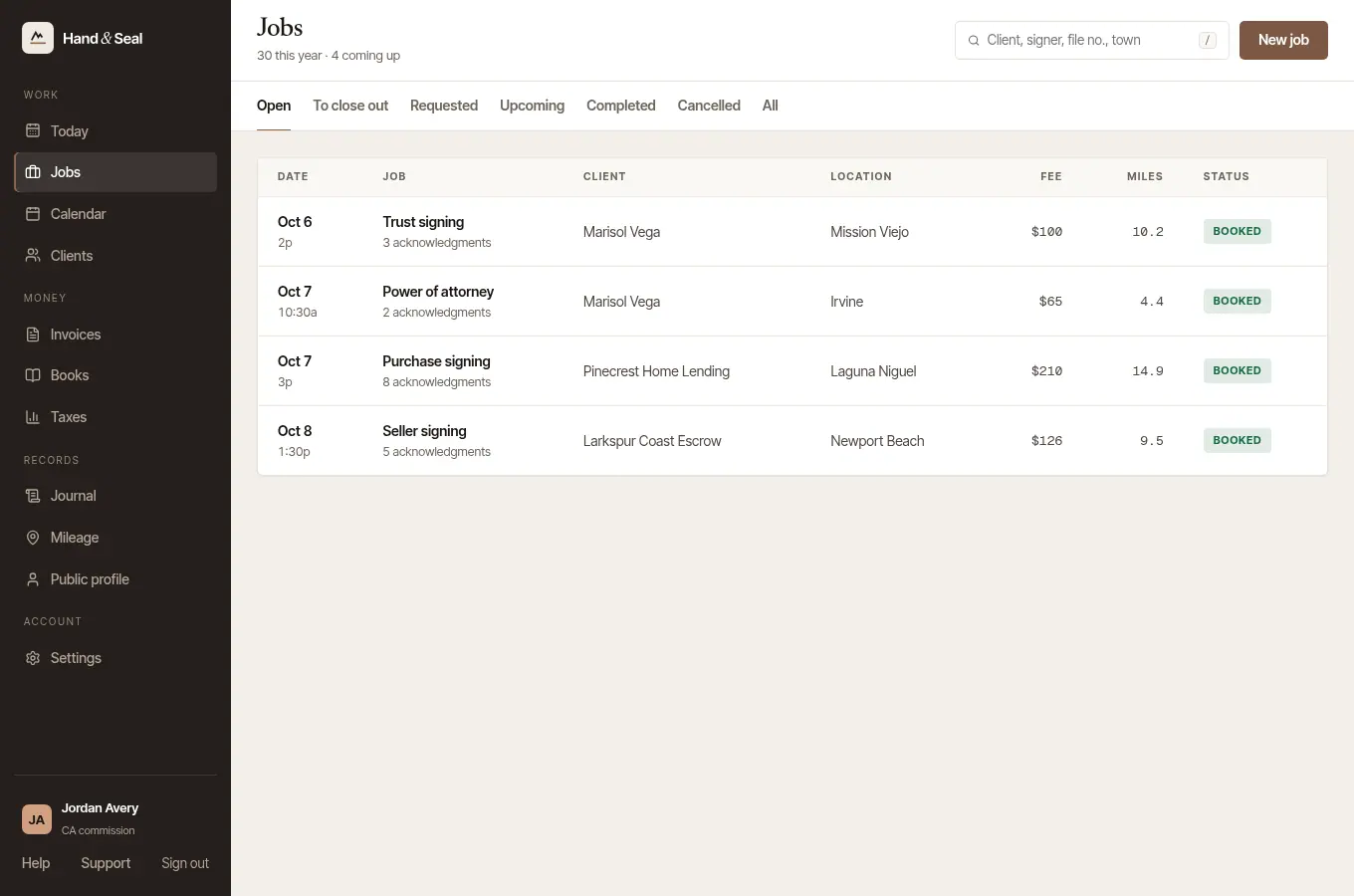
The label beside a job says what it's waiting for. Until the signing, that's your answer or the day itself. Once its time has passed, it's waiting to be closed out. After that, the label is about the money: whether its invoice is paid.
The labels
| Label | What it means |
|---|---|
| Requested | A client or company asked for this time and is waiting for your answer. Accept it and it's Booked; decline it and it's Declined. |
| Held | A time you're holding for a client while they decide — not booked yet, and off your page. Confirm it and it's Booked. |
| Hold ran out | Nobody confirmed it in time, so the time is free again. |
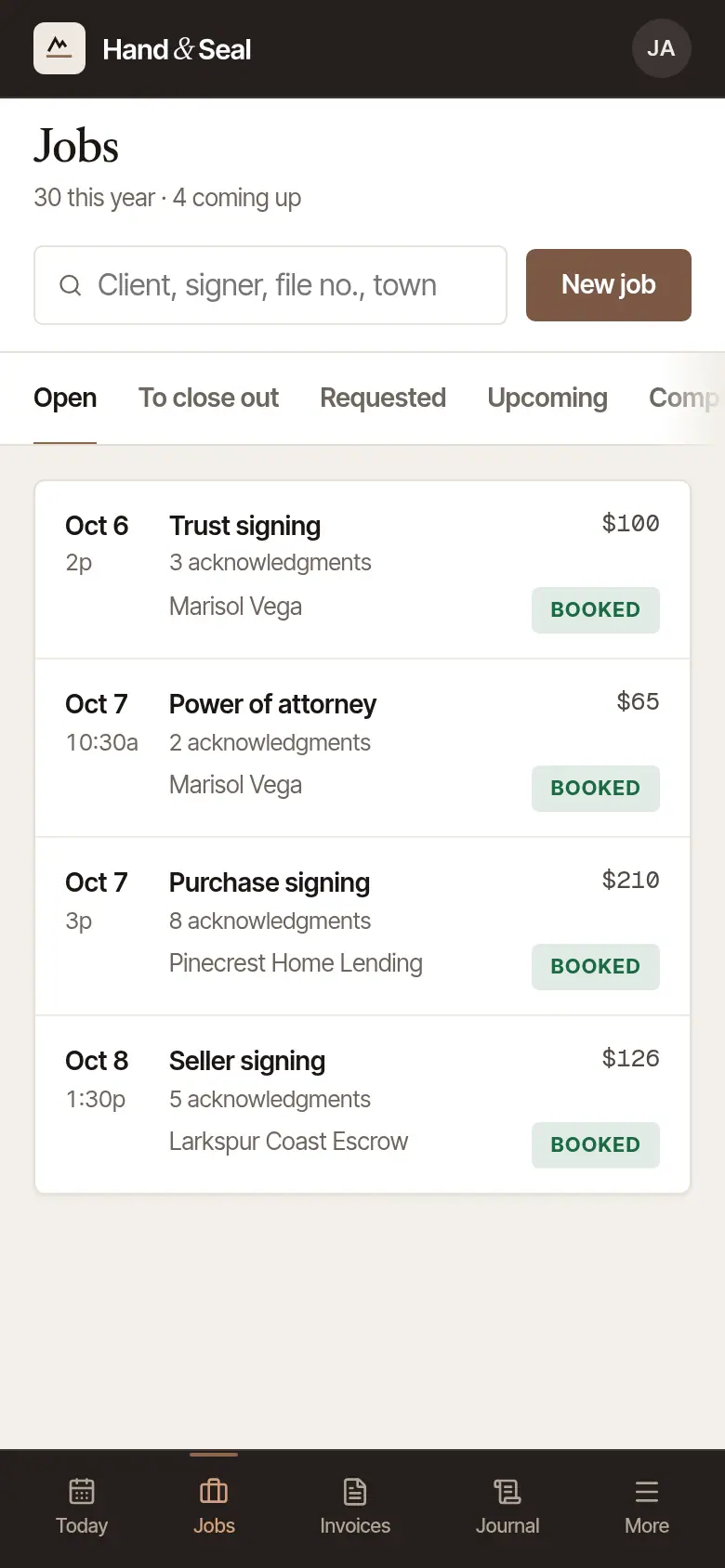
| Booked | The signing is still ahead. There's nothing to collect until it's signed. |
| Offered | In a business with several notaries: handed to one of them, who hasn't answered yet. Once they accept it, it's Booked. |
| Close out | Its time has passed and it hasn't been closed out yet. Choosing the label opens the close-out. |
| Paid | Closed out, and its invoice is paid in full. |
| Unpaid | Closed out, with its invoice due now and not yet paid. |
| Billed net 30 | Closed out and invoiced to a client on terms, not yet due. The number is their days to pay. |
| Overdue 12d | Closed out, and its invoice is overdue: here by 12 days. It was sent from here or already reminded — or it is counted as sent, because it came from your earlier records. For an invoice sent from Hand & Seal, reminders can go for you (Settings → Account, Remind them for me). |
| Not sent | Closed out, and its invoice was made here, its due day has passed, and nobody has been sent it. It isn't overdue until it's sent: open the invoice and choose Send it. |
| To confirm | Its invoice is still owed, and its notary fees came over with an import and aren't confirmed yet. Until you open the invoice and confirm the figure, it isn't sent or reminded from Hand & Seal, and on the web it isn't shown as overdue on Invoices, on Today, in these labels or on the invoice itself. The client's record and their statement still count it as past its due date. |
| Completed | Closed out, with no invoice on it: nothing was billed. |
| Declined | You said no to the request or order. |
| Expired | Nobody answered in time. A client's request, or a company's order, lapses — a client is emailed when they gave an email, a company sees it on its desk — or the order goes on to the next notary the company named. |
| Cancelled | Called off, by you, the client or the company. |
In a business with several notaries, a job nobody has yet shows Needs a notary (or Needs a notary — said no) under its name, for someone to take.
The tabs
Jobs opens on Open: everything asked for, booked or waiting to be closed out.
- To close out: signings whose time has passed. The number beside it says how many.
- Requested: requests and orders waiting for your answer, and signings you're holding for someone.
- Upcoming: booked signings still ahead.
- Completed: closed out, each labeled with where its money stands.
- Cancelled: cancelled, declined and expired.
- All: everything. Searching looks through all of them.
Search finds a job by its client, a signer, the file or loan no., the lender, the job's number, the town, the street or the title — or by a phone number, the client's, a signer's or the person's to call about the file, typed with or without its dashes, spaces, brackets or a +1.
Jobs in the phone app has four: Open (booked and still to close out), Requests (with how many are waiting), Done (closed out) and All. The label on an open job says what it's waiting for:
- Booked: the signing is still ahead. There's nothing to collect until it's signed.
- Billed: a client on terms. They're invoiced at close-out, with nothing to collect at the door.
- Close out: the signing is done, or its time has passed. Close it out next.
- To collect: closed out, and its payment is still to come in.
- Paid: paid in full.
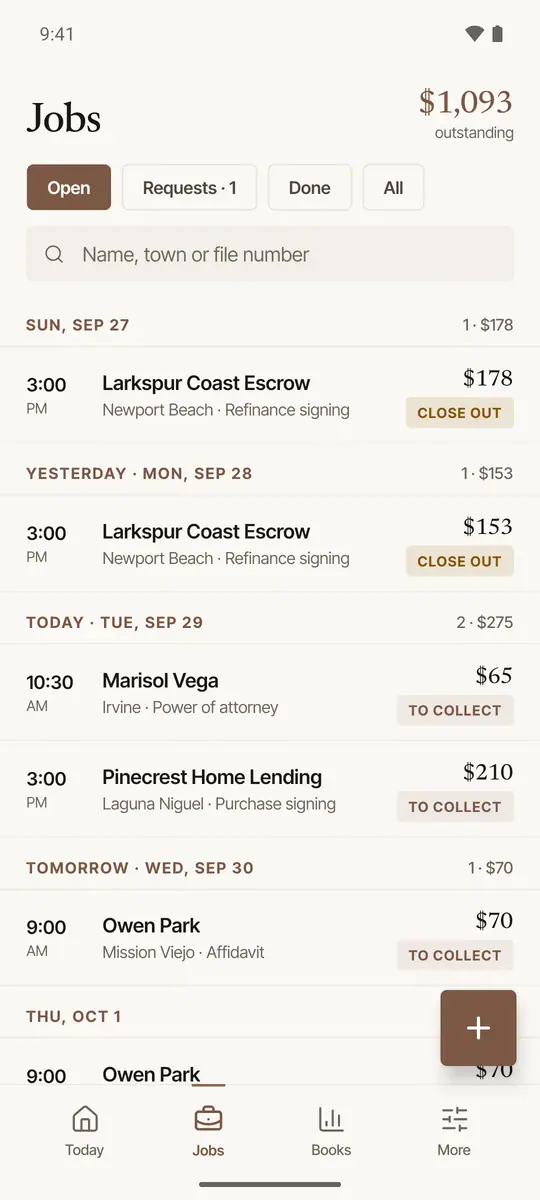
Under Done, a job shows Paid, or when its invoice is due (Due Oct 14, say), in red once that day has passed. Not invoiced means no invoice was made for it.
Was this helpful?
Still stuck? Contact support — a person reads every message and answers by email.